
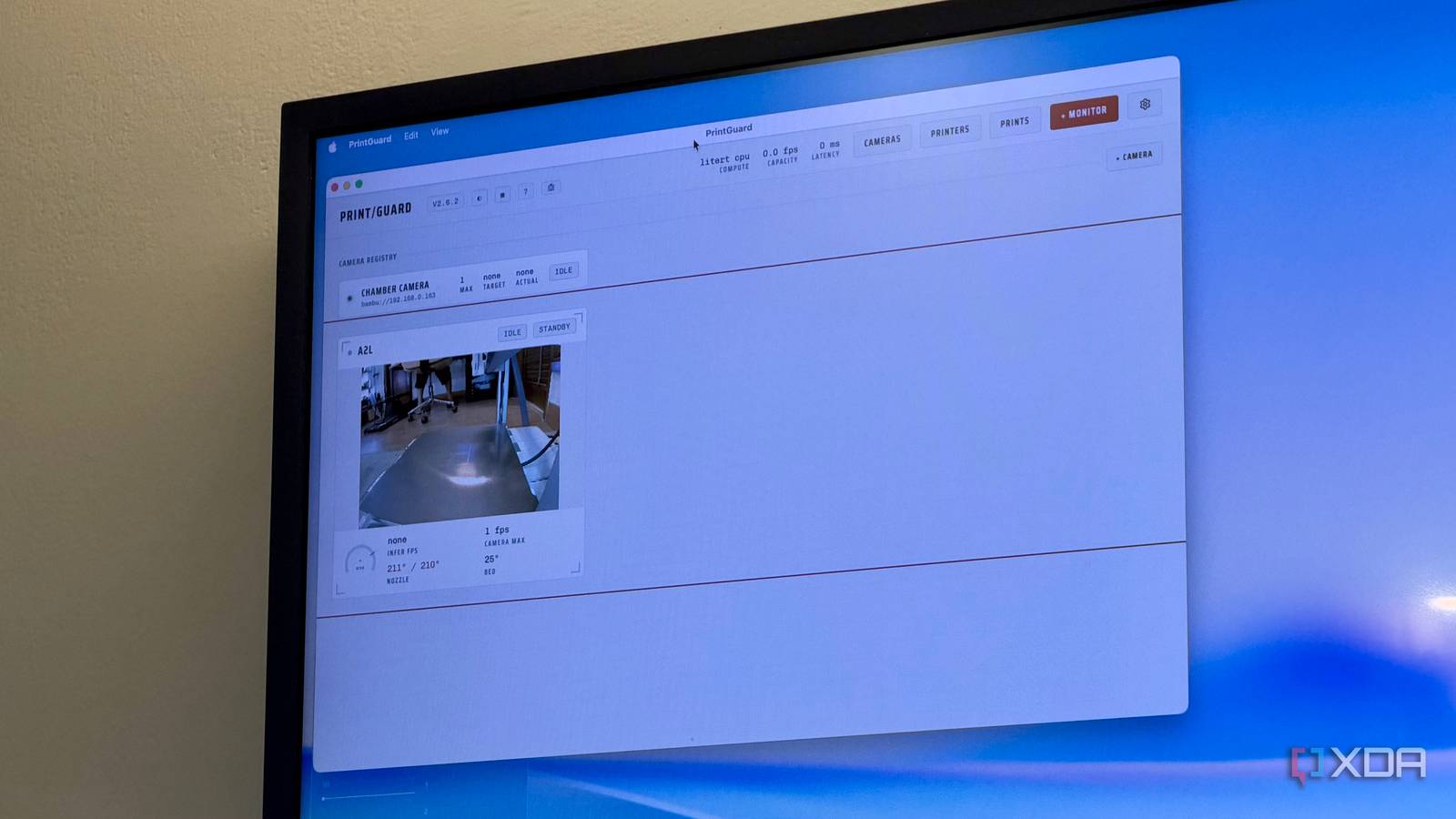
Published Oct 18, 2026, 11:00 AM EDT Dhruv Bhutani has been writing about consumer technology since 2008, offering deep insights into the personal technology landscape through features and opinion pieces. He writes for XDA-Developers, where he focuses on topics like productivity, networking, self-hosting, and more. Over the years, his work has also appeared in leading publications such as Android Police, Android Authority, CNET, PCMag, and more. Outside of his professional work, Dhruv is an avid fan of horror media spanning films and literature, enjoys fitness activities, collects vinyl records, and plays the guitar. In 2026, it's hard to come across a 3D printer that isn't generally reliable. That's the case for my Bambu Lab A2L as well. But no 3D printer gets the job right every single time. Be it build plate detachment, warping, or stringing from bad filament, issues do pop up from time to time. The annoying part is that these failures usually pop up only when I leave a print on overnight. Yes, I'm aware that my printer has a camera built in to keep tabs on things, but I can't be watching it all day and night long. So, I installed PrintGuard. This open-source tool uses the camera built into my 3D printer, or, for that matter, any external camera, and pairs it with a local AI model to identify failed prints. It can then pause the printer and send me an alert through my choice of service. It's found a permanent home on my server and has already helped me catch a failed print or two before I ended up wasting filament. Catch failed prints before wasting hours of filament Frame-by-frame analysis helps spot failures Credit: Like everyone else, I don't like wasting filament. There's a cost attached to it, and wasting materials goes against the very idea of 3D printing. However, the biggest problem with 3D printing is that you can do everything needed to get the print perfectly right in one go, and yet it might fail. And this only happens once the print has already started. I can prepare the model perfectly and start the job, but halfway through, the print might just fail. This happened to me just last week when my print failed at hour five of an eight-hour job. That's a whole lot of time, filament, and money wasted. Another print failed on me because it lost adhesion. PrintGuard addresses this problem by analyzing images from the connected camera while the printer is working. Specifically, you define a region of the camera's viewport, and the vision model looks for signs of a failed print and assigns a score to each frame. This is a surprisingly nifty approach for a good reason. My 3D printer's camera outputs at a mere 1 FPS. In low light, that means a blurry frame can look suspicious to any LLM. PrintGuard effectively builds a profile over multiple frames to detect that there is an issue. Moreover, this means that a one-off obstruction doesn't bring the print to a halt. Once PrintGuard identifies a problem, it can be configured to send you a notification through a range of services, including popular options like Ntfy and Pushbullet. I prefer the latter. But a notification isn't very useful if you're in the middle of a meeting or catching a nap. That's where PrintGuard's ability to stop a print comes in handy. The whole point of the tool is to intervene when I'm not near the machine, and I've set it to pause the print. Unlike canceling the job, this gives me the option to inspect the print so far and buys me time to try and rescue it instead of starting from scratch. PrintGuard is easy to deploy on any home server The lightweight vision model keeps things local Deploying PrintGuard is easy. The developer has provided the full Docker Compose file on GitHub, and realistically, all you have to do is copy and paste it into the terminal. Similarly, running it on a home server or NAS is a cinch. If you want to make it even easier, the developer has provided a package file as well for a few targets, including macOS. Just deploy PrintGuard with your preferred method, register your printer and camera, and you're good to go. Once the printer and camera have been registered, you'll be able to set up a monitor flow between the two that decides how the feed will be analyzed. While Bambu Labs is one of the supported platforms, of course, Klipper and OctoPrint are supported too, making it easy to plug into a wide range of 3D printers. If you're running a small print farm at home, PrintGuard can be a nifty addition to your setup, as it can work with multiple 3D printers simultaneously. You'll just want to make sure that your hardware is up to scratch to allow the local computer vision model to handle multiple camera feeds. Which brings me to my next point, and why I like this approach so much. I love the fact that PrintGuard has been designed to work offline from the ground up. I have no interest in sending hours of 3D printing footage to the cloud, and with the compact local vision model, I don't need to. While, ironically, I haven't run into any issues with my prints since I installed PrintGuard, the experience has been rock solid. The software uses ShuffleNet trained specifically for detecting 3D printing failures, and I've had no trouble running it on a lightweight system like my NAS. That said, it's always worth keeping in mind that no amount of automatic failure detection will be infallible. Moreover, camera angle and lighting will also play a big role in ensuring accuracy. Let PrintGuard keep tabs on your 3D print while you carry on with your day As I mentioned earlier, 3D printers are generally reliable these days, which makes hands-off monitoring even more important. While you no longer need to keep eyes on your ongoing print 24/7, a tool like PrintGuard can add camera-based failure detection and intervention to most 3D printers. PrintGuard: This open-source software uses a local vision model to detect 3D printing failures and pause prints
I gave my 3D printer a Docker-based spotter, and I stopped wasting filament on failures
Full Article
Original Source
Read the full article at Xda-developers →KhanList aggregates and links to publicly available news content. We do not host full articles from third-party sources. Always verify important information with original sources.