
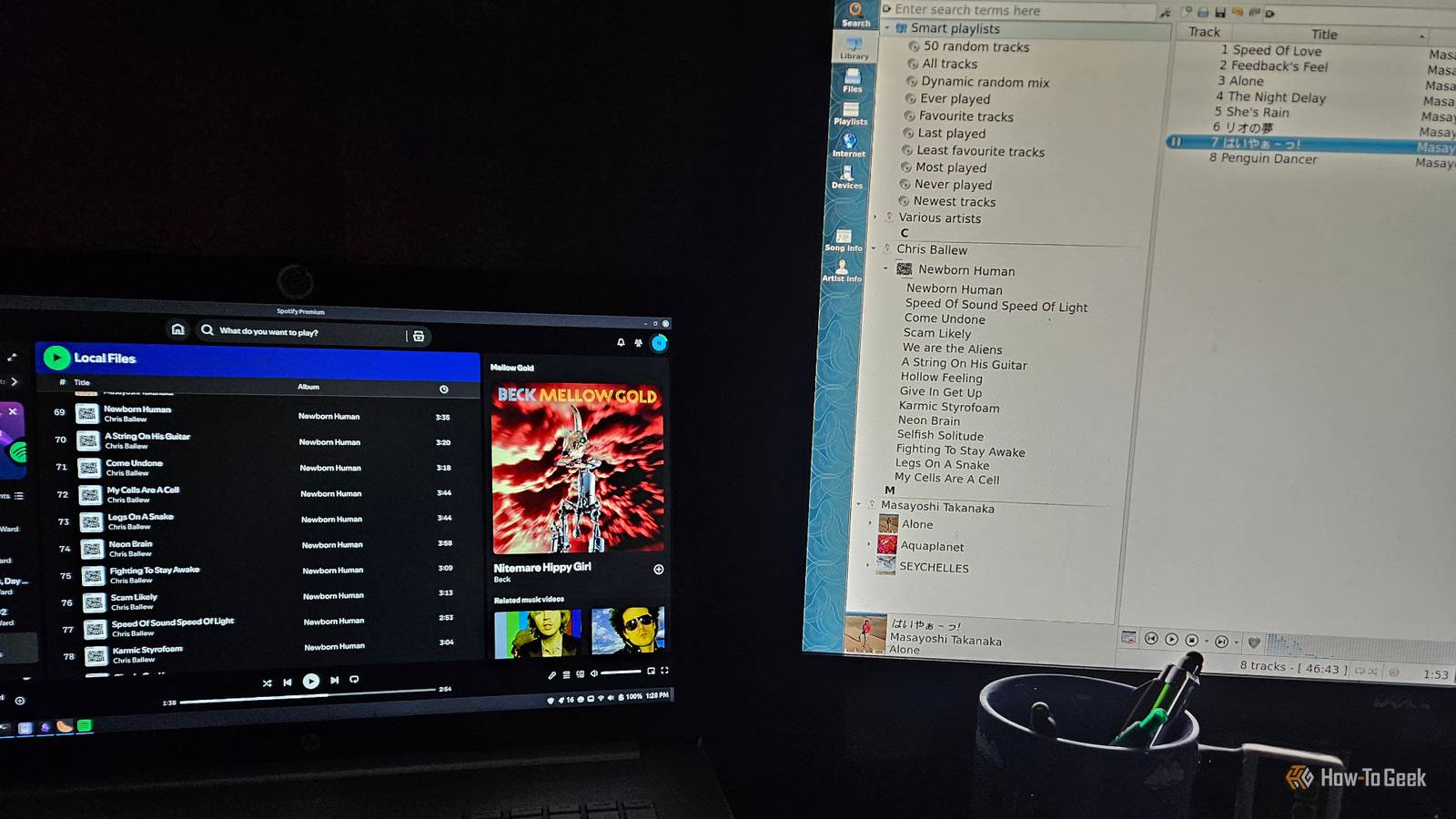
Published Sep 7, 2026, 4:30 PM EDT Former radio and TV guy (I Heart Radio and PBS). Now a writer, researcher, and musician who writes about the absurdity of our modern world and other offbeat topics. Specializes in weird music, the old web, retro video games and tech, and researching strange, yet interesting things. His work has appeared in Vice, Tedium, Star Trek.com, Today I Found Out, Typebar, SyFy Wire, and How To Geek. Currently working on a variety of music, web, and writing projects. Visit him on the web at https://djbuckfreelance.neocities.org/. I like to test out different music/media players on Linux every so often. I don't know how I missed out on Clementine. I've been using the Spotify desktop app on one of my machines for a little while as a media player. So, just for fun, I decided to pit them against one another in a bit of a "friendly competition." I was surprised to see which one I ended up liking better. What I look for in a Linux desktop music player Every head-to-head test needs specific criteria Credit: David J. Buck / How-To Geek When I test out music apps, I'm looking for a few specific things. First, I want to see how easy it is to add my own music. Then, I need to be able to access my album information easily, in an organized way. Finally, I like to mess with equalizer and audio settings so I can maximize the quality of what I'm listening to. Anyone who knows me is fully aware that I'm a big "rip your CDs (or buy digital music from Bandcamp) and listen to your music locally" kind of dude. So, I'm not really evaluating the apps based on their streaming capabilities. I'm looking at how well they work as desktop music players. Comparing two different killer apps for playing my tunes A quality mainstream app vs. an open-source wonder The Spotify desktop app is already pretty good. I got a free six-month Premium subscription, but I've mostly been using it as a local music player. It works pretty well for that. I haven't tried to use it for local file playback on the free tier, although as of 2023, free users can do so. Navigation on desktop is a little iffy, though. As a listener, I expect to click on an album cover and be taken straight to the album page. That doesn't happen here. When I click on the album cover in the bottom-right corner, it opens a side panel on the right showing a larger version of the album art with the track name below it. I had to click on that to get the main album page. That's an extra, unnecessary step. The app also doesn't interfere with much of anything else I'm running on the machine and I haven't had it freeze while playing music. What I like better about the Clementine desktop app is that while clicking on the album only brings up a separate window containing the album art, there's already a window open in the app containing the album's information. It's not hidden or out of sight. In Clementine, finding local music is super easy. I just access the folder I want and add the albums. The option is right there in main window when you open the app. You can also use Playlist -> Add a Folder. In Spotify, I had to click on my profile, then go to Settings -> Add a Source, then choose the folder I wanted. After that, all Spotify does is create a folder called "Local Files" with everything in it. Clementine separates by album and artist. Playback is efficient on both apps. The controls are pretty standard, so they're about equal in that department. Spotify has the added bonus of being able to be controlled from my phone without any additional steps, but that's not super important to me. Clementine lets you rip CDs and transcode files to other formats (like Ogg Vorbis), which is pretty useful to me. Equalizer settings matter to me a lot After testing a few settings, I found some interesting differences I like to listen to my music. It's not always just a background thing for me. I can sit and listen to Taj Mahal with my eyes closed while relaxing or put on some Ralph Towner while reading a novel. What does matter is how that music sounds. So, I like to test out equalizers. I tested all the equalizer settings (in both apps) with a pair of Tascam headphones on. I did not use earbuds because I pretty much can't anymore. The Classical filter on Spotify is probably closest to the presets I typically use on an equalizer. I thought it sounded good, but a little hollow. The Rock filter sounded much better and brighter. I'm using a laptop for this test, so I figured the small speakers setting might be decent. I went through a few songs with it and I liked how the midrange was more dialed in, but it was still missing something. Next up, I played with the custom settings (because, why not?). I got creative with the custom equalizers and made a V-curve (basically, I just boosted the bass and treble while lowering the midrange a bit). It sounds pretty good to me, and I plan to use it as the default. Overall, Spotify's desktop app has fantastic equalizers. So, let's see how Clementine compares. In Clementine, I tested the rock, laptop/headphones, Classical, and custom settings. Credit: David J. Buck / How-To Geek The rock setting gave the music an immediate boost in quality. It sounded perfectly fine without an equalizer, but once I turned on the preset, I got a full sound. The laptop/headphones setting was disappointing. It sounded distant and just didn't sound good through my headphones at all. The Classical setting was about on par with Spotify's. I set up the same V-curve test in Clementine to get a solid comparison. This required some finesse on my part, since there are a lot more options. But I made an approximation of a V-curve. I tested it with some Masayoshi Takanaka tunes because they offer a bright, clean mix of well-defined bass and guitar playing. It sounded phenomenal. If you want to duplicate my settings, I turned the pre-amp up to about .84 dB. I set the first three bands (labeled 60, 170, and 310) 10.2, 9, and 8 dB. For the next four (600, 1K, 3K, 6K), I set them between -6 and -4 dB. For the last three (12K, 14K, 16K), I went with 8, 9, and 10 dB respectively. It works great for me, but (as the kids say) your mileage may vary. Clementine is the clear winner here, although I will say Spotify wasn't bad in its own right. If you're listening with quality headphones, Clementine just offers more options, and it's a bit easier to do some fine-tuning to get the best overall listening experience. For me, Clementine offers a better desktop experience than Spotify Truthfully, I like both apps. Spotify is incredibly polished and works well for local music or streaming. Clementine has a ton of features and just works right away without much tweaking. If I had to choose only one, however, I'd go with Clementine. The equalizer is much better, navigation is a bit smoother, and it handles multiple formats perfectly. It's also open-source and lightweight, which makes it just a bit better for my needs.
I finally found a Linux music player that feels better than Spotify's desktop app
Full Article
Original Source
Read the full article at Howtogeek →KhanList aggregates and links to publicly available news content. We do not host full articles from third-party sources. Always verify important information with original sources.