
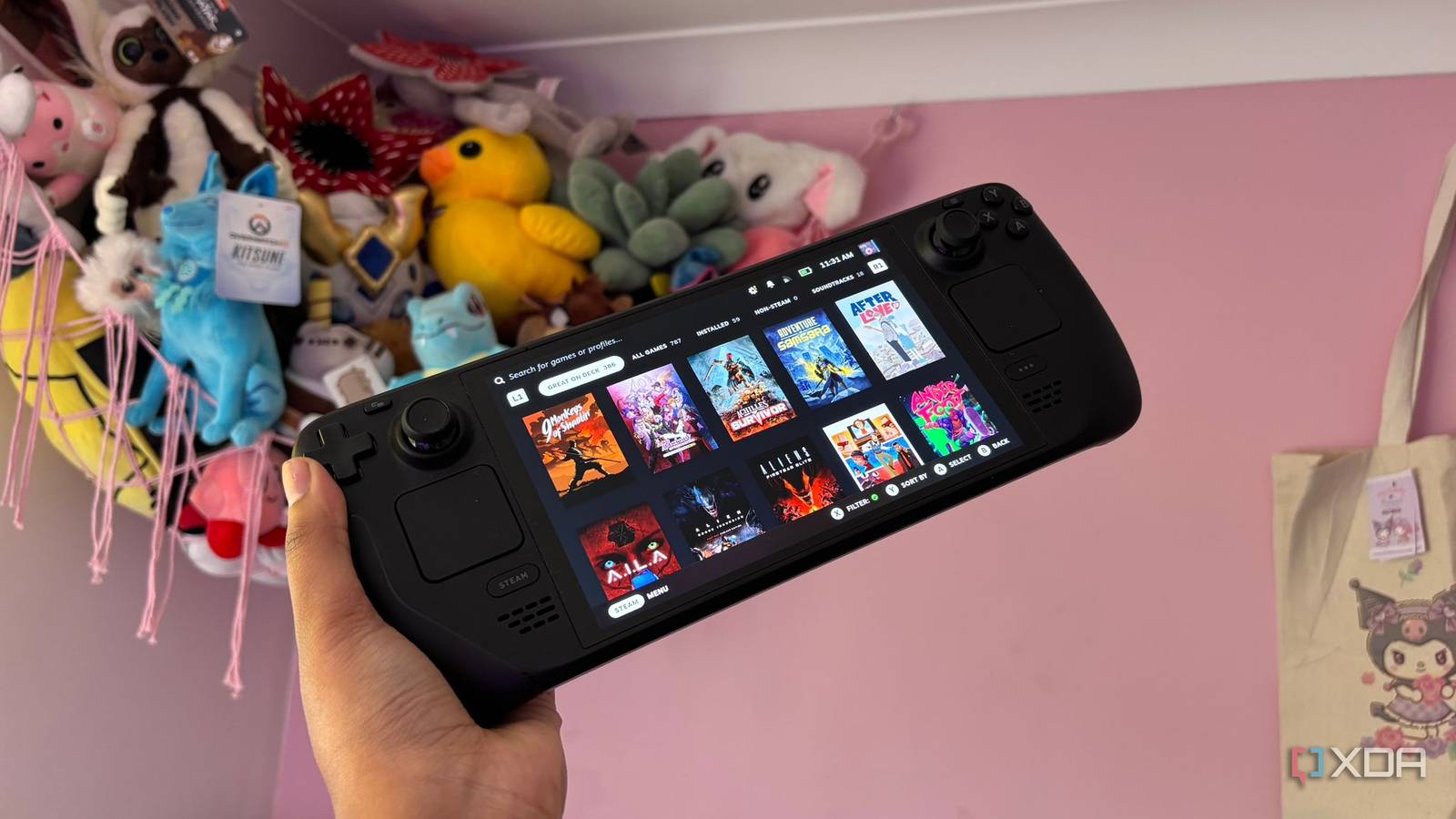
Published Nov 2, 2026, 1:30 PM EST Jasmine is Software and PC Hardware Author at XDA with years of tech reporting experience ranging from AI chatbots right down to gaming hardware, she's covered just about everything. Whether it's breaking news about the latest AMD NPUs or creating video tutorials on social media platforms, Jasmine has contributed to the world of AI and tech in a variety of ways including interviewing the CEO of Razer, AMD's Director of Product Marketing and the VP of Lenovo. Passionate about gaming and PC technology, she has built countless computers, keyboards and other peripherals - knowing them inside and out. The PlayStation 3 remains one of the most notoriously difficult platforms to emulate due to its unconventional Cell Broadband Engine architecture. It relies on a central Power PC core paired with eight specialized vector processing units. Realistically, the Steam Deck, powered by a custom AMD Zen 2 CPU and RDNA 2 GPU running a 15W thermal envelope, has no business running complex PS3 emulation smoothly. However, RPCS3 has undergone vigorous, rigorous optimization, coupled with SteamOS Game Mode performance tuning. Now the Steam Deck actually can run a substantial library of PS3 titles. It isn't just granting portable access to that vintage software, but this leap has allowed specific titles to run at locked frame rates and higher resolution than the original 2006 hardware could ever manage. The PS3 is hard to emulate But hard doesn't mean impossible The reality of Cell emulation on Zen2 hardware is that you need to understand the architecture. The PS3 Cell processor divides tasks between one Power Processing Element (or PPE) and multiple Synergistic Processing Elements, otherwise known as SPEs. This meant that games relied very heavily on asynchronous, highly parallelized code. In other words, it's very complicated and feels exceptionally hard to replicate in emulation. The RPCS3 translates the Cell's PPE and SPE instructions into x86-64 machine code while utilizing modern Vulkan API pipelines to translate Reality Synthesizer graphics calls. This lets it run somewhat on the Steam Deck, but other issues still need resolving. Because emulating the Cell's synergistic processing elements places heavy demands on the Steam Deck's quad-core Zen 2 CPU, thread management is critical. You have to adjust simultaneous multi-threading (SMT) settings, allocate proper RAM/VRAM buffers, and tune preferred SPU threads within RPCS3 to prevent severe frame-pacing bottlenecks. After all that, you've got a high-functioning PlayStation 3 emulator right in the palm of your hands. Emulation can sometimes beat out the OG Higher frame rates and resolution? Yes please. In some cases, emulation has even beaten the original hardware. Many original PlayStation 3 titles were locked to an unstable 30fps target with aggressive VSync tearing. However, on RPCS3, community-made patches and brute-force CPU performance allow games like Demon's Souls or Armored Core 4 to maintain smooth, uninterrupted frame rates. Essentially, you get frame rate unlocking and 60fps patches in a way you couldn't access on the PlayStation 3 itself. Original PlayStation 3 games frequently rendered at sub-720p resolutions with harsh subsampling, but now you can run titles at native 800p on the Steam Deck's display or scale up via RPCS3's resolution multiplier. This yields crisp visual fidelity that strips away the original muddy blur. Lastly, you can eliminate texture pop-in and load times by running game ISOs directly off the Steam Deck's high-speed NVMe internal storage. You'll drastically reduce asset-streaming stutter and load times compared to the original mechanical Blu-ray drives and slow 5400 RPM hard drives of the PlayStation 3 era. Protect your Steam Deck from thermal throttling And take advantage of EmuDeck to simplify deployment If you want to set up your Steam Deck for optimal PlayStation 3 performance, consider a few factors. First, you'll probably want to set up EmuDeck, as it uses automated configuration frameworks and simplifies directory structures, firmware placement, and Proton/Linux runtime dependencies. Alongside deploying RPCS3 you have to ensure that you're also deploying EmuDeck to make everything a much smoother process. There are also per-game configuration toggles to keep in mind because the Cell architecture behaves differently across titles. You must tune settings per game in RPCS3, adjust preferred SPU threads, enable or disable write color buffers, and apply specific game patches. And lastly, and probably most importantly, is thermal and power management. By locking the Steam Deck's GPU clock speeds and managing CPU governors via power tools or Decky Loader utilities, you can set custom TDP caps to ensure sustained performance without triggering thermal throttling during heavy instruction compiling. Although the Steam Deck can be powerful, it can overheat quickly if you don't follow these steps. An overheating Steam Deck can't provide the performance you expect because of thermal throttling. Unmanaged thermal loads won't destroy your silicon, but letting the APU hit its thermal limit will trigger aggressive throttling, causing sudden frame-rate drops and stuttering. The Steam Deck is a great piece of kit Make sure you take full advantage of your hardware Emulating the PlayStation 3 on a 15-watt handheld Linux device sounds like an engineering impossibility. However, RPCS3 optimization on the Steam Deck bridges the gap between vintage console architecture and modern mobile hardware. Instead of viewing the Steam Deck as merely a native indie PC gaming handheld, with proper RPCS3 configuration, performance tuning, and community patches, it can serve as the ultimate modern platform for experiencing classic PS3 titles better than they ever ran on the original hardware. Just make sure you deploy the software correctly, adjust settings per game, and monitor thermal and power management to ensure the best performance. RPCS3
I emulate PS3 games on my Steam Deck, and some of them run better than they did on the console
Full Article
Original Source
Read the full article at Xda-developers →KhanList aggregates and links to publicly available news content. We do not host full articles from third-party sources. Always verify important information with original sources.