
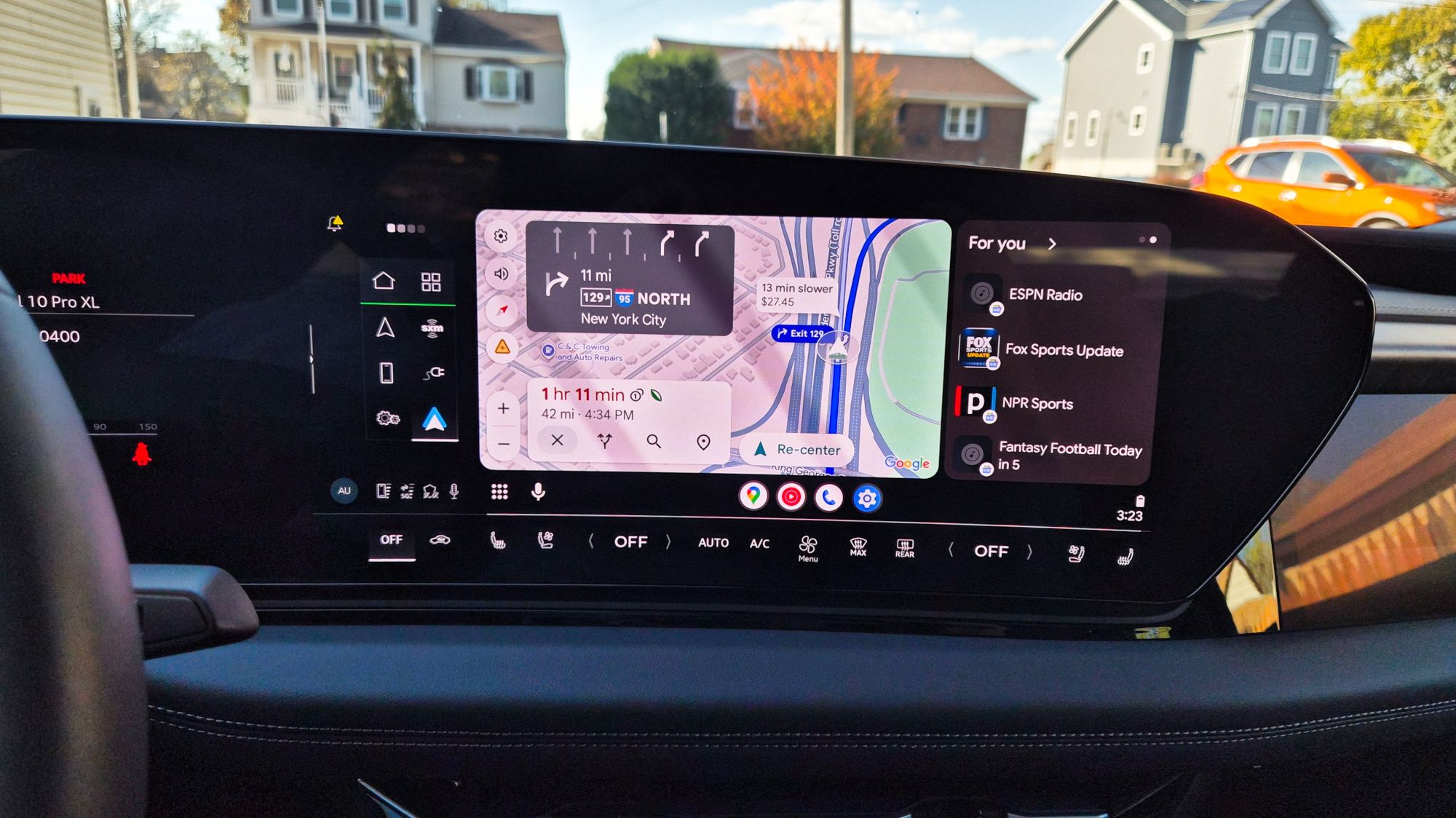
(Image credit: Tom's Guide / John Velasco) This past year alone, I’ve tested more than 70 different vehicles, including many of the best electric cars that natively offer wireless CarPlay and Android Auto. I’ve logged more than 10,000 miles behind the wheel putting them through their paces, but there's one thing I always do before each drive: run Google Maps.Recently, the popular navigation app received a substantial update that transforms the visual experience with Immersive Navigation. While it’s a tremendous boost, there’s one thing I think Google needs to fix — or at least update — to make its best feature even better. I’m referring to police alerts, which pop up only when you’re actively following directions to a destination.Don’t get me wrong: it’s a helpful feature that gives me a heads-up about potential speed traps or hazards, but I wish these alerts were available even when I’m not running active turn-by-turn navigation. Here’s why.Not only does Google Maps provide me with meaningful traffic data, but it also offers a comprehensive reporting tool for crashes, slowdowns, construction, lane closures, and more. I consider myself a power user and do my best to report incidents along my routes — or verify existing ones — to keep the map accurate for everyone. But the feature I rely on most is police alerts.(Image credit: John Velasco / Tom's Guide)Whether someone has been pulled over for speeding or an officer is parked monitoring a speed trap, I regularly report sightings so other drivers stay informed. Naturally, I also appreciate seeing those community reports ahead of time to give me a heads-up.The problem is that I only receive these alerts when I’m actively following turn-by-turn directions. If I just get in my car and drive without setting a destination, Google Maps stays silent. I’d love to see this upgraded so these alerts remain active even when the app is running in standby mode. (Image credit: Future)Because I frequently use CarPlay and Android Auto, I appreciate how seamlessly Google Maps loads onto my vehicle's infotainment display. However, it would be far more useful if alerts appeared regardless of whether an active route is set. I can’t count how many short-distance trips I take to the grocery store past typical speed-trap spots; when you’re driving somewhere familiar, you rarely think to punch in directions.Get instant access to breaking news, the hottest reviews, great deals and helpful tips.Keeping alerts active at all times would ensure drivers always know what lies ahead. That doesn't just benefit speed awareness; it would also warn drivers about debris on the road before they stumble upon it. To be fair, this isn’t unique to Google Maps—Apple Maps operates the exact same way and stays quiet unless an active route is running.It’s a straightforward update that would make navigation apps significantly more practical. Enabling alerts in standby mode would give drivers crucial extra seconds to anticipate road hazards and adjust safely. Follow Tom's Guide on Google News and add us as a preferred source to get our up-to-date news, analysis, and reviews in your feeds. More from Tom's GuideiPhone Duo pre-orders — 7 reasons to buy and 4 reasons to skipiPhone Duo has a secret cooling system hiding inside its hinge — and that's another way it beats Galaxy Z Fold 8iPhone Duo pre-orders open this week — but there are still 7 things we don't know John’s a senior editor covering phones for Tom’s Guide. He’s no stranger in this area having covered mobile phones and gadgets since 2008 when he started his career. On top of his editor duties, he’s a seasoned videographer being in front and behind the camera producing YouTube videos. Previously, he held editor roles with PhoneArena, Android Authority, Digital Trends, and SPY. Outside of tech, he enjoys producing mini documentaries and fun social clips for small businesses, enjoying the beach life at the Jersey Shore, and recently becoming a first time homeowner.
I drove over 10,000 miles this year and Google Maps needs to upgrade this feature ASAP — here's why
Full Article
Original Source
Read the full article at Tomsguide →KhanList aggregates and links to publicly available news content. We do not host full articles from third-party sources. Always verify important information with original sources.