
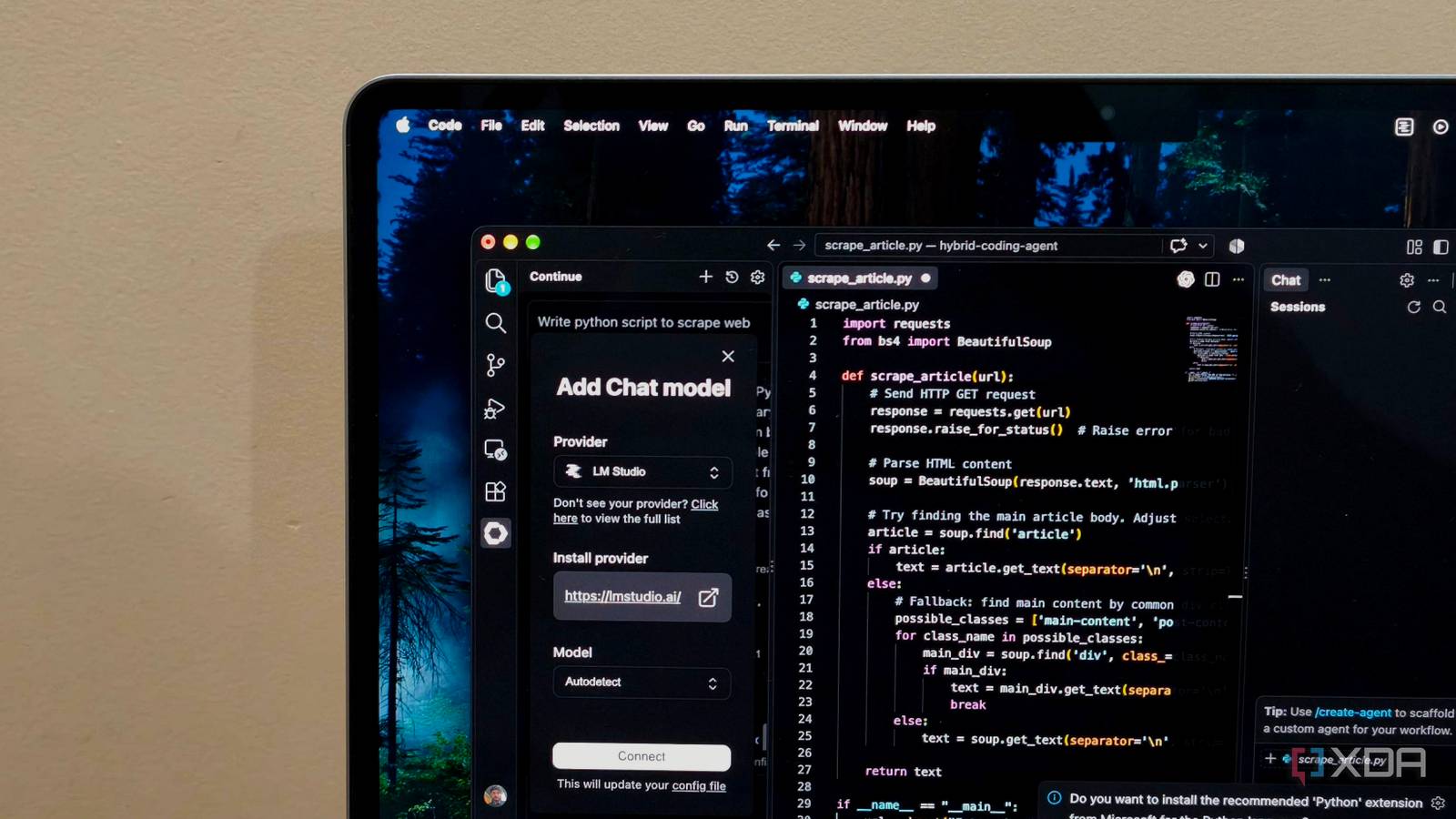
Published Sep 23, 2026, 2:30 PM EDT Anurag is an experienced journalist and author who’s been covering tech for the past 5 years, with a focus on Windows, Android, and Apple. He’s written for sites like Android Police, Neowin, Dexerto, and MakeTechEasier. Anurag’s always pumped about tech and loves getting his hands on the latest gadgets. When he's not procrastinating, you’ll probably find him catching the newest movies in theaters or scrolling through Twitter from his bed. GitHub Copilot was all the rage back in 2024, when you could use it to autocomplete your code. Some even called it “autocomplete on steroids.” But that use case largely faded in 2025, as people moved toward agentic workflows where the coding agent understands your entire repo and does things for you. GitHub Copilot has evolved too, and it can now handle some of these workflows, but I feel it is mostly used when people have no other choice, especially when their organization requires them to use it. I don’t have that kind of obligation, so I ditched Copilot for a local LLM, and I’m getting more done. Plus, I can keep working even when I’m offline. And it doesn't even take a lot of time I replaced Copilot with two local models running through LM Studio — Qwen 2.5 Coder 1.5B and Qwen 2.5 Coder 7B. LM Studio handles the models, but it can’t integrate them directly into VS Code. For that, I use an extension called Continue. Continue supports local models running through LM Studio and Ollama, and provides the features you’d expect from an AI coding assistant. It essentially acts as the interface between VS Code and the models running on your computer. Once everything is installed, add the models to Continue’s configuration file. I use the smaller Qwen 2.5 Coder 1.5B model for autocomplete because speed matters more than anything else here. A smaller model uses fewer resources and generates suggestions faster. For chat and code editing, I use Qwen 2.5 Coder 7B, which is more capable but also more demanding to run. After adding both models to the configuration file, enable Continue’s Tab Autocomplete and disable Copilot’s inline suggestions. Otherwise, the two completion providers will compete with each other. You can also use the official Ollama extension if you want to keep VS Code’s built-in chat interface. That gives you access to local models in chat, but VS Code currently doesn’t support local models for Copilot’s inline suggestions. You’ll still need an extension such as Continue if you want local autocomplete. Continue & LM Studio fill in easily for GitHub Copilot You get almost all the features As far as features are concerned, I don’t think I have given up much by moving away from Copilot. Continue gives me tab autocomplete while I’m writing code, a chat window where I can ask questions about the project, and an Edit mode for making changes without copying code back and forth. It also has an Agent mode, which can go through the repository, make changes across multiple files, and use tools such as the terminal. LM Studio doesn’t handle any of this inside VS Code. It runs the local models and makes them available to Continue, while Continue handles everything inside the editor. So although I’m using two separate tools, they work together like a single coding assistant once the setup is done. There are Copilot features tied specifically to GitHub and its cloud services that you won’t get here. But if you mainly use Copilot for autocomplete, chat, code edits, and agentic workflows inside VS Code, Continue, and LM Studio cover all of that. I can get things done when I’m offline That matters more to me The biggest advantage of running these models locally is that I don’t need an internet connection to use them. Once LM Studio, Continue, and the models are installed and configured, autocomplete, chat, and code editing all work offline. Continue sends requests to the LM Studio server running on my computer, so nothing has to reach a cloud service before I get a response. The performance obviously isn’t the same as what you get with GitHub Copilot. A 7-billion-parameter model can’t really compete with the much larger models running in the cloud, and this setup won’t be as autonomous as a cloud coding agent. Even so, I’ve come to appreciate it because I can continue working while I’m traveling. If you travel often, you’ll get a lot of use out of this setup. You could be sitting on a three- or four-hour flight, or even a longer one, and still get a significant amount of work done with Continue’s autocomplete, chat, and editing features. I’ve even found myself using it while traveling in a cab or sitting somewhere with a choppy internet connection. Copilot depends on an internet connection, which means it isn’t much use when the connection drops or I’m working somewhere without reliable Wi-Fi. With the local setup, I can continue writing code, get autocomplete suggestions, and ask the model for help as I normally would. You can do a lot with local LLMs If you don’t want to replace GitHub Copilot in VS Code, you can still do plenty with a local LLM. For instance, you could connect the model to OpenAI’s Codex CLI through LM Studio, giving you a more agentic workflow and tools for inspecting files, editing code, and running commands. That can get you much further than using a local model only for autocomplete or chat inside VS Code. And if you have a powerful enough computer, you can step up to a 30-billion-parameter model or something even larger. With the right setup, a model that size can come much closer to the performance you expect from a cloud model.
I ditched VS Code's Copilot for a local LLM, and I'm getting more done offline
Full Article
Original Source
Read the full article at Xda-developers →KhanList aggregates and links to publicly available news content. We do not host full articles from third-party sources. Always verify important information with original sources.