
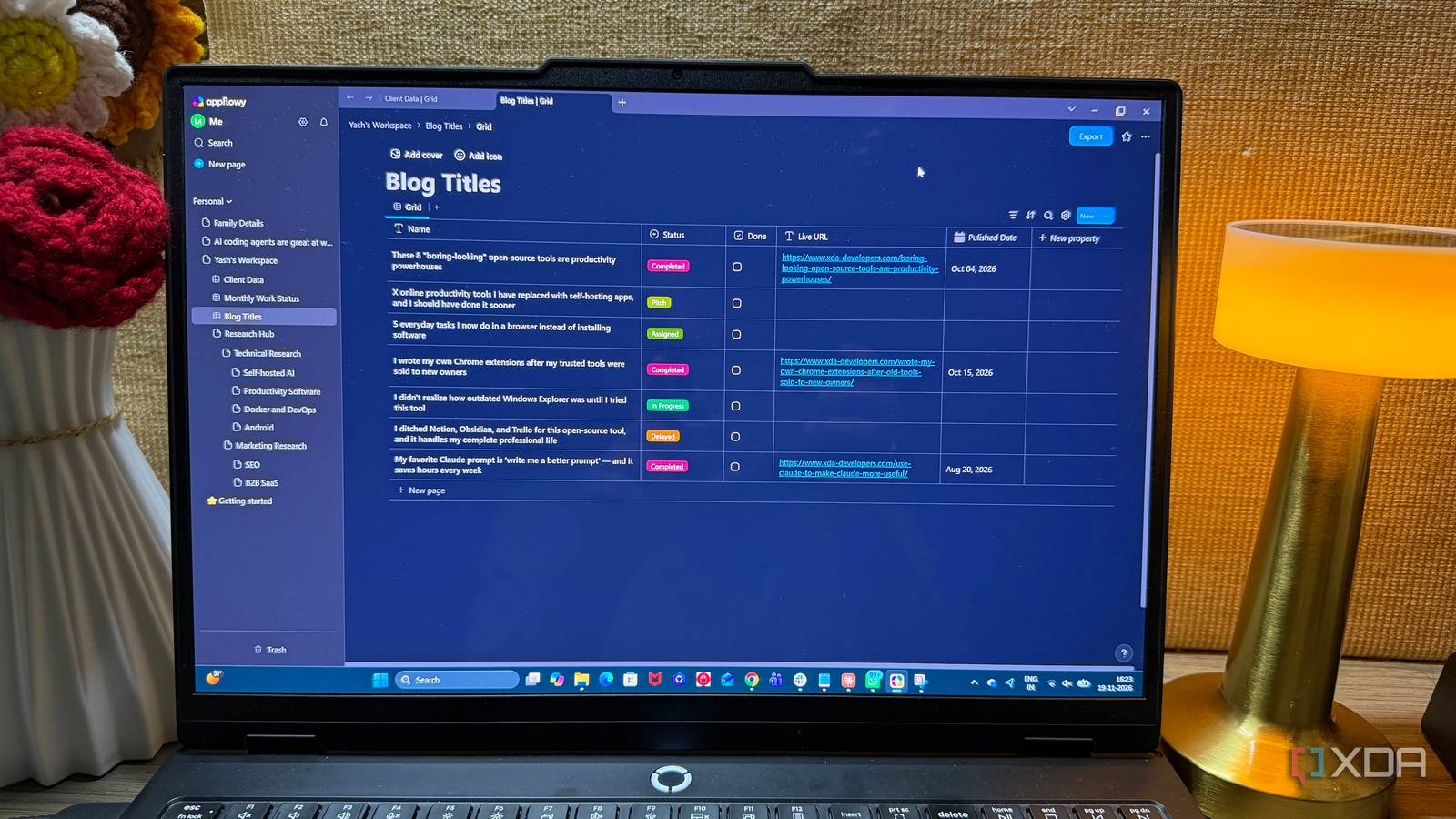
Published Nov 27, 2026, 2:00 PM EST Beginning his professional journey in the tech industry in 2018, Yash spent over three years as a Software Engineer. After that, he shifted his focus to empowering readers through informative and engaging content on his tech blog – DiGiTAL BiRYANi. He has also published tech articles for MakeTechEasier. He loves to explore new tech gadgets and platforms. When he is not writing, you’ll find him exploring food. He is known as Digital Chef Yash among his readers because of his love for Technology and Food. As a freelance tech blogger, I rely on several apps to manage my daily work. Notion handles some of my notes, Obsidian stores my research, and Trello tracks my assignments. While each tool serves its purpose, switching between them started making my workflow harder to manage. I wanted to spend less time managing different apps and more time getting actual work done. That's what led me to try AppFlowy, an open-source productivity tool that has gradually become part of my daily routine. One workspace instead of different productivity apps A familiar writing environment without the clutter One of the first things I noticed about AppFlowy was how naturally its editor fits into my writing workflow. As a freelance tech blogger, I regularly switch between drafting articles, collecting research notes, and documenting ideas for future stories. The block-based editor helps me keep these activities in one place. It also supports lists and other formatting options, so I can organize a rough draft before turning it into a finished article. It feels familiar if you've used Notion, but I particularly like having my writing and other work-related materials under the same roof. The best thing is that I can organize my workspace around the different parts of my job. Client assignments, content planning, and personal projects each have their own dedicated spaces. This gives me a clearer starting point depending on what I'm working on. Database replaced my Trello boards One content database, multiple ways to track assignments AppFlowy's database is what finally convinced me to replace Trello. I no longer need a separate board for every content project because I can track my assignments through a single database. Each article gets its own entry, with properties for its title, publication deadline, priority, and current status. My writing process follows a straightforward sequence. A new pitch starts in the Ideas column. Once approved, it moves to Researching, then Writing, Editing, and finally to Published. Updating an article's status as it progresses gives me a clear picture of my workload without creating separate tasks for every stage. What makes this setup particularly convenient is the flexibility of its database views. Kanban view gives me a visual overview of articles moving through the pipeline, while Grid view makes it easier to scan assignment details together. When publication dates become the priority, Calendar view helps me see upcoming deadlines at a glance. Since all three views use the same database, I don't have to maintain duplicate records or update multiple boards. It has become my personal knowledge management system A home for the research behind my articles Tracking assignments is only one part of my work. My work requires me to spend time exploring new applications, testing tools, and collecting information that might come in handy for future articles. AppFlowy's nested pages give me a way to organize this research by subject instead of leaving everything scattered across unrelated documents. For example, I can create a main page for self-hosted applications and add individual pages for tools I've explored, such as Immich, Paperless-ngx, and Jellyfin. Each tool gets its own space for installation instructions, feature notes, limitations, screenshots, and useful links. I can also create further subpages when a topic deserves a deeper breakdown. This way, related research stays connected to its broader subject, while individual pages remain focused on one application or topic. I find this useful when returning to a subject I've covered before. Instead of searching through a long list of notes, I can navigate to the relevant topic and revisit the research I've already collected. AppFlowy doesn't offer the same depth of knowledge management features as Obsidian, but its nested pages provide a straightforward way to build and maintain a personal reference library. Features that add another productivity layer to my workflow AI, offline access, and reminders make everyday work easier AppFlowy also includes a few useful features that make managing everyday work more convenient. Its AI assistant can help search through my workspace and find relevant information, which is useful when I remember researching a subject but can't recall exactly where I saved my notes. Offline access is another practical addition. I can continue working on my notes and documents without an internet connection, and my changes sync once I'm back online. This means I don't have to depend on a stable connection whenever I need to access my research or update an assignment. Custom reminders help me keep track of upcoming deadlines and important tasks without relying on another reminder application. These smaller conveniences make AppFlowy more than just a place to store documents; they help me manage different parts of my workflow from one workspace. A better way to manage my professional workflow AppFlowy has made my professional workflow easier to manage without forcing me to compromise on flexibility. I can keep my writing, assignments, and technical documentation connected, while still having room to organize things my own way. It may not replace every advanced feature of my previous tools, but it offers a practical balance of features that suits my work. For now, I'm happy with the switch. AppFlowy.IO AppFlowy is an open-source, cross-platform alternative to Notion.
I ditched Notion, Obsidian, and Trello for this open-source tool, and it handles my complete professional life
Full Article
Original Source
Read the full article at Xda-developers →KhanList aggregates and links to publicly available news content. We do not host full articles from third-party sources. Always verify important information with original sources.