
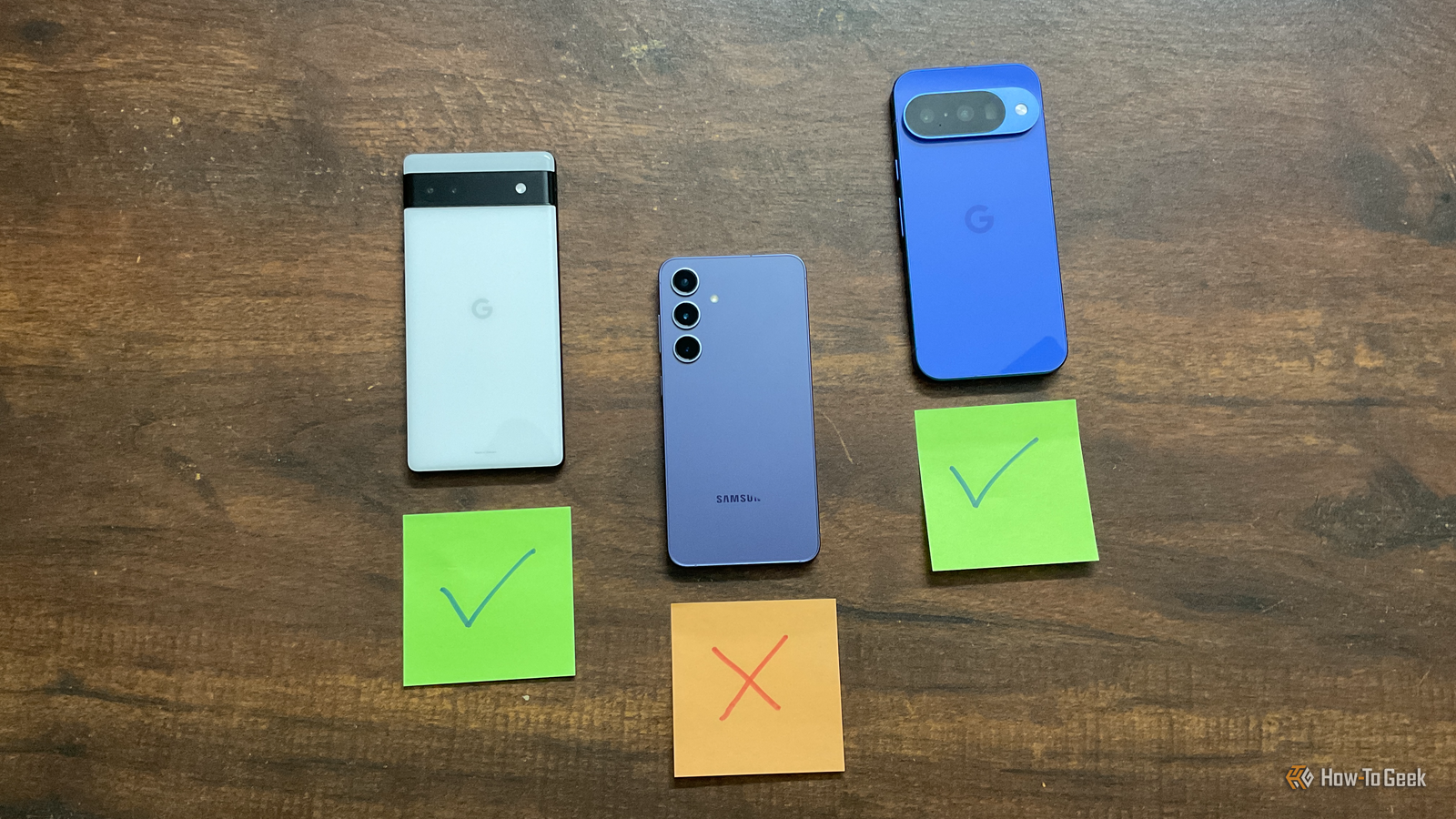
Published Sep 23, 2026, 7:00 PM EDT Dibakar Ghosh is a tech journalist at How-To Geek, where he focuses on Linux, Windows, and productivity tools. His goal is simple—help readers at every skill level get more done with the tech they use every day. He began his writing career in 2016 with WordPress tutorials, later moving into digital marketing, where he spent years reviewing complex tools for marketers. His work has also appeared on Authority Hacker, where he’s shared in-depth guides on digital workflows and online productivity. That experience now shapes his journalism, blending analytical depth with practical, real-world advice. When he’s not writing or testing software, Dibakar is usually watching movies or playing video games. He’s a huge Christopher Nolan fan and a strong proponent of the theater experience. In gaming, he has sunk hundreds of hours into Insomniac’s Spider-Man series, Returnal, Prototype, Darksiders, and Final Fantasy titles. I first got into Google Pixel with my Pixel 6a — and I loved it. But the longer I used it, the more it felt too minimal and lacking in functionality. That feeling was amplified by the fact that all my friends, and Android users in general, seemed to favor Samsung phones and all the cool features Galaxy smartphones bring to the table. Eventually, I got curious enough to upgrade to the Galaxy S24. However, it was a classic case of thinking the grass was greener on the other side. While the S24 did have some really powerful customization options that my Pixel lacked, it also didn’t have many of the core features I had taken for granted while using my Pixel 6a. So even though I was using the S24 as my daily driver, I kept reaching for my 6a. All in all, I barely lasted a year and eventually switched back to the Pixel 10 at launch, which is also currently my main phone. Now, I could go on and on about all the stuff I love about my Pixel 10 and Pixel 6a, but these are the three features I missed the most during my time with the Galaxy S24. Offline voice typing What true hands-free typing feels like While I am a writer and do write for a living, I don't actually like typing. Even on my desktop, I mostly use voice typing instead of the keyboard. Typing gives me wrist pain, and I speak faster than I type, anyway. On a phone, it's even worse, because I really dislike virtual keyboards and find that they make the typing experience even worse. As such, on the Pixel 6a, I used Gboard's voice typing for pretty much everything. I used it to reply to messages and emails, but the bigger use for me was on walks. Ideas tend to come to me when I'm walking, and I just speak them into my phone before I forget them. It was very accurate from the start, and while punctuation wasn't great when I first got the phone, that improved with future Pixel Drops. Then, when I moved to the Galaxy, I assumed I'd get a similar experience if I switched the voice input to Google Voice Typing, but that wasn't the case. I thought it might be an integration issue, so I installed Gboard, but even then, the experience just wasn't the same. The transcriptions were noticeably less accurate, and even autocorrect during regular swipe typing was way off. I also realized that voice typing on Gboard (or Samsung Keyboard) required a proper internet connection to work. Some of the areas where I go on walks don't have great cellular coverage, and in those spots, the transcriptions just fell apart. I'd never had to think about this before because, on the Pixel, voice typing runs on the device itself. This naturally became a major point of annoyance for me, and I always reached for my 6a during walks or when writing anything long-form. Haptics and Adaptive Vibrations Make the software blend with the hardware The haptics on the Pixel 6a were one of the things I liked most about it, and they're even better on the Pixel 10. The Galaxy S24 does have good vibration motors, and they're strong enough that you notice them, but something about how they're tuned just doesn't feel right. The best way I can describe it is that the vibrations on the S24 just felt a bit too artificial, like someone added a buzz on top of the animations. Yes, I understand that haptic feedback is an “artificial” feature, but on Pixels it feels much more natural and like part of the device. It feels more like you actually did something physical. Tapping an icon, changing the volume, scrolling through recent apps — all of it has really well-tuned haptics that blend into the experience instead of sitting on top of it. The result is a phone that almost feels alive. It's honestly hard to explain, and one of those things you really need to feel in your hand to truly understand and appreciate. And speaking of haptics, I also really missed having Adaptive Vibrations. It's a Pixel-exclusive feature where the device uses AI to dynamically change the vibration strength based on what's going on around you. This matters more than it sounds, because not all circumstances call for the same intensity of vibration. Let's say I'm working at my desk with the phone on vibrate next to me and a call comes in. The phone can rattle so hard that it basically works like an annoying ringtone, which can get really jarring. That said, if I turn the intensity down, it becomes too weak for situations when I'm out in a noisy environment, and the phone is in my jeans pocket. Now, it’s just not practical to manually change the vibration intensity based on where you are, but the Pixel is smart enough to handle that for me. It’s another subtle quality-of-life feature that fades into the background, and only becomes noticeable once you no longer have it. Now Playing Last but not least Credit: Dibakar Ghosh | How-To Geek I wouldn't call not having the Now Playing feature a deal-breaker, but it's definitely something I kept missing while using the Galaxy as my daily driver. If you haven't used it, Google Pixels can basically recognize songs playing around you and show the name on your lock screen. You can tap it to see more details and even add it to whatever music streaming app you use. Plus, it keeps a history of everything it recognizes in the Now Playing app, so you can go back later and look through the list. So if I'm at a party or walking through a mall and I like a song that's playing, I don't have to stop what I'm doing and pull out my phone to search for it. I know my Pixel has already caught it and saved it, so I can check it later. Sometimes, the little things matter most None of these features are particularly flashy, which is exactly why I overlooked them initially. It was only when I no longer had access to them that I realized just how useful they are. And I think that's precisely why Pixel devices have such a loyal following — they just work. It's rarely the flashiest phone out there. It doesn't have the best processor, the largest battery, or the most customization options. But what it does exceptionally well is make the basics effortless, and that translates into an extremely premium user experience.
I ditched my Google Pixel for a Samsung Galaxy and immediately missed these 3 features
Full Article
Original Source
Read the full article at Howtogeek →KhanList aggregates and links to publicly available news content. We do not host full articles from third-party sources. Always verify important information with original sources.