
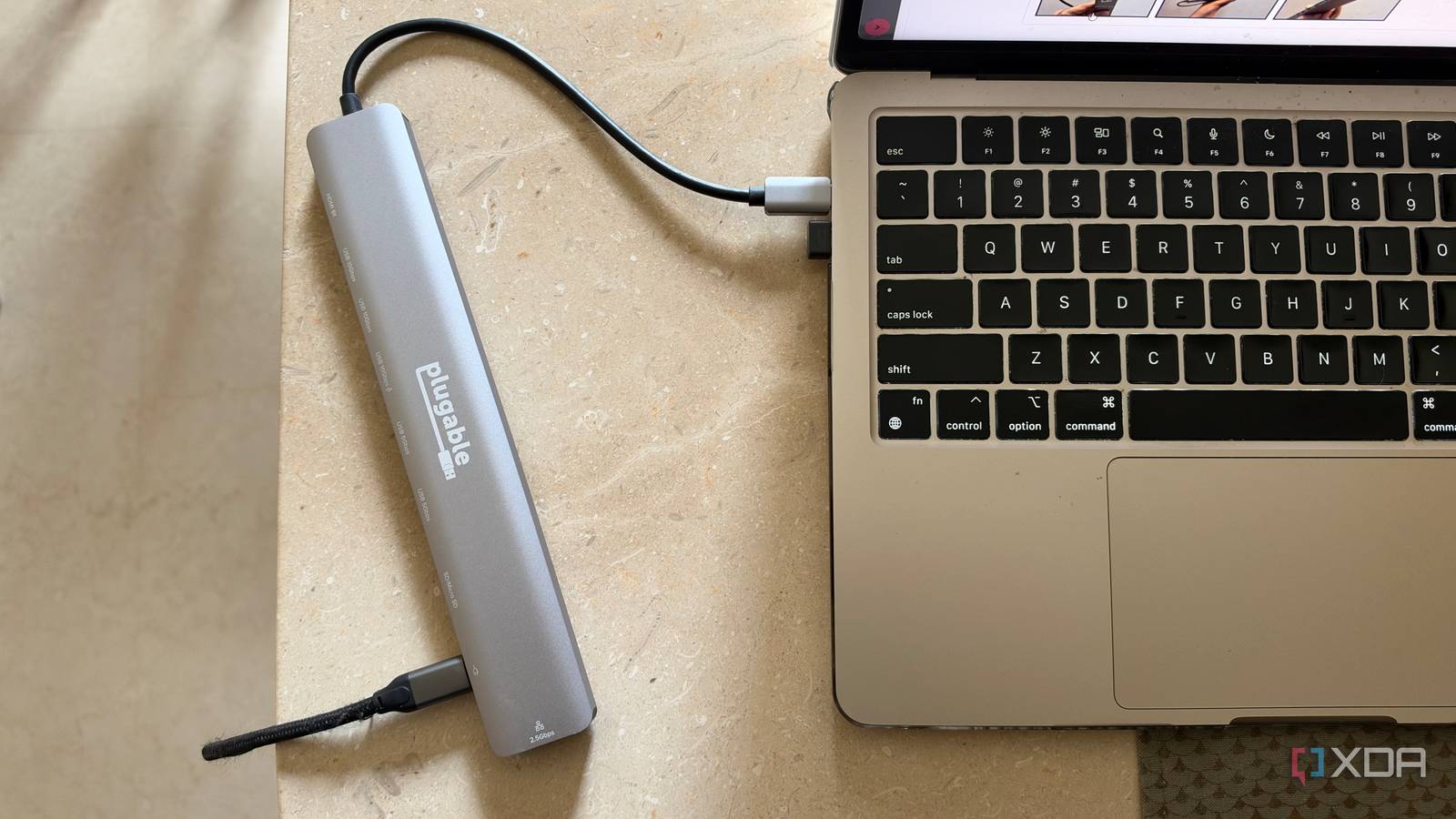
Published Sep 28, 2026, 8:00 AM EDT Dhruv Bhutani has been writing about consumer technology since 2008, offering deep insights into the personal technology landscape through features and opinion pieces. He writes for XDA-Developers, where he focuses on topics like productivity, networking, self-hosting, and more. Over the years, his work has also appeared in leading publications such as Android Police, Android Authority, CNET, PCMag, and more. Outside of his professional work, Dhruv is an avid fan of horror media spanning films and literature, enjoys fitness activities, collects vinyl records, and plays the guitar. Laptops have come a long way, and now with the M-series chipsets, my MacBook is more than powerful enough to be my only computer. However, it has one caveat. The limited port selection makes using it like a desktop surprisingly complicated. I use my laptop connected to a monitor, which already occupies one of its two ports. So, if I want to connect wired Ethernet, external storage, a keyboard, mouse, and memory cards, it's a constant juggle for ports and adapters. However, solving that problem wasn't as complicated as I thought it would be. I recently picked up the Plugable USB dock that fixes all these issues with one USB-C connection. It lets me connect everything from my monitor to an Ethernet cable, storage, and peripherals. This Plugable USBC-10IN1E dock has become the connection layer that turns my laptop into a desktop workstation. And here's the best part. I can carry it along with me anytime I want. One cable connects my entire workstation Power, display, and data through a single connection The biggest reason why I got myself this dock is pretty obvious. It's a single cable solution. My monitor connects to the HDMI 2.1 port, and the built-in Ethernet port on the dock means I can plug my laptop straight into my network switch. Not just that, the port goes all the way to 2.5GbE, allowing me to maximize the transfer speeds between my laptop and NAS. Similarly, I can plug in my keyboard, mouse, and other accessories like an external webcam as well. I've tried USB-dongle hubs previously, but they always came with limitations, with monitor compatibility being one of them. This particular dock solves that by being able to output 4K at 144Hz or 8K at 30Hz on compatible monitors. That's more than enough for my use case, which tops out at 4K at 60Hz. Most days I tend to work off my 43-inch monitor with the Plugable dock plugged into my MacBook, and I no longer need to use a separate HDMI adapter. Power is handled via the same setup. The hub accepts 140W input through USB-C PD and can pass along 125W of power to a compatible laptop. That's more than enough for my MacBook Air, but might not be enough for some of the highest-end MacBook Pros, especially under load. Do keep in mind that you'll need a suitably fast USB power adapter to pull down those power figures. But it does mean that you can just keep the USB hub on your desk and just plug in one single cable when you want to connect your entire ecosystem. It's very convenient. Easy expansion on-the-go Small enough to actually carry with me The other and admittedly bigger reason I like this setup so much is that it works as a portable expansion kit anytime I'm on the move. While I'm at my desk most days, often enough I'll work from a coffee shop, or even while traveling. That said, I still need chargers, external storage, and more paired to my laptop. Instead of carrying separate adapters for each use case, I just take this hub with me and have all those connections available via a single port. The dual 10Gbps USB-C ports come in clutch for connecting high-speed SSDs. I'll usually have my camera connected to one of the ports if I'm not already using the built-in SD card reader, and the Plugable hub makes it a cinch to move over large volumes of photos and videos from the camera to an external SSD. And while the USB-C ports are great for high-speed transfers, you still get a selection of USB-A connections. Three of them, in fact. Only one of these supports 10Gbps speeds, so you'll need to keep an eye out for what you're about to connect. That said, even the slower ports get sufficient use for me. In my case, I tend to connect the dongle for my mouse to said port. Part of the reason why this hub works so beautifully for me is that it needs no drivers or additional apps. Cross-compatible with USB-C and Thunderbolt machines across platforms, it offers a truly plug-and-play experience. All of that comes together to create a very comprehensive package that's just as portable. Measuring just around 8.5 inches and clocking in at a barely noticeable weight, the dock effortlessly slips into my tech pouch, ensuring that I actually carry it around unlike my other desktop dock. The missing connection between my laptop and desk Convenience is part of the reason why I switched from a desktop to a laptop. Unfortunately, the cost of that convenience is the lack of ports. I need my laptop to connect to a range of peripherals. From my monitor to external storage, Ethernet, and more are all essentials to how I work. Picking up the Plugable USBC-10IN1E dock did that for me, but any similar dock would work. And all it takes is plugging in one single cable to make it all work. Plugable USBC-10IN1E This Plugable USB-C offers multiple ports including a 2.5 GbE ethernet port, HDMI 2.1 and multiple USB-C and USB-A ports to turn your laptop into a workstation, at home or on-the-go.
I ditched my desktop for a MacBook, but this dock made me realize I never actually needed to choose
Full Article
Original Source
Read the full article at Xda-developers →KhanList aggregates and links to publicly available news content. We do not host full articles from third-party sources. Always verify important information with original sources.