
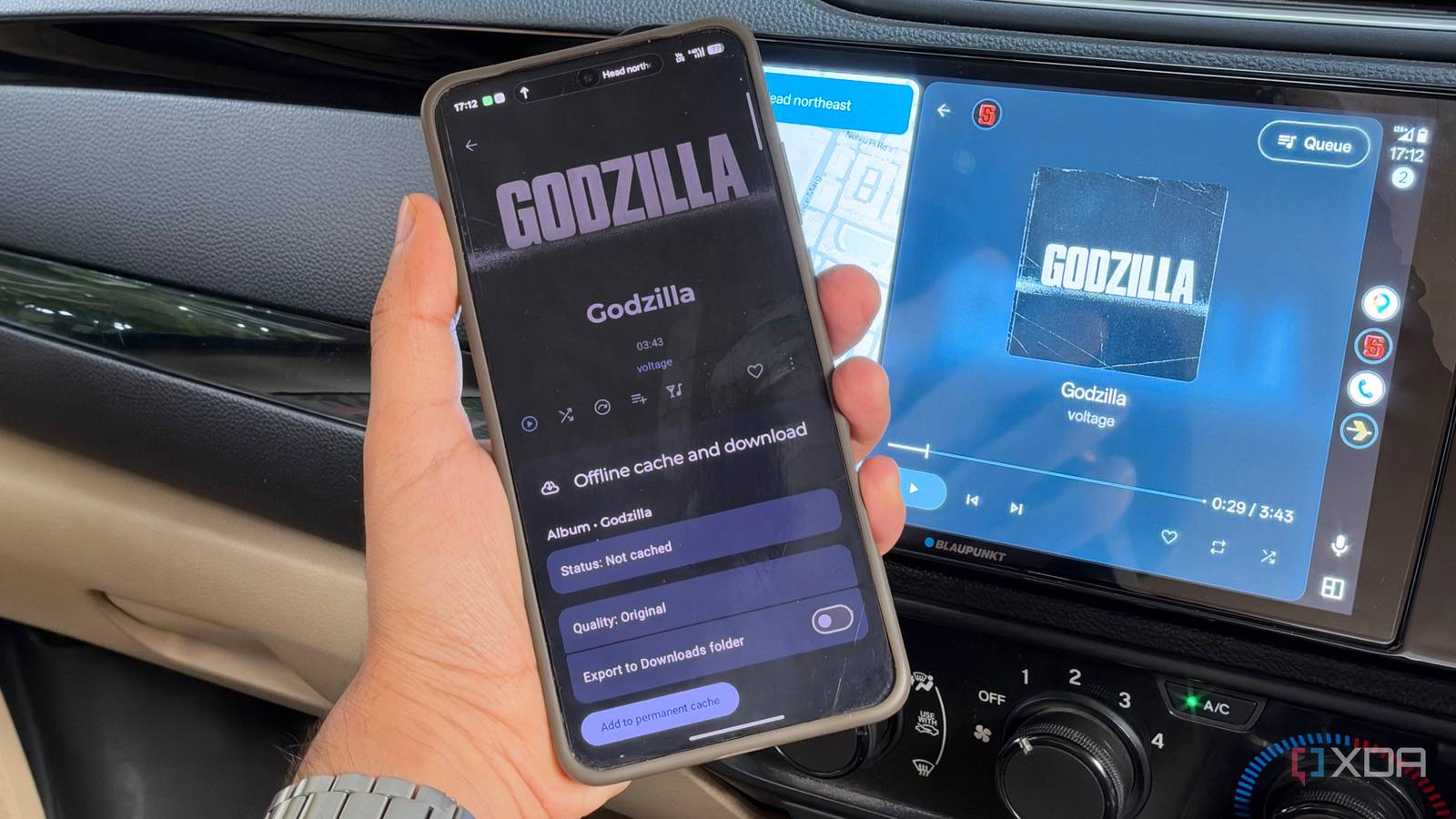
Published Sep 25, 2026, 6:00 PM EDT Dhruv Bhutani has been writing about consumer technology since 2008, offering deep insights into the personal technology landscape through features and opinion pieces. He writes for XDA-Developers, where he focuses on topics like productivity, networking, self-hosting, and more. Over the years, his work has also appeared in leading publications such as Android Police, Android Authority, CNET, PCMag, and more. Outside of his professional work, Dhruv is an avid fan of horror media spanning films and literature, enjoys fitness activities, collects vinyl records, and plays the guitar. Spotify is great, but it's not the be-all and end-all of music playback. Over the years, I've gravitated toward a highly curated, high-res music library on my NAS. Now, that's great when I'm at home, but what about listening on the go? It turns out, Android Auto can connect me to the music library sitting on my NAS just as well. I can browse albums, pick playlists, and play exactly what I want, with or without great internet connectivity. The setup is simple. The music library sits on my NAS, and I interface with it using Plexamp or Symfonium on my Android phone. Both these apps work great with Android Auto, giving me a uniquely modern approach to an old-school, curated listening experience. More importantly, it has also solved a lot of the problems I faced with streaming on the go. I'm definitely going back. My music keeps playing when the internet doesn't Offline caching keeps road trips interruption-free The biggest and most obvious benefit is reliability. When I'm on a road trip through the countryside, data connectivity isn't a given. Even if I don't lose full connectivity, a dropped connection can cause buffering or playback pauses. This isn't something you want to experience while enjoying your drive. With my own music library, that music is already on hand. My Plex server manages the music library at home. It automatically updates whenever I add new music, ready to stream. Meanwhile, Symfonium on my phone can connect to the Plex server remotely on my phone. But it can also cache this music for offline playback. That's the magic link that reduces interruptions by maintaining a playback cache for when the connection to the server becomes unreliable. Here's how I use it. Before a long drive, I usually download or cache the albums and playlists that I know I'll want. And that's basically it. Once I'm in the car, connected to Android Auto, I don't really have to think about where the music is coming from. I just start playing music, and, well, it plays. This is great because when I lose connectivity, I don't even notice. There are other benefits, too. As good as streaming services are, they can't match up to a carefully curated collection. I have a large library of DJ mixes, mixtapes, live recordings, and more that simply aren't on streaming. If I want to listen to a Rush live concert on the go, I can do that via Symfonium. I can't say that about Spotify. Android Auto makes listening to my local music library practical My playlists are ready to go A local music library wouldn't be very useful if using it in the car meant constantly reaching for my phone. That's where Android Auto shines. Symfonium has a dedicated Android Auto interface that gives you access to all the features you could need. Seriously, the entire interface translates beautifully to Android Auto, making it a cinch to play back whatever you want, giving you full access to your music library, playlists, and controls. Moreover, it also supports voice commands, so you don't even need to touch the screen if you don't want. As for me, I mostly use it for albums and playlists. I have weekly updated Drum and Bass playlists with the latest releases. Symfonium pulls these from my Plex server, and it automatically caches the newest releases. If I know what I want to listen to, I can go straight to an album or artist. If I'm not in the mood for anything specific, I fall back on the playlists. Either way, I don't have to deal with Spotify's ads or interruptions. Symfonium is particularly useful here because it can tap into multiple music sources. Whether you use Plex, Navidrome, a cloud storage locker, or plain old files on your phone, Symfonium treats them all the same. It's also not picky about file formats. Everything from FLAC to ALAC, AAC, and even relatively obscure formats like Opus is well-supported here. Of course, you don't really need all these features every day, but when you do, you don't need to go around hunting for solutions. The app already supports them. That's a big part of why this setup has worked so well for me. Streaming isn't my default anymore Contrary to what you might think, I haven't stopped streaming music entirely. In fact, often enough, even through Symfonium or Plex, I'm streaming music from my server. Plenty of situations work out perfectly. If I'm in the city, data connectivity is hardly a hassle. But when I'm driving long distances, these same tools give me the convenience I need to have the same experience offline. I've spent years building a curated music library, and now that it's on my NAS, I can use tools like Plex and Symfonium to take it with me. Be it on my phone or in my car. Symfonium Symfonium is an Android app that connects to Plex, Navidrome and a range of other services, offers robust Android Auto support.
I ditched music streaming in Android Auto for a local library, and it’s so much better
Full Article
Original Source
Read the full article at Xda-developers →KhanList aggregates and links to publicly available news content. We do not host full articles from third-party sources. Always verify important information with original sources.