
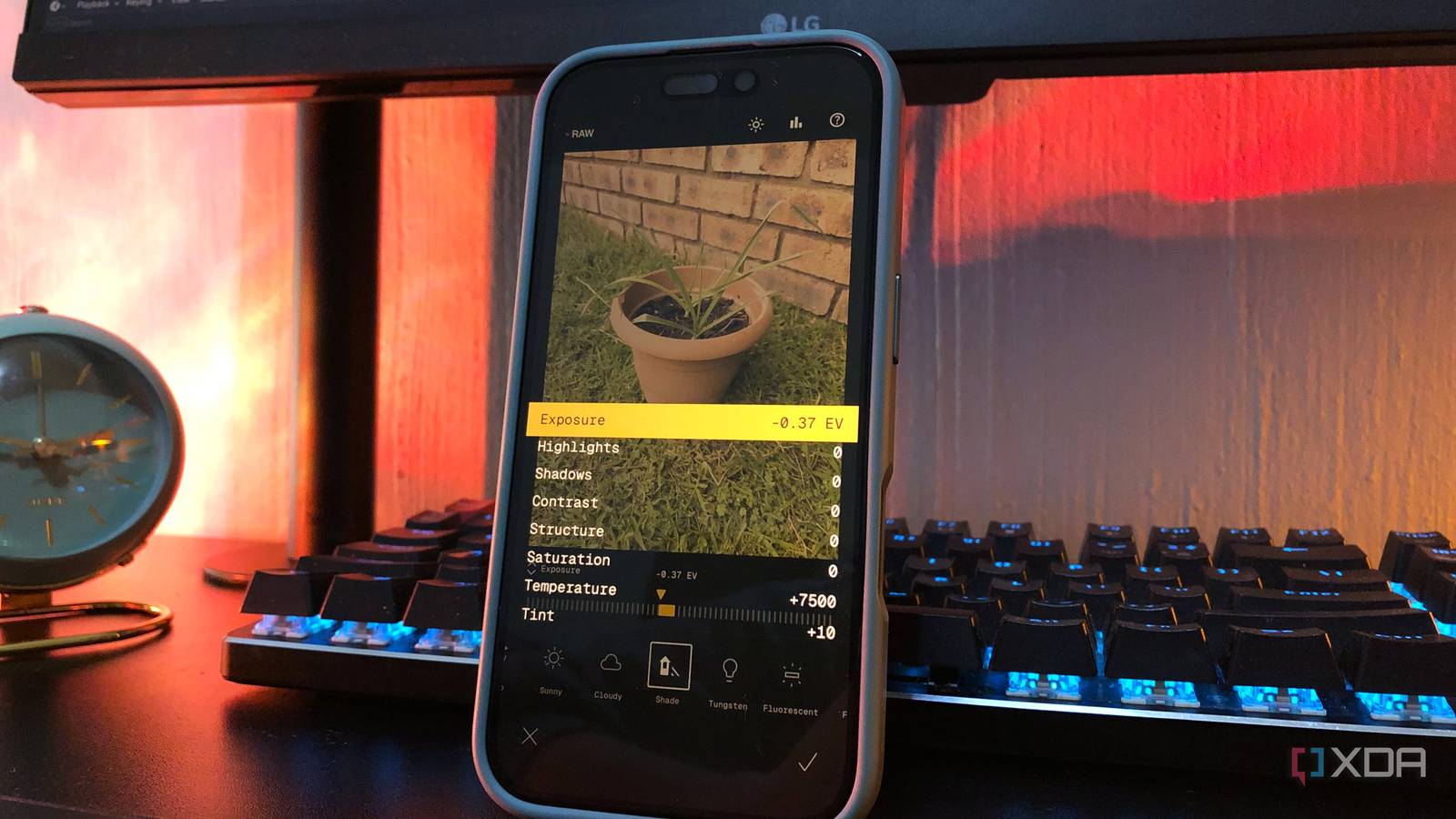
Published Sep 22, 2026, 6:00 AM EDT Nolen began their writing career in 2019, with three years dedicated to editing the Creative section at MakeUseOf. Their expertise lies at the crossroads of technology and creativity, covering areas like photography, video editing, and graphic design. Outside of work, you'll often find Nolen diving into a good book, writing their own stories, or playing video games. Working with RAW on mobile isn't really something you think about until you actually have to do it, and then you realize every app for it is either paywalled or entirely paid. Lightroom Mobile is the default answer for most people, and sure it's free to download and use, but if you want to handle your RAW shots, Adobe puts up a paywall. I lost my old DSLR in a move a while ago and have been relying on my phone since. There are tons of third-party apps that let you shoot in RAW on mobile, and I'm pretty settled on my existing stack, but to get decent RAW editing, you usually have to transfer the shots to a PC and use dedicated RAW software. Well, it turns out there's a mobile app that can handle them just as well on your phone, for free, called Snapseed. Lightroom for mobile is free, until you want to edit RAW Everything you'd need for RAW work sits behind a subscription Lightroom Mobile is one of those apps that's technically free and functionally not. You can sign in and edit JPEGS with basic sliders without paying, at least, that's the version Adobe wants you to try, and it's not bad actually. But the version you need if you want more advanced functions is Premium at around $5 a month (Adobe has started increasing this in some regions), or the Photography Plan. Lightroom does actually have its own in-app camera that shoots DNG, and Adobe lets you edit those files for free, which sounds like a workaround until you actually try it. All you can really do without paying is nudge the basic sliders. Anything that makes shooting RAW worthwhile in the first place is paywalled, including the healing brush, geometry corrections, batch editing, presets, and more. So you can technically edit RAW for free in Lightroom mobile, but you're limited in terms of how much. For some, this will be enough, but for anyone who actually wants to transform their RAW shots, it's worth looking elsewhere. What Snapseed does with your RAW files A ten-year-old app in a brand-new coat, and it costs nothing Snapseed was built by Nik Software, bought by Google in 2012, and then more or less abandoned until we got version 3.0 in June 2025 and 4.0 in May 2026. That's more updates in one year than the app got in the entire decade before that. The RAW format support is genuinely broad: DNG (which is what I shoot), Sony ARW, Canon CR2 and CR3, Nikon NEF, Fujifilm RAF, and Hasselblad FFF. All of them open directly with no conversion required or import catalog or cloud sync. When Snapseed detects a RAW file it launches a dedicated Develop tool first, which is where it really starts to get to work: exposure across four stops, temperature from 1,700K to over 8,000K, tint, structure, shadow control, contrast, saturation, all working on the uncompressed sensor data before you even tweak anything else. Then there's everything else. Snapseed has full RGB curves, selective adjustments with control-point precision, a proper healing tool, tune image, and details for sharpening. All of it's also non-destructive now. Every edit lives as a step in the Edit Stack, which you can reorder, tweak, or roll back weeks later. Lightroom's free tier has nothing to match this. I quite like the object brush. You tap or trace a subject and on-device AI segmentation builds a mask hugging its edges. Then you apply exposure, curves, whatever, to just that subject. It's the free version of the AI Masking Lightroom locks behind Premium, and it actually works well on RAW files where you've got a little more headroom to push a masked exposure. And to really put the cherry on top, there's no account or sign-in required, no ads, and zero paywalls. This app is genuinely completely free. My mobile RAW workflow How I shoot and edit on a base-model iPhone My iPhone 16 is the base model, so no ProRAW natively (that's still a Pro-only feature). So if I want true RAW, I need to go the third-party route. Halide is a pro-grade RAW shooter for iOS and I tried it out for a minute a while back, but unfortunately it is paid. So my pick now is Simple RAW Cam. It's free with some ads, and it captures uncompressed DNG straight to my camera roll with no export step. From there it's just a matter of importing straight to Snapseed from my roll, and it opens into the Develop tool. Full RAW headroom for exposure and white balance recovery and no waiting on a cloud sync. Edits save to a Snapseed folder in my gallery non-destructively, the original DNG stays untouched, and export gives me a JPEG to share or a full-quality copy to keep. So the entire RAW loop lives on my phone. I will say, Snapseed's file handling isn't Lightroom's catalog. If you're managing thousands of shoots across devices, Lightroom still wins on that front. For everything else, though, this is faster and cheaper. A mobile RAW workflow that makes subscriptions feel silly Snapseed isn't going to out-organize Lightroom on catalog-heavy work any time soon. But it does turn a mobile RAW workflow into something that actually feels doable when mobile RAW used to feel like a compromise. Tools like Snapseed have clearly caught up and the files also hold up under real editing. Snapseed
I ditched Lightroom for this snappy free alternative, and editing RAW on my phone has never been easier
Full Article
Original Source
Read the full article at Xda-developers →KhanList aggregates and links to publicly available news content. We do not host full articles from third-party sources. Always verify important information with original sources.