
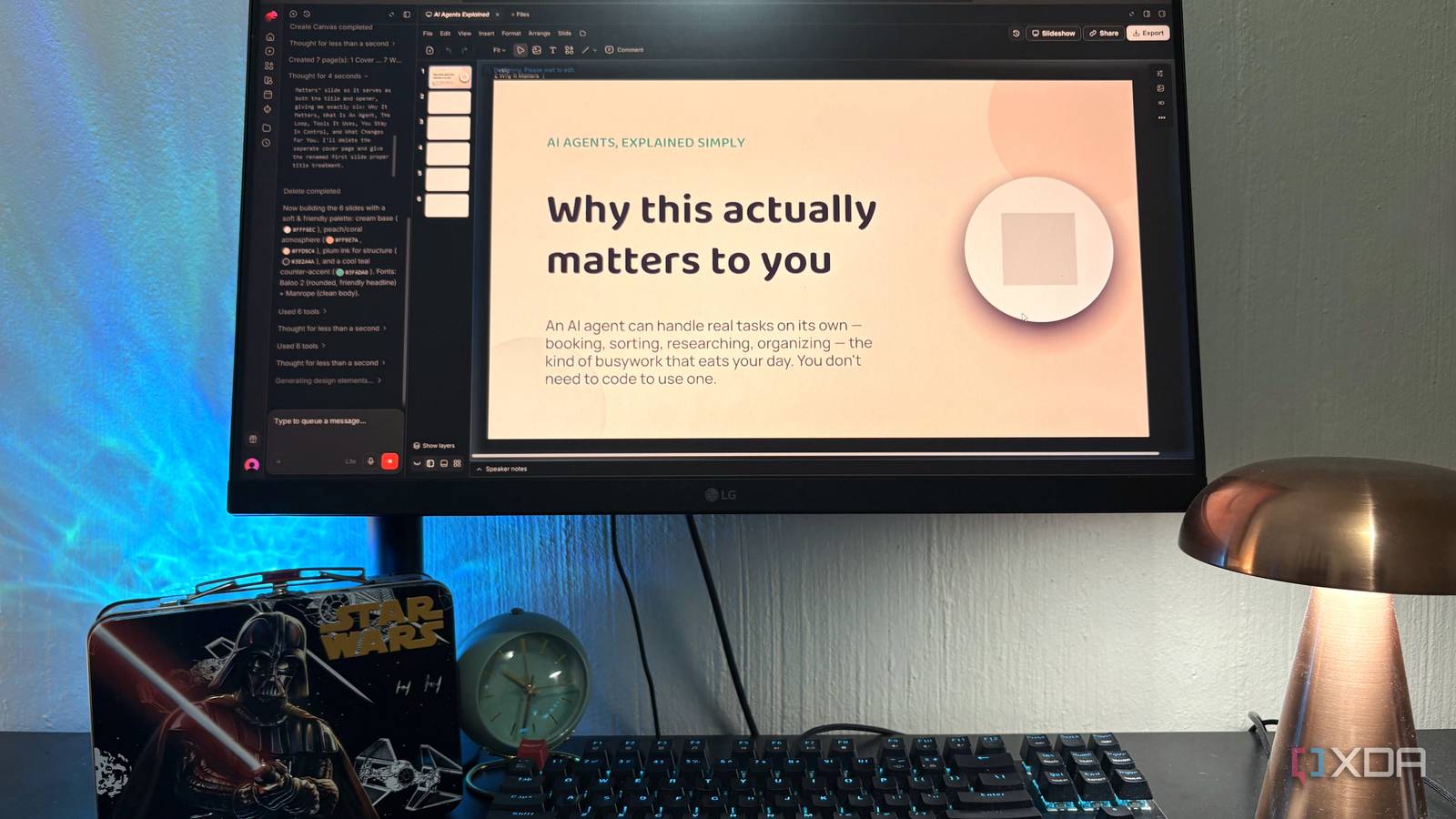
Published Sep 19, 2026, 12:30 PM EDT Nolen began their writing career in 2019, with three years dedicated to editing the Creative section at MakeUseOf. Their expertise lies at the crossroads of technology and creativity, covering areas like photography, video editing, and graphic design. Outside of work, you'll often find Nolen diving into a good book, writing their own stories, or playing video games. Presentations have a weird property where every tool built to make them easier just ends up adding more roadblocks. There's the blank-slide paralysis, which then gets replaced by template overwhelm, which then gets replaced by AI generators. These generators have their own issues, which is that half of them give you something that looks good, until you try to edit or export something. The three in rotation for me have been Canva, PowerPoint, and Claude Design. These are all actually great tools in their own right, but none of them are without friction, which is why I figured it wouldn't hurt to go looking for alternatives. And I've found a pretty good one, called Moda. Canva, PowerPoint, and Claude Design each solve part of the problem, but none solve all of it Canva's probably the one I know best because I've been using it for years, and for more than just presentations and slides. The problem with Canva is that it's gotten pricey and all of the actually useful AI features are paywalled, so my options were to pay a subscription for a tool I don't even use every week, or remain on the struggle bus in an AI-free design environment. The free plan does give you around 50 Premium AI uses a month, but that's really more of a demo than a plan, and Magic Design burns through that pool fast. Every deck you generate in Canva also carries what I'd call the Canva look, because it's pulling from templates everyone else is pulling from too - not the biggest downside, but there just isn't as much visual excitement or uniqueness anymore. PowerPoint with Copilot has caught up more than I expected this year, and Copilot's agentic capabilities went generally available back in April. But Copilot is a separate Microsoft 365 license on top of whatever you're already paying, and even with all the AI money behind it the outputs still lean into safe corporate-template territory. Without Copilot, PowerPoint's fine, it's just PowerPoint from a blank slide. I don't have as much criticism for Claude Design, and still use it almost every day for UI/UX design experiments and small projects. But for slides specifically, I just don't feel it's worth burning through my rate limits, since those are shared with the rest of my Claude Code usage. The manual editing is also perhaps not as smooth as it could be, but I'm a little more forgiving here because it's still such a new tool, and Anthropic's specialty has never really been design in the first place. Moda is a design agent with a real canvas And the free tier is actually usable Moda is what happens when someone builds an AI design tool but doesn't take the corner-cutting route every other AI design tool takes, which is handing you a flat image and calling it a design. Every element it generates stays selectable and layered on a proper vector canvas the company built from scratch on WebGPU with no third-party libraries. Text is real text, shapes are real shapes, and everything's moveable by hand the way it would be in Figma. I've been on the free plan, because, if you've read any of my articles, you'd know I'm stingy when it comes to subscriptions and will drag the free tier for as long as it goes (it's a principle thing, in the new era of paying for everything yet owning nothing). You get 1,500 AI credits per seat per month, access to the Standard and Lite design models (Standard at 1x credit cost, Lite at 0.5x), brand customization, real-time collaboration, and no watermarks on anything. A 5-slide deck on Standard runs around 300 credits, so somewhere in the range of 4 or 5 decks a month before you hit the caps. Pro is $30/month for 6,000 credits and access to the Pro model, but you really don't need it if you're a light user. Moda's also more than a slide tool. It handles social posts and carousels, documents and PDFs, ads, diagrams, UI mockups, animations, even full websites you can publish to a moda.page subdomain. There's an MCP server too for driving it from Claude Code or Cursor, plus a REST API, Slack integration for kicking off designs from a message, and Google Slides connectivity both ways. For the deck demonstrated in my screenshots, my brief was a 6-slide explainer on AI agents for a non-technical audience, and Moda asked me clarifying questions before it started generating. Then it ran through 6 tools during generation, picked a palette with specific hex codes, chose headlines and body copy, and had the whole deck built out in under two minutes. From there I could click on anything on the canvas and edit its properties from a proper inspector panel. A heading gives me font, weight, size, color with a full picker and hex input, alignment, spacing, the works. A shape gives me position, dimensions, rotation, sweep angle for arcs, fill, stroke, opacity, effects, so if I want to nudge a background circle two pixels left, that's a drag on the canvas or a value change in the panel. No need to reprompt or spend credits for this. Where Moda pulls ahead is export Eight formats, real hybrid PDFs, and PPTX files clean enough to hand off I feel like Moda's export story is what makes it worth considering in the first place. You get PDF, PowerPoint, Google Slides, PNG, JPG, MP4 for single pages or full decks with transitions, and animated GIF, with defaults that change depending on what you built (slide decks default to PPTX, PDF-style canvases default to PDF). The PDF export in particular is a hybrid one, which means text stays as real selectable text rather than getting rasterized, most vector elements are preserved, and hyperlinks survive as well. There's a Flatten PDF option too if the hybrid one renders weirdly on a specific viewer. PowerPoint export keeps text and basic shapes and images as native editable PowerPoint objects, so handing a deck to someone who lives in PPT means they can actually work with it instead of getting a flat image. All of this lets Moda actually coexist with the other tools we already use. You can generate in Moda and loop the output back into a Google Slides workflow, or a PowerPoint one, or hand off a real presentation-ready PDF. The presentation workflow I've been trying to build for years I think Moda's the closest thing I've used to an AI design tool that actually respects the fact that you still want to be the designer at the end of it. It doesn't lock you out of the output and tweaks don't drain your credits. The free tier is also genuinely usable, but whether it stays that way is a different question. Moda
I ditched Claude Design, PowerPoint, and Canva for a tool that builds presentation PDFs under 5 minutes
Full Article
Original Source
Read the full article at Xda-developers →KhanList aggregates and links to publicly available news content. We do not host full articles from third-party sources. Always verify important information with original sources.