
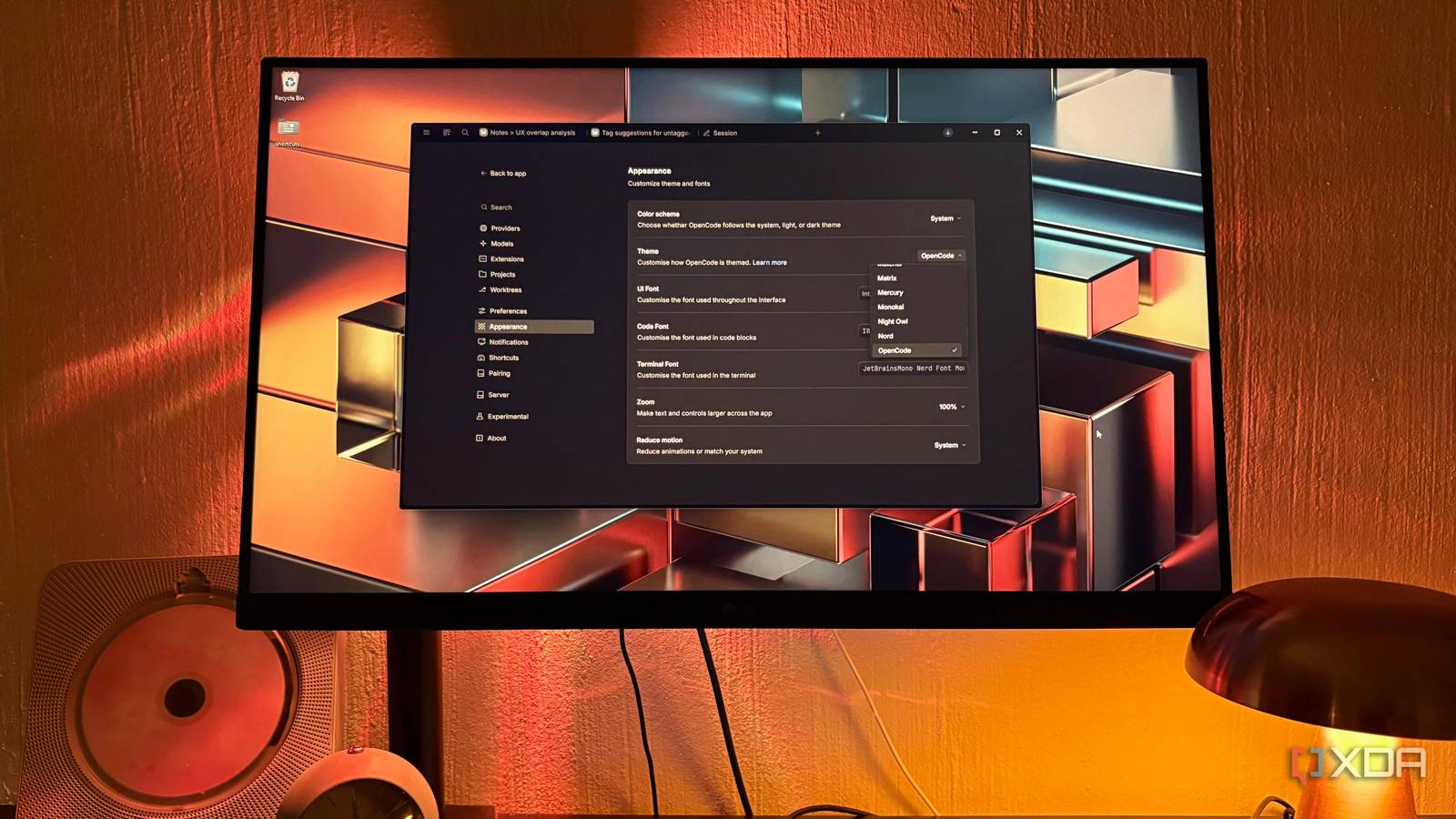
Published Nov 5, 2026, 4:00 PM EST Nolen began their writing career in 2019, with three years dedicated to editing the Creative section at MakeUseOf. Their expertise lies at the crossroads of technology and creativity, covering areas like photography, video editing, and graphic design. Outside of work, you'll often find Nolen diving into a good book, writing their own stories, or playing video games. Claude Code's desktop app has had a busy year. Anthropic redesigned it earlier in the year and is still adding new features. For anyone who prefers to click buttons rather than type commands, this is probably the friendliest way to work with an agent and hand it a folder of files. It does come with a catch, which is that everything runs on Anthropic's terms. OpenCode has always been the obvious open-source alternative, but its reputation comes from the terminal, and that's a hard sell for visual workers who just want buttons. As reluctant as I was to the terminal at first, that's where I've been using it and I've gotten used to it. But I was a little late to the party because it turns out OpenCode has had a desktop app for a while now, and naturally, that's where I started handling my work. And it's actually a really strong Claude Code desktop rival. The problem with Claude Code on desktop Where it starts to pinch Claude Code on desktop lives inside the Claude app as the Code tab, so it's right by your regular chats and every other surface Anthropic has to offer instead of being its own app. It's also only on paid plans, starting with Pro at $20 a month, which was fine for me because I'm already paying for Pro. The bigger issue for me is that it only runs Claude. Even the desktop app's third-party mode only accepts gateways that serve Claude models, so a dull chore like renaming a folder of files still goes to Claude when one of the models on my own GPU could honestly handle it. Every one of those chores comes out of the same usage pool as my chats, so a tidy-up in the Code tab can eat into conversations I wanted to have later in the week. Taking that subscription elsewhere isn't an option either. Anthropic blocks Pro and Max subscriptions from working in third-party tools, so the plan only pays off if I stay inside Anthropic's own apps. OpenCode has a desktop app now I spent weeks in the terminal for no good reason Only up until recently, my OpenCode use happened in the terminal because I didn't know it had a desktop app. The terminal is a little outside my comfort zone, but it was surprisingly easy to get used to. Shortly after I started using it, though, I discovered the desktop app through doing research for another OpenCode article. Turns out, the app was released in beta almost a year ago for Windows, macOS, and Linux, so I somehow just completely missed its existence. It's changed quite a bit since then. In July, OpenCode finished moving the desktop app to a new layout with browser-style tabs for each session. OpenCode 2.0 came out in October with even more changes, so there's now one background service that the terminal, web, and desktop apps all connect to. The desktop app is running the same agent as the terminal version. The cool thing about OpenCode is that it gives you a bunch of appearance customizations, whereas Claude Code barely does. The Appearance page lets you pick light, dark, or system mode, and the interface, code, and terminal each get their own font field. OpenCode 2.2.0 went further at the end of October with desktop plugins, which can add their own panels and styling to the app. There's a long list of themes to pick from if you want to apply something immediately and people are already building full themes of their own. OpenCode supports my entire workflow pipeline It turned out to be more of a workspace than a coding agent Model choice is probably the main reason to pick OpenCode over Claude, regardless of whether you're in the desktop app or the terminal. The composer has a model picker on every prompt, so most chores go to one of my local models from LM Studio, but I can still plug in a Claude model whenever the job calls for it. Also, OpenCode's own free models are in the same list when I don't want to load anything. The mix of local and cloud API is ideal in my opinion, and it also means that I can use Claude at a lower cost because API rates work out to less than half of the monthly subscription. My skills came over too. OpenCode automatically checks the same skills folder Claude Code uses, so the ones I'd built for my workflows and folders show up without me having to set up anything, and you just call them by typing @. Project instructions work differently though. OpenCode 2.0 only reads AGENTS.md now, so anything sitting in a CLAUDE.md file would need to be copied across. The built-in browser is what makes the app feel more like a workspace to me. It opens as a tab in the side panel with Ctrl+Alt+B, and the agent can drive it without me. When I ask it to check the habit tracker I vibe coded, for example, it opens the page and reads the console errors itself instead of me copying them over. MCP servers are where the GUI runs out for now. You can connect and sign in to them inside the app with /mcps, but adding one in the first place still means a terminal command or a config file, which seems like an odd thing to ask of the people a desktop app is for, but maybe it's still on the way. One app for the boring jobs, another for the big ones OpenCode's desktop app only just got out of beta, but it already handles all the basics I waste my Claude usage on. Claude Code's app feels more polished to me, and I still keep it around for bigger jobs where I want Opus on my subscription. Even though OpenCode's GUI gives you more in terms of workspace features after its updates, its selling point is still the ability to mix and match pretty much any model out there right now, ranging from free to the lower costs of API rates. OpenCode
I ditched Claude Code's desktop app for its open-source rival that does the same jobs for free
Full Article
Original Source
Read the full article at Xda-developers →KhanList aggregates and links to publicly available news content. We do not host full articles from third-party sources. Always verify important information with original sources.