
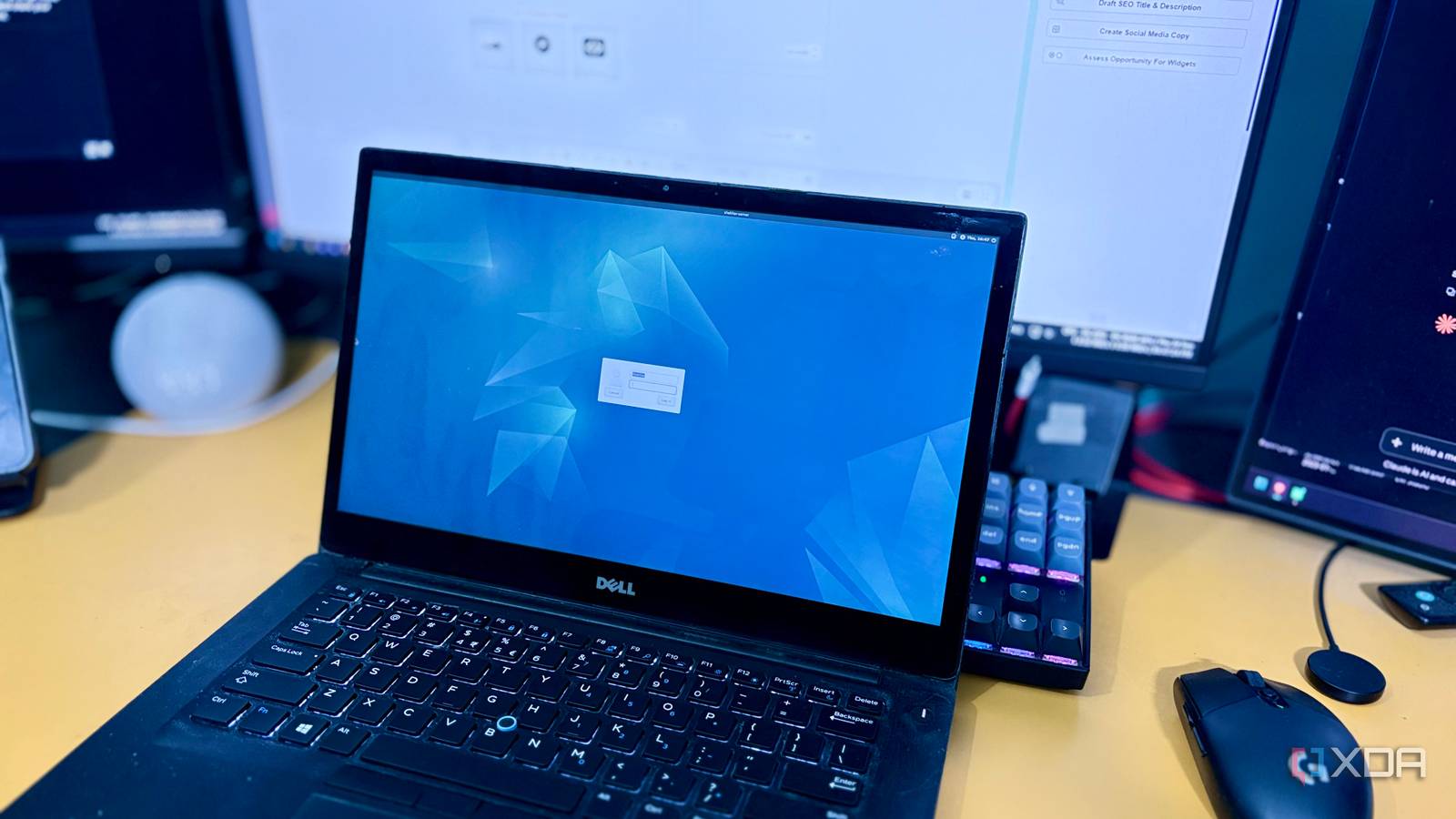
Published Sep 30, 2026, 12:00 PM EDT Shekhar Vaidya is a veteran technology journalist and computer science engineer. He is the founder of TechLatest, where he has spent years providing technical analysis on hardware and Windows ecosystems. Now a Computing Writer at XDA, Shekhar leverages his deep background in NAS, storage solutions, and PC internals to help readers master their tech. Over the past year, my homelab has grown to include several machines, each with a specific job. An 8-year-old business laptop as an always-on home server, an old NAS for bulk storage, and a pretty powerful workstation for day-to-day tasks. I also have a MacBook that I mostly use while traveling. I have been thinking about upgrading the server for a long time, since an old laptop running 24/7 looked like the first piece of hardware to replace with something better and more efficient. But nothing inspired me to get it right away. That was when, out of curiosity, I decided to calculate how much my setup was actually costing me to run. I measured what my homelab actually consumes The number I expected wasn't on the watts I have been using an old business laptop as my home server for more than a year now. I never bought it. I got it from my relative, who was upgrading his Dell Latitude 7480 to a brand-new Surface Pro. So, technically, the old laptop was meant to be recycled, but instead I repurposed it as a bare-metal Debian server. The Latitude runs on an Intel Core i5-6300U CPU, paired with 12 GB of RAM and 256 GB of SSD. Obviously, 256 GB for a homelab with Jellyfin, Immich, and Nextcloud wasn’t enough, so I stripped my old Synology DS218J NAS to only one job and used it as bulk storage for the server. For the last year, these two machines have been my whole homelab fleet: a handed-over business PC and an old NAS. You might think running a consumer-grade PC and an old NAS would consume a lot of power since they are always plugged into the wall, but the numbers show the opposite. I tested both the machines using a cheap smart plug from TP-Link. When the server is idle, and by "idle" I mean running its normal services, containers, networking, etc., it usually sits around 10–15 watts. And when I push it to a larger load, like running multiple streams on Jellyfin, direct play and transcoding included, where the CPU pushes to more than 70% of its capacity, it roughly takes around 20–30 watts. And it’s a similar case for the NAS, roughly 10-15 watts. Since both machines are part of a 24-hour running home server, they are both always powered on. So, if I do a little math and factor in idle and active time (22.5 hrs idle / 1.5 hrs active daily) from my monitoring tool Beszel, the monthly total consumption comes to around 10kWh for each. I am not quoting the exact $ amount, as the numbers depend on where you live, but if I take the EIA's 2026 national average (18¢/kWh), it comes to around $3.5-4 every month. But the bill wasn’t a major concern for me; it was whether newer and more efficient setups could replace my current setup, and whether the additional cost would justify the power savings. This smart plug usually monitors my AC, so the spikes in the 24-hour graph above are the AC's usage, not the server's. I borrowed it temporarily for the actual wattage readings in this piece. I found a mini PC that beats my laptop on power. It still doesn't win. The winning number wasn't the one that mattered Before moving to the upgrade I'm considering, let's talk a bit about the PC I already have and use as my daily driver. I have a Ryzen 7 7700X-RTX 4070 Ti workstation. It is a late 2022 PC (the GPU was bought after its launch on January 5, 2023). On paper, it feels absurd to run an 8-year-old business laptop as a server beside a PC this powerful. But both the machines are built for a different use case. The server doesn't have a workload to run AAA titles or large-parameter local LLMs. While I was measuring my homelab’s power draw, I thought, "Why leave my workstation?" so I measured it too. I have a triple-monitor setup, so excluding the monitors, the power draw was around 135 watts when idle. And with a normal work condition load such as browser tabs, Slack, Asana, multiple Docker containers, and one Affinity instance, the power draw moved to around 150 watts. So, if I even think of making the workstation an always-on home server, it would be a drastic turn of events in terms of total power consumption. Now, for the upgrade I considered to replace my old business PC: a GEEKOM A5 mini PC. Obviously, I didn’t plan to buy a new one, as it may cost more for the specs I was looking for, around $300-350. I chose a Ryzen 7430U build with 16GB RAM and 512GB storage, priced at $220 on eBay. The idle draw for the A5 is around 4–6W; under a normal working load, it sits around 20 watts, and at max load, it roughly takes 40 watts. So, if my math is right, it consumes around 4–4.5kWh per month, making it less than a dollar on the monthly bill. It looks like a decent number compared to my current server power draw. But the decent number also comes with a $220 cost upfront. And the savings are around $1 per month over the laptop, which means it will take 220 months to recover the initial cost and start saving on power. In the end, the 7700X/4070 Ti can never be an always-on server, and the A5 is genuinely more efficient than the Latitude, but it comes with a one-time upgrade cost. Why the "outdated" laptop still comes out on top The most expensive mistake is the one you haven't made yet So, what did I choose? If I compare the laptop and the A5 in terms of power efficiency, the A5 wins without any second thought, but when it comes to the overall cost, the laptop wins because it didn’t cost me a cent to acquire it. The A5’s efficiency advantage becomes relevant when the initial upgrade cost is recovered, which is a weird time frame, around 220 months/18 years. Hardware-wise, it is actually an understandable upgrade: a 2023 Ryzen 7430U vs. a 2015 Intel Core i5-6300U. And in terms of performance, I will get a real jump. I am not telling everyone to get an old used laptop to build their server, but it depends on factors like acquisition cost and use case. For me, it was a free machine, so the A5 felt like a costly upgrade, but if I am supposed to choose between a Latitude 7480 and an A5, with a small price difference, I will no doubt go with the A5. Efficiency per watt and cost per month aren't the same question once acquisition cost enters the picture. So, was it worth it? Coming back to my original assumption — whether my old PC can survive the comparison to modern hardware like the A5. It did, since the workstation wasn't close, and the mini PC that draws less power than my laptop still lost, because of the overall cost to acquire it. Once I got the actual numbers, paying the higher power cost of my laptop as a server was a better financial decision than getting new hardware for an additional cost.
I calculated my old PC's true power cost as a home server, and it beat every alternative I tested
Full Article
Original Source
Read the full article at Xda-developers →KhanList aggregates and links to publicly available news content. We do not host full articles from third-party sources. Always verify important information with original sources.