
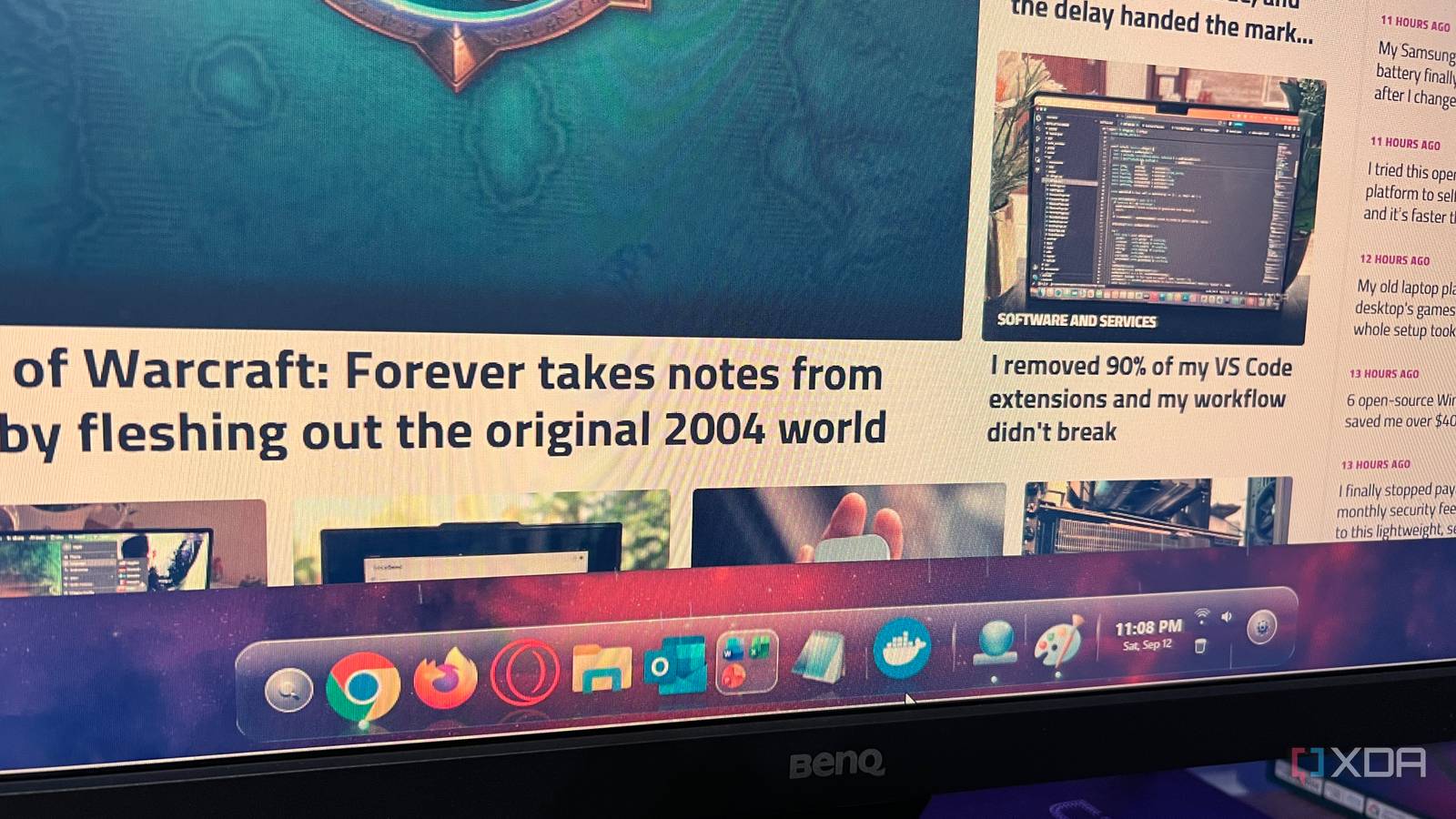
Published Sep 15, 2026, 7:00 PM EDT Patrick is a seasoned writer with more than a decade of experience, specializing in any and all things tech. His work has been featured on platforms like CNET, Yahoo, Xfinity, and many other outlets. When not typing away, he can be found with his nose in a book. Windows Vista is an operating system that I look back on fondly for one major reason: it was among the best-looking Windows options we've ever had. The Aero design philosophy was a major part of both Windows Vista and Windows 7, though Microsoft dropped it in Windows 8 in favor of its Metro design. Aero is honestly reminiscent of Apple's design philosophy in a lot of ways. Last week, I stumbled across an open-source tool called Aero Dock that embodies many of the same design elements from Aero (obvious, given the name). It creates a macOS-style taskbar for Windows with a ton of customization options, snappy performance, and a sleek look that I prefer over Windows' current look. I still miss the look of Vista Aero Dock is reminiscent of a simpler time Whatever I might have thought about Vista at the time (and I was quite the opinionated 16-year-old), I loved how it looked. The operating system pushed system hardware more than previous iterations, but the payoff was graphical elements I hadn't seen before on Windows. In a way, I associate Vista's aesthetic with that era of computing. Aero Dock brings back that feeling, although to a lesser degree. These days, I can customize my desktop to look however I want, so it's not like this app adds killer features that I absolutely cannot live without. The main draw for me is that it's fun. I enjoy the way the taskbar looks on my desktop (and honestly, as a long-time Mac user, there's a familiarity to it). It's satisfying to see the subtle glimmer on the taskbar. It's a throwback to when I first started to develop an interest in computing, and Aero Dock's design reminds me of that sense of excitement. But it's more than just nostalgia Aero Dock can replace the Windows taskbar Aero Dock looks great, but it's actually useful, too. I can quickly fire up my most-used apps right from the dock. Chrome, Firefox, and Opera GX are all right there, alongside Outlook, Microsoft Word, and Notepad. Customizing the dock is as simple as right-clicking an icon and unpinning it, and you can stack multiple icons to create a nested section — particularly useful for similar tools like Microsoft Word, Excel, and PowerPoint. Commonly used apps are placed to the left, between the magnifying glass icon and the time. These populate by default upon installation, while apps you open but don't have pinned are placed on the right side of the dock, but to the left of the time. You can right-click one of these icons and select "Pin to Dock" to keep it in your taskbar. I installed Aero Dock because I thought it looked cool, and I wanted to check it out, but it quickly became one of my favorite apps. It looks great, works nearly seamlessly, and has basically taken the place of the Windows taskbar for most things. I hid the taskbar using Aero Dock's settings, but hovering over the bottom of the screen or clicking the Windows key makes it pop up if I need to access it. It lets me make my desktop my own It's something I can spend a long time tweaking I'm a huge proponent of customization. If you're going to spend a lot of time on your computer — and who doesn't these days — then it should look like you. No one thinks twice about tweaking their phone's appearance to add personality and style, and that same approach should extend to your desktop. Aero Dock has so many customization features that I can make it look however I want. I can change how the dock itself looks, how the settings menu looks, where the dock is positioned, and much more. While I keep it at the bottom of my screen out of habit, users who prefer their menus to the left or the right will find a lot to love about Aero Dock. I can even set up ambient scenes for the dock, with options ranging from dust, snow, rain, ocean, and aurora. These animations add a little something extra to the background, though they do increase the resources needed to keep the dock running. Aero Dock has a few flaws to consider It's a relatively recent release, so there's room to grow As much as I'm enjoying using Aero Dock, it isn't without its downsides. First and foremost, Aero Dock sits in the foreground; any web content behind it, like a search bar or a button, can't be accessed unless you can scroll far enough. Several apps I've had to switch into a windowed view to use properly. This can be solved by flipping the dock to the top or side of your screen, but that's an annoying hoop to jump through. Beyond that, Aero Dock can get a bit demanding on the system resources, especially if you have some of the more advanced animations playing. If you have processing power to spare, that might not be such an issue, but anyone using lower-end hardware should be aware of potential performance impacts. The nostalgia is worth the compromises Aero Dock isn't an absolutely perfect application. It has a few bugs, but they're not deal-breakers. The enjoyment I get from using Aero Dock is worth the higher RAM usage and the need to work around a couple of glitches. Aero Dock A modern free and open-source RocketDock and Nexus Dock alternative for Windows 10 and 11.
I brought back the best part of the Windows Vista era with this free app
Full Article
Original Source
Read the full article at Xda-developers →KhanList aggregates and links to publicly available news content. We do not host full articles from third-party sources. Always verify important information with original sources.