
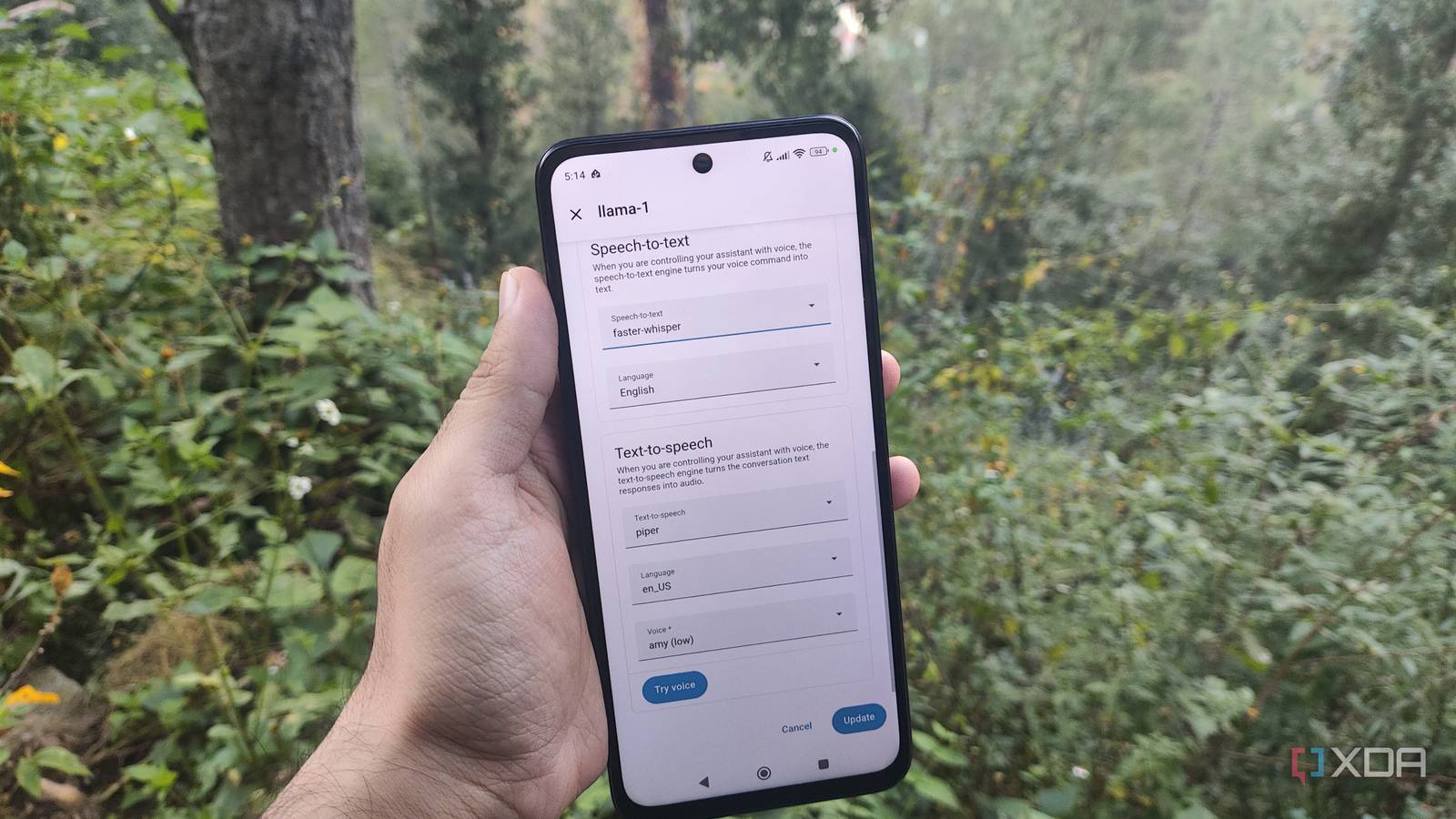
Published Nov 2, 2026, 8:00 AM EST Ayush Pande is a PC hardware and gaming writer. When he's not working on a new article, you can find him with his head stuck inside a PC or tinkering with a server operating system. Besides computing, his interests include spending hours in long RPGs, yelling at his friends in co-op games, and practicing guitar. Ever since I first realized I could connect my locally-hosted large language models with Home Assistant, I’ve configured all sorts of cool setups to expose my smart gizmos and IoT devices to AI. During my time as a novice AI tinkerer, I’d paired my smart home hub with Ollama to run LLMs as conversational models, though I ended up replacing it with the Home Agent integration after I moved over to llama.cpp. Likewise, I’ve combined my Frigate and HASS servers with the AI Summary Blueprint to have my local AI models with vision capabilities generate a brief summary of the footage events when the NVR spots something fishy via its object detection pipeline. Then you’ve got the self-hosted voice assistant pipeline that my family relies on practically every day to control the smart devices I’ve scattered all over the place. While it uses a handful of containers and apps, Piper is a standout tool in this workflow, as it’s also something I use to turn boring old static alerts into fully-voiced notifications. Piper is the text-to-speech component of my voice control pipeline And it meshes well with my locally-hosted AI models Earlier this year, the geniuses at Open Home Foundation added voice satellite functionality to HASS’ Android companion app – and it’s what triggered (pun intended) me to finally reconfigure my voice assistant setup. Before this update, I’d have to create complex setups to ensure my Home Assistant hub detects a wake word and triggers the AI workflow to respond to my queries. But the voice satellite feature lets my old smartphone process this wake word all on its own – and I’ve hooked it up to a local LLM running on my llama.cpp container. Of course, since Home Assistant doesn’t support llama.cpp connections natively, I had to grab the Home Agent integration from HACS (which has now been merged into the Marketplace as of the latest beta) to connect the Gemma-4-E4B (Q4_K_M) model running on my GTX 1080 to the smart home platform. But even with my local LLM providing the inference capabilities and my old phone serving as the wake word detection device, this barebones assistant only lets me trigger the text-based conversational model instead of providing full-on voice control. That’s where my Whisper and Piper apps come into the equation. Rather than manually writing my prompts on my phone, these two apps let my local LLM process voice inputs and respond to them in real-time. Whisper is the speech-to-text app that converts my query into a simple text message, which Home Assistant then feeds to my LLM. Once Gemma-4-E4B has finished generating the response, Home Assistant sends it to Piper, which uses its speech-to-text magic to give voice to the LLM’s answer. The best part? Unlike bulky AI models, Piper and Whisper are light enough on most machines. Personally, I’ve deployed Piper and Whisper as dedicated LXCs, so they can harness my GPU’s superior processing capabilities, but Home Assistant also has dedicated apps for both services for folks who want to run them locally on the HASS server. I have no issues with the default voice for my Piper container, but I also appreciate that the TTS engine lets me swap between different profiles to better customize my voice assistant. But it’s also responsible for playing back my notifications Configuring the automation for this TTS engine was fairly simple, too Aside from powering my AI voice assistant, Piper is also responsible for reading out the notifications generated by my Home Assistant hub. To be more specific, I’ve connected it to a set of speakers in my home lab, and thanks to some trigger-action rules, I’ve configured Piper to convert the text-based persistent notifications into fully-voiced alerts. As for the procedure, I pressed the + Create Automation button in the Automations & scenes tab from the Home Assistant Settings menu and used the Edit in YAML option to define the following trigger-action rules: alias: piper-tts-automation triggers: - trigger: persistent_notification update_type: - added actions: - action: tts.speak target: entity_id: tts.piper data: media_player_entity_id: media_player.home_lab_media_player cache: false message: >- {% set n = trigger.notification %} {% if n.title %}{{ n.title }}. {% endif %}{{ n.message }} mode: queued But Piper’s not the only QoL tool I use with Home Assistant What I really adore about Home Assistant is the sheer number of cool tweaks, features, and services I can enable for the platform. For example, the HASS Companion App lets me turn any old Android smartphone into a full-fledged smart panel for controlling my smart home devices, and I can even pull different sensor data from my phone to create more automation rules for my IoT paraphernalia. Speaking of automation, I also rely quite a bit on the Node-RED application, which is significantly better than HASS’ built-in trigger-action provisions when designing multi-device automations. Home Assistant OS Windows, macOS, Linux, Android, iOS, web iOS compatible Yes Android compatible Yes
I added Piper to Home Assistant for local AI voice control, but it turned out to be even more useful
Full Article
Original Source
Read the full article at Xda-developers →KhanList aggregates and links to publicly available news content. We do not host full articles from third-party sources. Always verify important information with original sources.