
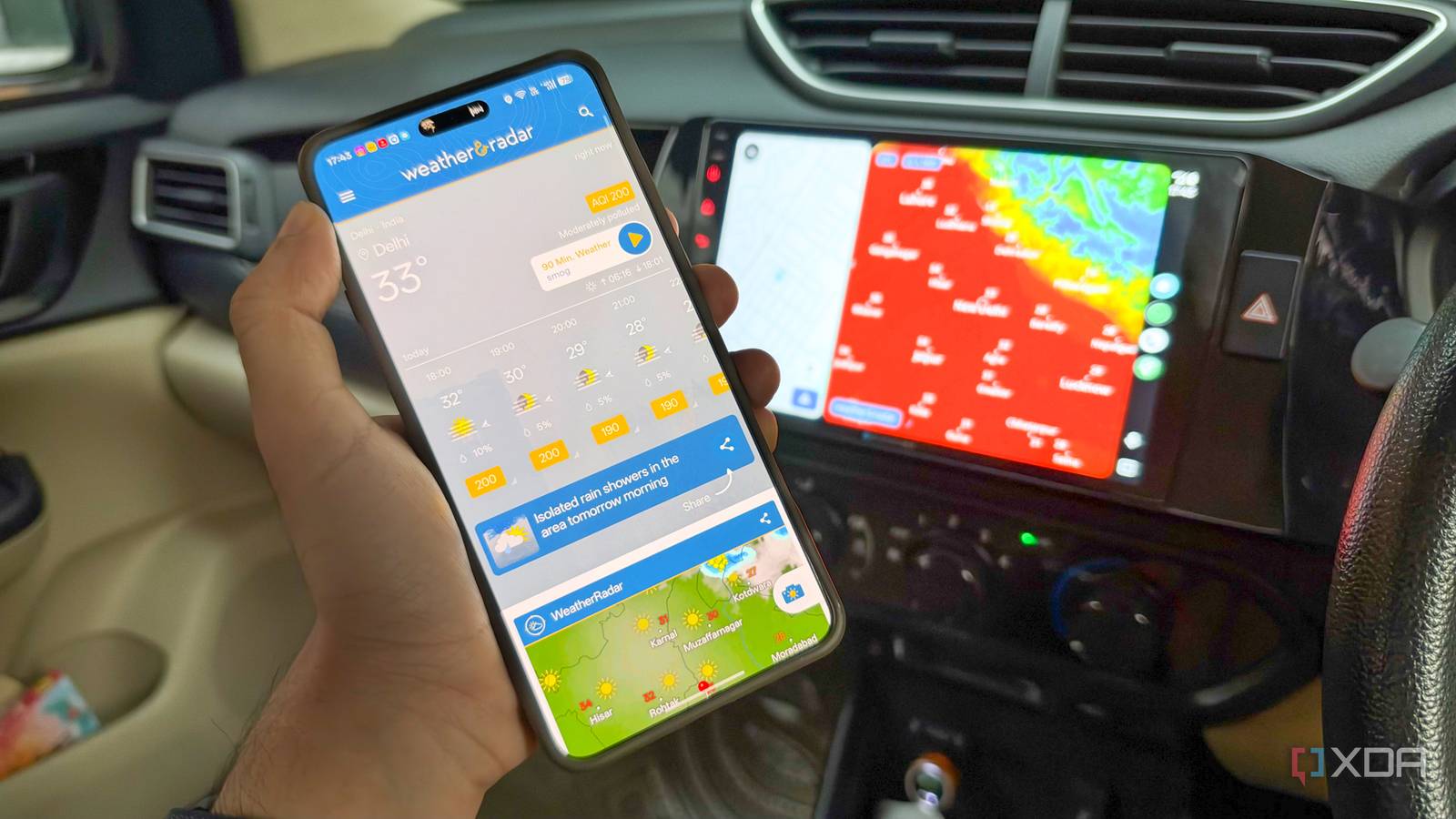
Published Oct 8, 2026, 8:30 AM EDT Dhruv Bhutani has been writing about consumer technology since 2008, offering deep insights into the personal technology landscape through features and opinion pieces. He writes for XDA-Developers, where he focuses on topics like productivity, networking, self-hosting, and more. Over the years, his work has also appeared in leading publications such as Android Police, Android Authority, CNET, PCMag, and more. Outside of his professional work, Dhruv is an avid fan of horror media spanning films and literature, enjoys fitness activities, collects vinyl records, and plays the guitar. Most of us check the weather perhaps once in the morning when we're planning out our daily outfit. That works fine enough until a downpour completely derails your journey. Where I live, when it rains, it pours. Moreover, since most of my driving is measured in hundreds of miles on the expressway, knowing the kind of weather I'm driving into can mean the difference between pulling over to the side of the expressway and riding out the storm at a rest stop. I'll always pick the latter. The problem is that while a weather forecast can tell me rain is expected, it can't tell me whether that rain is heading my way and when I am expected to barrel into it. That's why I pulled up a weather app on my car's Android Auto headunit that tells me precisely that. The app puts this weather information on the car display and lets me cycle through everything from a live wind-view dashboard to a rain radar, so I can check what's happening around me without reaching for my phone. It's one of the coolest things I've added to my Android Auto setup in a while. I use the weather radar to decide when to leave A weather radar gives me insights into what's happening around me Having live weather data on your car's infotainment system changes how you approach any drive. The biggest change is that I no longer treat the weather forecast as a simple go, no-go answer. If the forecast suggests that it might rain later in the evening, that doesn't mean I should expect rain throughout the evening. The app's weather radar, on the other hand, gives me a better idea of what is happening right now. In fact, it can even show me a real-time visualization of cloud movements. This is surprisingly useful when I have somewhere to be and when the weather doesn't look particularly favorable. Even before I start a drive, I just tap open the Weather & Radar app on Android Auto. Sometimes I even leave it open while I'm driving. This screen combines precipitation with other weather information and shows how ambient conditions are developing. Beyond that, it works like a weather app, and what you get out of it depends on how you use it. For example, if I see dark clouds right outside and moving toward me, I know I have a decision to make. I can either head toward my destination or pull over. If the clouds aren't represented as particularly dark and grey, it might just be a light shower. That's much more useful information than simply seeing an indication that it might rain. I can see what's coming along on my drive While having a weather radar on your car's infotainment system can be useful for city driving, the real benefit is, predictably, on longer journeys. Most weather apps can only show conditions at specific locations, not along a route. That's just not a thing unless you start looking at cloud visualizations. Having a weather radar in Android Auto means that it effectively follows your route. You can zoom in and scroll anytime during a stop. This lets you see the weather system ahead of you and observe if it is moving towards my route or away from it. These visualizations are updated by the minute, so you can be sure you are getting up-to-date information to make a more informed decision. If you want to get granular, the app offers a number of different visualizations. The temperature radar is one of these. Let's say I'm driving into the hills; I can see the temperature difference between the plains and the hills. Honestly, let's be real, there's no practical benefit to this. But it certainly is cool. Finally, it helps that the app loads up quickly. You probably wouldn't want a weather radar on your screen all the time. A navigation app is better suited to it. Most of the time, I have Google Maps or an offline navigation app like Organic Maps running on screen. But I'll swap over to the weather radar anytime I'm stopping for a break, or every hour or two, in case I suspect a change in weather conditions. It works great. Adding a weather radar to my Android Auto setup helps me see when the weather will actually impact my drive Honestly, I didn't expect adding a weather radar to my Android Auto setup to be anything more than a gimmick. Turns out, I check it more often than I thought I would. It solves a very specific problem for me and will for anyone who lives in an area where weather conditions change frequently. The app bridges the gap between knowing the forecast and knowing when it will impact me. Weather & Radar The Weather & Radar app allows you to display a weather, temperature and wind radar on your Android Auto display.
I added live weather radar to Android Auto, and it changed how I plan my drives
Full Article
Original Source
Read the full article at Xda-developers →KhanList aggregates and links to publicly available news content. We do not host full articles from third-party sources. Always verify important information with original sources.