
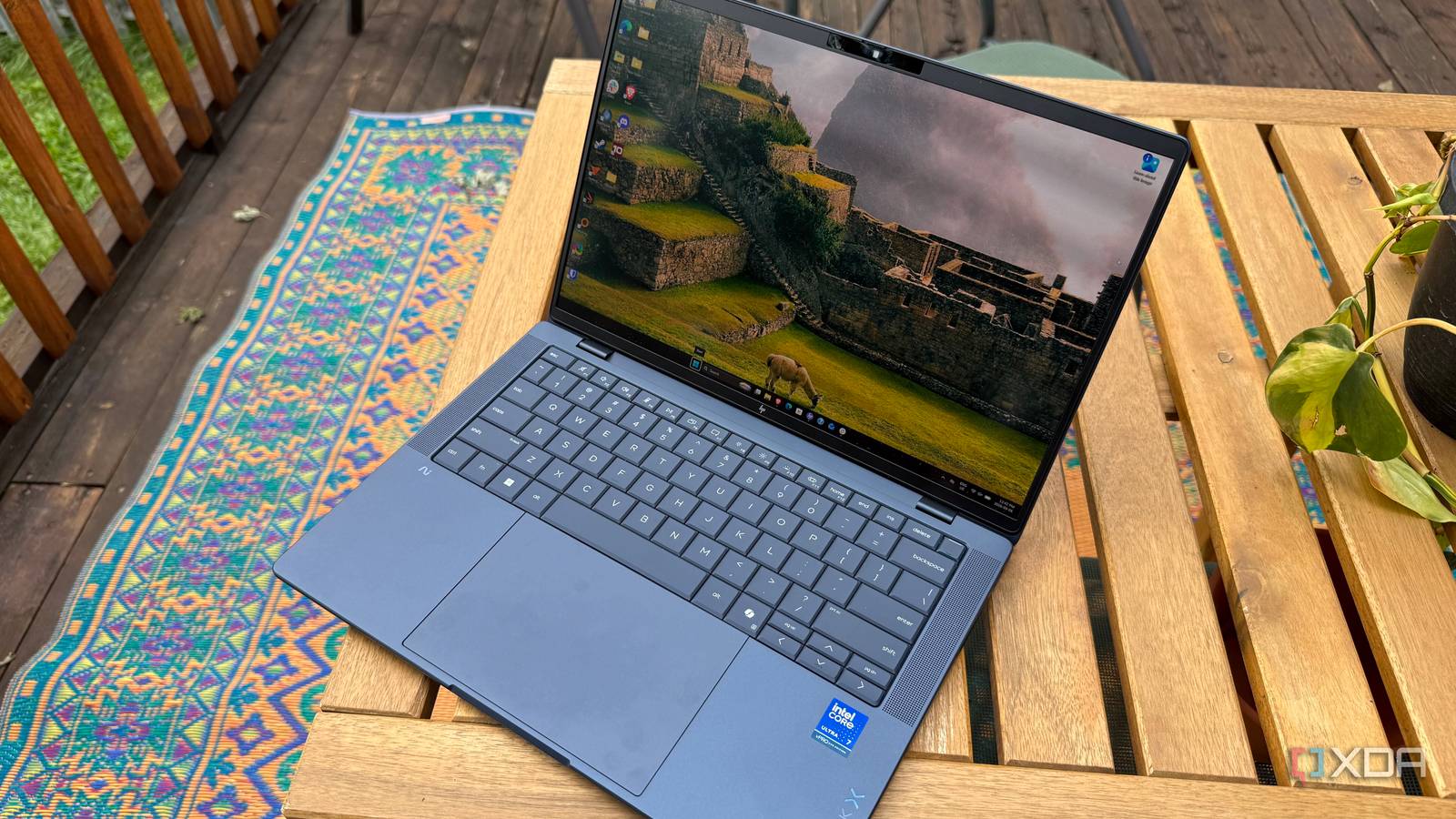
Published Sep 12, 2026, 9:00 AM EDT His love of PCs and their components was born out of trying to squeeze every ounce of performance out of the family computer. Tinkering with his own build at age 10 turned into building PCs for friends and family, fostering a passion that would ultimately take shape as a career path. Besides being the first call for tech support for those close to him, Ty is a computer science student, with his focus being cloud computing and networking. He also competed in semi-pro Counter-Strike for 8 years, making him intimately familiar with everything to do with peripherals. Sign in to your XDA account HP's EliteBook X G2i made an excellent first impression on me. It's lightweight, packs a beautiful 3K OLED, a keyboard-touchpad combo that rival the best laptops I've used, and allows the Core Ultra 7 366H inside to shine as bright as Panther Lake reasonably can. It's definitely on the pricier side, and HP's website is very confusing if you were to try and purchase the model I had hands-on with, but nearly everything about the laptop itself is just as good as anything out there, if not a cut above. HP EliteBook X G2i 7.5/10 CPU Intel® Core™ Ultra 7 366H Display type OLED Display (Size, Resolution) 14", 2880x1800 RAM 32 GB LPDDR5x-8533 MT/s (onboard) Pros & Cons Excellent keyboard and touchpad 3K OLED display looks fantastic Lightweight Expensive Limited in configurations available About this article: HP loaned XDA an EliteBook X G2i unit for the purposes of this review. The company did not have any input into this article, nor did it see its contents before publishing. Pricing and availability of the HP EliteBook X G2i The HP EliteBook X G2i was originally unveiled at CES 2026, as part of the rest of the EliteBook X G2 series launch. My unit came stocked with an Intel Core Ultra 7 366H with integrated graphics, 32 GB of LPDDR5x running at 8533 MT/s, and 1TB of PCIe NVMe storage. The display is a non-touch 14" OLED running at 2880x1800 resolution. HP EliteBook X G2i CPU Intel® Core™ Ultra 7 366H Display type OLED Display (Size, Resolution) 14", 2880x1800 RAM 32 GB LPDDR5x-8533 MT/s (onboard) GPU Integrated Storage 1 TB PCIe® NVMe™ M.2 SSD Battery 68 Wh Li-ion polymer Ports 1x HDMI 2.1 1x stereo headphone/microphone combo jack 1x nano security lock slot 1x USB Type-A 5Gbps signaling rate (powered) 2x Thunderbolt™ 4 with USB Type-C® 40Gbps signaling rate (USB Power Delivery 3.0, DisplayPort™ 2.1) 1x USB Type-C® 10Gbps signaling rate (USB Power Delivery 3.0, DisplayPort™ 1.4) Operating System Windows 11 Pro Webcam 5MP IR camera Wi-Fi connectivity Intel® Wi-Fi 7 BE211 (2x2) Bluetooth Bluetooth® 6 wireless card Dimensions 312.7 mm (W) x 217 mm (D) x 15.95-17.15 mm. 12.31 in (W) x 8.54 in (D) x 0.63- 0.68 in. Weight Starting at 2.2 lbs Speakers Audio by Poly Studio, quad stereo speakers NPU Intel® AI Boost (50 NPU TOPS) With regard to price, things get a little murky. At the time of writing, this configuration is not available on HP's website, nor is there a configurator to create such a setup, but they report that it's supposed to be available for a "Smart Buy" price of $2,899. There is a G2i available with the same internal specs, but only featuring a 1920x1200 IPS display with a price of $4,743. The only OLED listed is a unit that features an Intel Core Ultra X7 358H and an Intel B390 Arc GPU for $6,270. The unit linked in this article will be the former of the two I've mentioned, since it's the closest I can find on their website to what I'm using here. HP cited February as the tentative launch for some configurations of this laptop, and that fact that there isn't a working configurator on their website in September is disappointing. A familiar, sleek feel Using the EliteBook X G2i feels very natural HP did an excellent job with the feel and overall dimensions of this laptop. The Atmospheric Blue color is similar to other business laptops in its class, but that's not a knock—it will look right at home anywhere you open it. When you do, you'll be greeted with a pretty standard keyboard layout and a non-standard touchpad, the latter being one of my favorite parts of this entire system. The "waterfall" touchpad lacks a bezel entirely at the top, starting immediately from where the keyboard ends, and spans down almost to the very bottom of the chassis. The size is awesome, but the fact that it's also haptic is very welcome. My only gripe is a rather small nitpick, but it caught me very off-guard. When the battery is low, the haptics turn off completely, and that makes the touchpad feel terrible to use. I understand it's a power-saving measure, but it sacrifices too much of the experience to be worth it. The keyboard itself has excellent travel and feels very at home beneath my fingers. The keys have a satisfying "clack" but aren't harsh to the ears, even if you're rather heavy-fingered like I am. Port selection is good, as you'd expect for a laptop in this class. The 2 Thunderbolt ports on the left side of the chassis allow for virtually any expansion you might need upon what's already there, but 1 full-size HDMI 2.1 port and DisplayPort 2.1 across all 3 USB-C ports on-board is very welcome, as is the 3.5mm combo jack. The Core Ultra 366H inside is accommodated well Despite weighing just over 2lbs, the EliteBook X G2i packs a punch HP EliteBook X G2i (Intel Core Ultra 7 366H) HP EliteBook 8 G1i 14 Core Ultra 7 268V ThinkPad X1 Carbon Gen 13 (Intel Core Ultra 7 258V) Dell 14S (Intel Core Ultra 7 355) PCMark 10 (AC / battery) 8,081 / 7,518 8,104 / 8,123 6,861 / 7,099 7,464 / 7,921 Geekbench 6 (single / multi) 2,778 / 16,333 2,856 / 10,395 2,527 / 8,461 2,720 / 11,318 Cinebench 2024 (single / multi) 121 / 939 120 / 610 118 / 463 177 / 577 Crossmark 2,221 1,829 1,737 1,969 3DMark (Time Spy / Wild Life / Night Raid) 3,293 / 16,583 / 28,220 4,565 / 28,310 / 37,547 4,312 / N/A / 32,040 3,194 / 21,267 / 29,409 The HP EliteBook X G2i performed very well, really only losing out to its predecessor in the 3DMark tests due to the lack of discrete graphics in my unit. Daily use of this system felt great, although there were a few bumps. My system hard-crashed with the Windows 11 black-screen-of-death on a couple of occasions where it was just idle or doing a very light task, but it was rock-solid during anything more demanding. Battery life is what I would consider adequate, but you'll have to use battery-saving modes and keep an eye on the brightness—the 500nit 3K OLED is a double-edged sword here. It looks fantastic but definitely counts the G2i out of winning any battery comparisons. With that said, I did get a full-day's worth of work out of one charge, mainly consisting of web apps and some light photo editing. Should you buy the HP EliteBook X G2i? You should buy the HP EliteBook X G2i if: You want performance that punches above its form factor Touchpad and keyboard are really important to you You don't mind paying a premium You should NOT buy the HP EliteBook X G2i if: You want the best value laptop You want to configure your own system's specs The HP EliteBook X G2i is an excellent execution of a Panther Lake-based business laptop, but it's a bit difficult to score in this configuration. HP has said that this specific unit I had hand-on with has a "Smart Buy" price of $2,899, but currently, it's unavailable for purchase at any price. I can only speak to my experience with this specific unit, and while it was great, the other configurations available have prices as high as $6,270 in the case of the Core Ultra X7 358H, discrete Arc GPU-equipped model with the same 3K OLED display. Stock and configuration issues aside, $2,899 is still on the pricier side for this laptop, so it's one for if the price is an afterthought. HP EliteBook X G2i 7.5/10 CPU Intel® Core™ Ultra 7 366H Display type OLED Display (Size, Resolution) 14", 2880x1800 RAM 32 GB LPDDR5x-8533 MT/s (onboard)
HP's EliteBook X G2i has the best touchpad and display I've used, but one inherited flaw ruins it
Full Article
Original Source
Read the full article at Xda-developers →KhanList aggregates and links to publicly available news content. We do not host full articles from third-party sources. Always verify important information with original sources.