
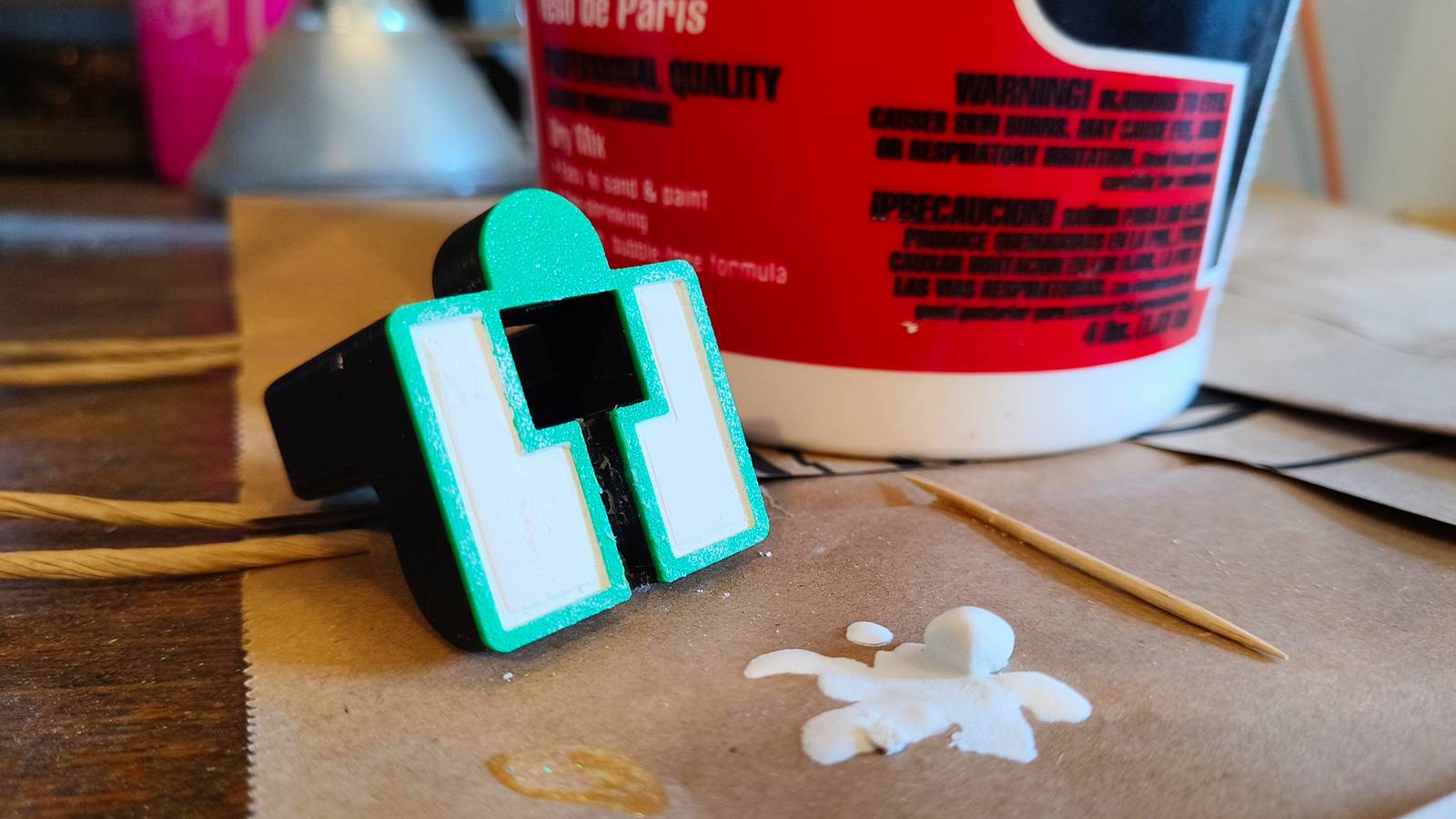
Published Oct 18, 2026, 10:00 AM EDT Tim has been covering technology for almost 20 years, in that time spanning a broad range of topics from security to product reviews. He is especially focused on the Apple ecosystem, productivity, and consumer advice. Over the years Tim has written thousands of articles, reviews, and round-ups in addition to producing video content and original photography. A graduate of journalism, he found his footing as a freelancer with a laptop and loves how he is able to work from practically anywhere. Now a Senior Editor for iPhone, Mac, and Smart Home at How-To Geek, Tim still loves to write. He can also be found crafting round-ups and productivity posts for the Zapier blog. Earlier in his career Tim spent nearly a decade as a writer and eventually Apple section editor for MakeUseOf. Tim currently lives in Brisbane, Australia. Outside of work he loves to hike and work out, play video games, and spend quality time with his wonderful partner and two cats Inka and Roger. 3D printing opens up all sorts of possibilities for making a vast range of objects, but there are some glaring limitations as a result of material choice. While CNC machines and metal 3D printers pave the way for weightier industrial prints, the rest of us need to be a bit more inventive when it comes to adding weight to our creations. Why add weight to your prints? Some things benefit from being heavy Adding weight to a 3D print helps to combat the flimsy nature of objects made from lightweight filament. Weight can help prevent an object from moving around, serve as a counter-balance, give an object a premium feel, and even reinforce the structure in a way that makes the print more durable. For example, let’s say you’re designing a stand to wirelessly charge a smartphone, watch, or battery. You want the stand to stay relatively still on the table, even when you attach a device to it. The stand should be grounded enough to remain upright against the weight of whatever it is charging. If an object is too light, it can feel cheap and unpleasant to use. Bambu Lab sells a wireless mouse kit around which you can design the perfect mouse for your hand. Some gaming mice are designed to be ultra-lightweight, but for everyday use you might want to add a bit of weight to make your movements feel more deliberate. Lastly, infill patterns can add structure and strength to an object, but nothing quite comes close to having the object be one solid mass. Doing so with filament can be an expensive endeavor. Most of us stick to a density of around 15% for everyday printing, so 100% infill density is a huge leap in both time spent printing and filament cost. You’ve probably printed something in the past that could have used a bit more weight. Think about desktop or bathroom organizers that topple over too easily, or models and figurines that don’t feel quite as planted as you’d like. The good news is that you can combat this in a number of ways. Adding weight the right way More than just infill density Increasing infill density means using more filament. Though this will add weight to the print, the lightweight nature of most filament types can result in a disappointing outcome. You might end up paying a lot more for your print without getting much benefit at all, especially compared with other materials. The alternative is to fill the space inside your prints with weighted objects. This is something that you’ll usually need to design for, since you’ll need to ensure that there are appropriately sized cavities within your prints in which you can add your weights. This is made possible by pausing the print before it’s sealed up. Stop the process, add your weights, and resume the print in order to entomb your objects inside. For some, this is a simple case of adding coins. What will cost you a few cents in loose change can add just enough weight to give your print a bit more stability. Other solutions that work well include wheel weights, fishing line weights, and heavy washers. Really, any “scrap” metal will do as long as it will fit. Steel shot, used for sandblasting, is often recommended since it is small enough to slot neatly into a print with a low enough infill density. The only problem with steel shot is that you’ll usually need to buy quite a lot of it in the first place. You can achieve a similar outcome using plaster of Paris. This can be messier to work with, and requires that you make up a more pourable consistency than you’d use for drywall repair, but the results are excellent, and the liquid will fill any and all gaps. The plaster will dry solid and add additional strength to your print in all directions. What not to do Please don’t ruin your printer One material we haven’t touched on is sand. Not only is sand cheap and easy to work with, but it’s heavy. But that doesn’t mean that using sand to fill cavities in your print is a good idea, at least not when using pause points to stop and restart the print again. Resuming a print that you’ve just filled with sand can cause your printer’s fans to scatter sand everywhere, which will work its way into your printer’s bearings and cause all manner of damage. There is one way around this, and that’s to design a print with sand in mind. By leaving a small entry hole at the top of your print, you can use a funnel to fill the object with sand. You can then seal up the hole by printing a lid and gluing it in place. Sand isn’t the only material that can make a mess in your 3D printer; be mindful of glitter-bombing yourself too.
How to add weight to your 3D prints the right way (and why)
Full Article
Original Source
Read the full article at Howtogeek →KhanList aggregates and links to publicly available news content. We do not host full articles from third-party sources. Always verify important information with original sources.