
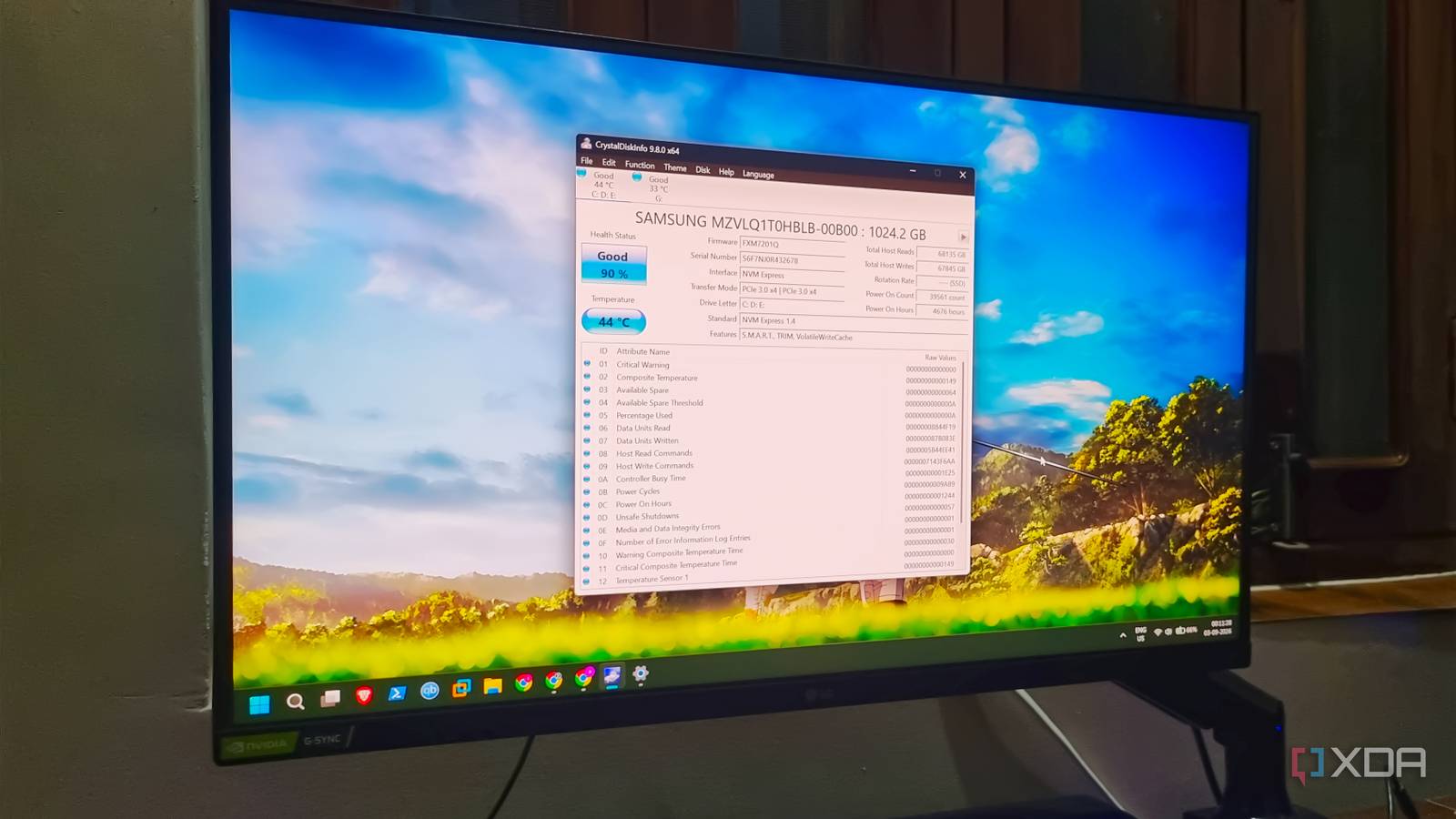
Published Sep 12, 2026, 2:30 PM EDT Abhishek is an author at XDA who covers computing. He has loved computers since he got the Lenovo G570 in 2012. Abhishek holds a master's degree in computer applications and began his writing career in 2018. He loves writing how-to articles, listicles, and informational posts on popular operating systems and web services. He closely follows the Windows Insider program and tests new Insider builds to discover upcoming experimental features and upgrades. His past work includes long-term collaborations with reputed publications like Tom's Hardware, and Windows Latest. When not writing anything, he is busy watching new episodes of One Piece or searching for something binge-worthy. Storage was a luxury back in the day when I bought my first laptop. Slowly, the storage became cheaper, smaller, and faster than a traditional HDD. Before the whole AI crisis that shot up the cost of storage and memory, NVMe SSDs were only slightly more expensive than SATA SSDs, despite a huge difference in read-write speed, primarily due to their connection interface. I have a couple of SSDs that I use and external drives with a SATA enclosure. My main system, a Windows 11 PC, uses a Samsung NVMe SSD. The first read and write speed check I did in 2021, when the SSD barely had any files except the OS, is different from the speed that I get now. I have filled my drive to about 80 percent, and surprisingly, that's one of the main reasons that the performance has slightly deteriorated. Let's discuss why a lean drive is better than a filled one. SSD storage gets filled fast Increasing size of apps, games, and files When you buy a new laptop or computer, as I did, which has more storage capacity than the previous one, the hesitation to use it judiciously disappears. You start downloading software, test apps and games, and slowly fill up the drive to the brim. I installed several gamesand programs, deployed multiple virtual machines, and left only about 50–100GB of space to move files around. Gradually, the storage performance deteriorated, resulting in somewhat slower write speeds. I never performed any cleanup, left virtual machines unattended for weeks, and had game installations that I only played a couple of times. So, I kept a lot of barely important stuff on the main SSD, and it cost me performance and reduced its lifespan. But does an SSD's occupied storage have any relationship with performance or lifespan? Surprisingly, yes, and I learned it a little late. SSDs don't have moving parts But more occupancy deteriorates performance While an SSD can claim more endurance due to its design and the lack of moving parts, it's not susceptible to wear and tear. It uses NAND cells, and each cell uses pages and blocks to write data on them. A page is the smallest unit on an SSD, and a block can have multiple pages. Imagine a fresh drive, and the OS commands the SSD controller (which actually is the brain of the whole thing) to write three pages. It changes the state of these pages, and happily maintains a mapping of where data is stored. As the write operations grow, the SSD has to manage the available storage space. It can write/rewrite an empty page, but it can only erase blocks and not pages. There’s nothing you can do about it because it's a design choice of flash storage. Since erase actions can only happen at a block level, if you want to modify something that’s stored at a page level, the mechanism becomes a tad complex. Firstly, the SSD controller decides the viable block and page location to put that data. That specific block might have some valid pages and some with old data. It cannot simply erase any page; it marks the old pages as “invalid” and writes the new data to unused ones (which can be in the same or other blocks). It then updates the mapping table to point to the new physical location. On a small scale, this looks viable, but problems arise when you have millions of invalid pages. Fixing invalid pages Internal SSD processes take a toll SSD uses garbage collection, a method to reclaim the entire block and make it usable again. To do so, it needs to move the data to another block (or blocks) that have a usable page. Once the relocation is complete, the block is left with only invalid pages, and the SSD controller can issue an erase command to make them usable for future write operations. Garbage collection tries to fix this wasted-storage problem, but it creates another issue called write amplification. It simply means that even if the OS issues a single write or modify command, the SSD controller has to perform multiple write cycles to accomplish the task. As write amplification increases, the SSD controller has to handle more internal NAND write requests. If the drive is nearly full, it has fewer usable pages and has to do more garbage collection, which takes a toll on the performance and lifespan. An SSD uses wear leveling, a method to distribute write and erase activity across NAND blocks evenly. Imagine having ten buckets to carry gravel, and you use two more often. It will damage the buckets faster. Similarly, the SSD controller identifies these frequently used blocks and distributes the load to less-used ones. So, a surge in write amplification can speed up NAND cell degradation and reduce the overall lifespan. The increased internal load from these SSD processes is one reason your write performance suffers. Free space gives breathing room Your SSD doesn’t need to be hyperactive all the time When the SSD has adequate free space, it can modify files faster and spend less effort on garbage collection. It reduces write amplification, and when the number of NAND write and erase operations decreases, it slows down the wear and tear on the SSD. So, free space gives it much-needed breathing room and ensures your SSD doesn’t break a sweat on basic write requests. TRIM also aids in garbage collection as it tells the SSD controller about the logical addresses that don’t contain valid data. It’s an OS-level function, and Microsoft enables it by default on Windows 11. The choice lies in your hands as you can determine the rate of write amplification on your SSDs. Free up your SSD I’ve moved my virtual machines to an external SSD and removed large games and software that I use once in a blue moon. Consequently, my SSD has to make fewer efforts for new NAND write or erase operations, and I can delay its unnecessary degradation. SSDs also use over-provisioning and reserve some space for these background processes. Still, it won’t hurt to keep 15–20% free space, because SSD upgrades aren’t as cheap as they used to be. It’s better to have fewer files than splurge $200 on an SSD that used to be just $50–70. WD Blue SN580 Gen 4 SSD A 2TB NVMe SSD by Western Digital with DRAM.
How full your SSD is does more damage to it than anything you actually write
Full Article
Original Source
Read the full article at Xda-developers →KhanList aggregates and links to publicly available news content. We do not host full articles from third-party sources. Always verify important information with original sources.