
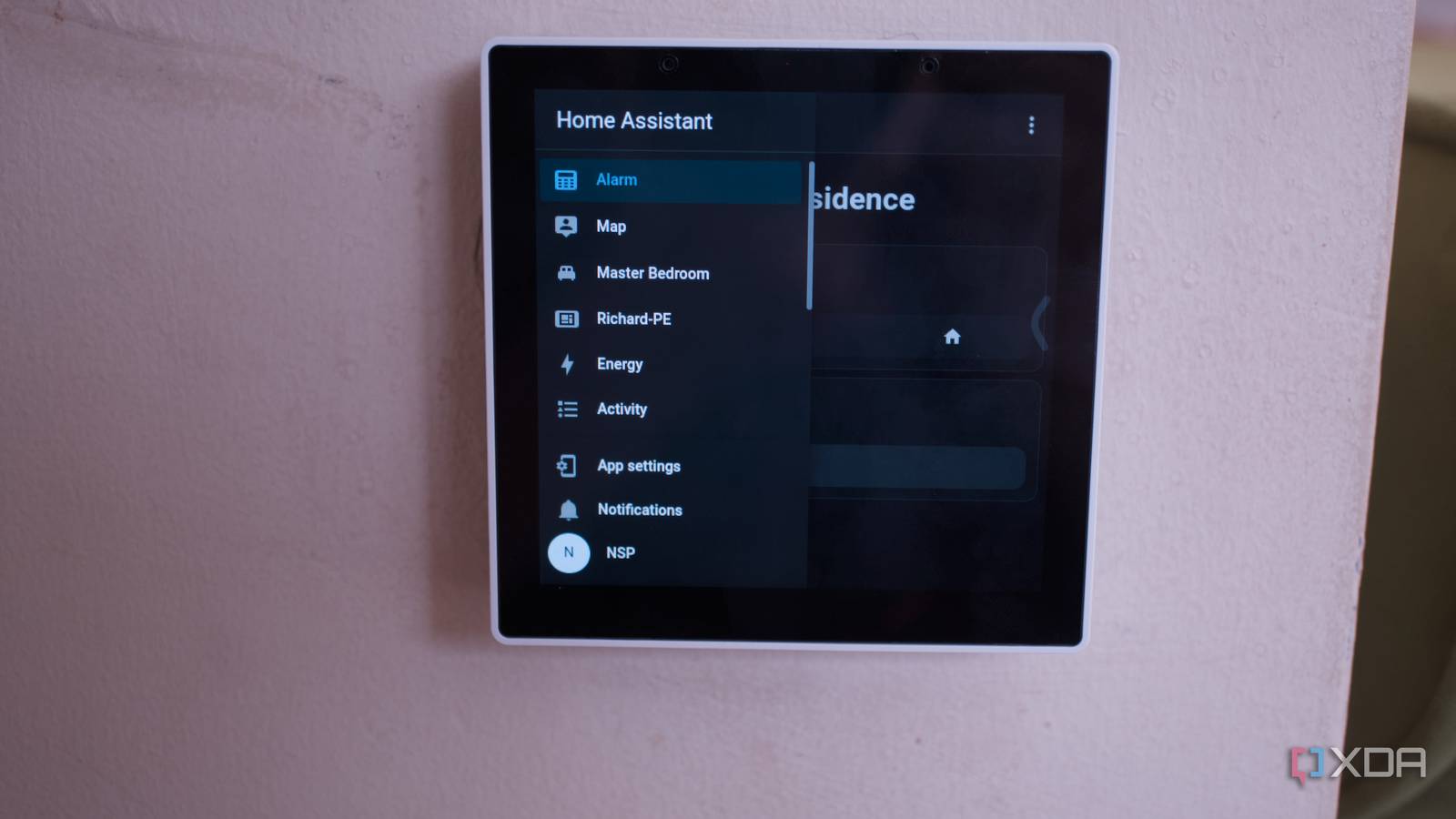
Published Oct 1, 2026, 1:00 PM EDT Richard is the PC Hardware Lead at XDA and has been covering the technology industry for almost two decades. He's been building PCs since young, and when not creating content, you can often find him inside a chassis somewhere. Home Assistant works really well, almost too well, considering how capable this smart home platform is for the price. You can configure it to control a few smart bulbs and call it a day, or throw in a robot vacuum cleaner, smart appliances, IP cameras, energy monitoring, music playback, and more. It's not the easiest to work with, however, and there are plenty of guides available for budding smart home beginners to spend hours reading through to perfect their Home Assistant setup. This is what makes mine work so well; I shield the rest of the household from having to learn it. And that's when Home Assistant can become incredibly powerful for the home. As long as someone understands the underlying complexities, others in the household can reap the benefits without spending any time learning the ropes. Home Assistant isn't designed for everyone Although recent updates are helping address this Credit: The learning curve for Home Assistant is fairly steep. There are integrations, apps, YAML, network configurations, and dashboards to contend with. It's not quite deploy-and-use, as most people would prefer a smart home hub to be. This is why you'll often find households rely on prebuilt all-in-one solutions like Amazon Echo and Apple HomePod. It's best when only one chef is in the kitchen. Should multiple people get involved, you can risk having misconfigured automations and conflicting changes. I couldn't imagine having to collaborate with someone to maintain the smart home. Home Assistant works flawlessly because I'm a sucker when it comes to perfecting everything I do. If I start to change something on the platform, I have to keep going until it's the best I can make it. While this does mean that I became the go-to person for all things that can go wrong with the smart home, it's countered by the fact that I already understand every part of the Home Assistant installation. I wrote every script and configured each automation. My spouse, house guests, and visiting friends don't need to know how automations work. They don't even need to interact with the platform as a whole. We have a single NSPanel Pro Gen2 from Sonoff in the conservatory, acting as a means to control local lighting and view some other data, but unless one has access to the app, everything just ticks along nicely, and that's what makes the smart home truly user-friendly for everyone, regardless of how tech-savvy they happen to be. Depending on what someone wants to do with our smart home setup, controls can be as simple as toggling a single switch to activate a light fixture or as complex as changing the mode of our DIY alarm system. Newer Home Assistant versions are better We've covered more recent versions of Home Assistant at great length here at XDA. With each passing release, we're seeing the platform become easier to use, whether it's configuring dashboards for different devices or creating complex automations that take inputs from various sensors and achieve something that would take a couple of seconds to carry out manually. That's the goal of any smart home: to make your life (and everyone else's) easier. But no matter how easy the developers eventually make Home Assistant to administrate, there's a sizable difference between maintaining a smart home and using one. It's the same as a router (and wider local network), boiler, and central heating. These are things that usually just work with very little maintenance, and Home Assistant can be firmly placed in the same camp. Useful automations make all the difference These can easily transform a smart home One of the primary reasons to use something like Home Assistant, or any smart hub, is to unlock automations. These take an input condition, process it, and perform an action. Smart bulbs could respond to occupancy, time of day, or detected ambient light levels. Alarm states could change automatically when all doors are closed and locked. Heating controls could be automatically set to come on should temperatures drop to a certain level. The last example is one we rely on at home. Using electric radiators, it's vital we maintain comfortable temperatures without drawing too much electricity from our local battery storage and the grid. Electric radiators are anything but light on power, drawing anywhere up to 2,000 watts, if not more. Even portable oil-filled radiators can be significantly improved with smart plugs. On days when temperatures outside are below a specific threshold, they can be set to come on at periods of the day for 30 minutes or so, if people are home. If you've owned a robotic vacuum, you'll know how they can sometimes get in the way and create quite a racket, which is what makes it impressive to those around you when they're configured to only activate scheduled routes when the house is empty and the alarm system is set to away. It also means the family pet can be kept in their favorite safe space while the machine does its thing. And if one opens up Home Assistant to the wider online world, notifications can be sent through to mobile devices. So long as people can visually see what the smart home is doing, they're less likely to question the backend stuff. Notifications, lights turning on and off, and things occurring as expected all help create the sense of the home working away without requiring human input. Just like Jellyfin, which only requires me to touch the admin panel, it works flawlessly for anyone looking to connect and stream some of our media. I even configured it at my parents' place with no issues. It just works. For Home Assistant, I'm almost eliminating the need for a user interface to even be present. There's one drawback: tech support Like anything you take ownership of at home when it comes to technology, there becomes an expectation that a tech support line is available 24/7. Home Assistant is no different. A light bulb not responding to toggles in the Home Assistant app becomes an inconvenience that needs addressing. Because I'm the only one with full access to the backend, it falls on me to check what's going on. That's fine when I'm at home on the laptop with five minutes to spare, but if I'm halfway around the world, it can prove challenging without direct access and availability. Still, the positives more than make up for this single drawback. Being able to improve our home with technology, without requiring everyone to head to university for a degree in computer science, has allowed me to create something truly advanced for a traditional abode. And so long as no one notices the smart home is actually there with everything connected together, that's the best compliment to anyone who has set up Home Assistant and a few sensors.
Here's what makes Home Assistant work so well in my smart home (and it's not the army of Zigbee sensors)
Full Article
Original Source
Read the full article at Xda-developers →KhanList aggregates and links to publicly available news content. We do not host full articles from third-party sources. Always verify important information with original sources.