
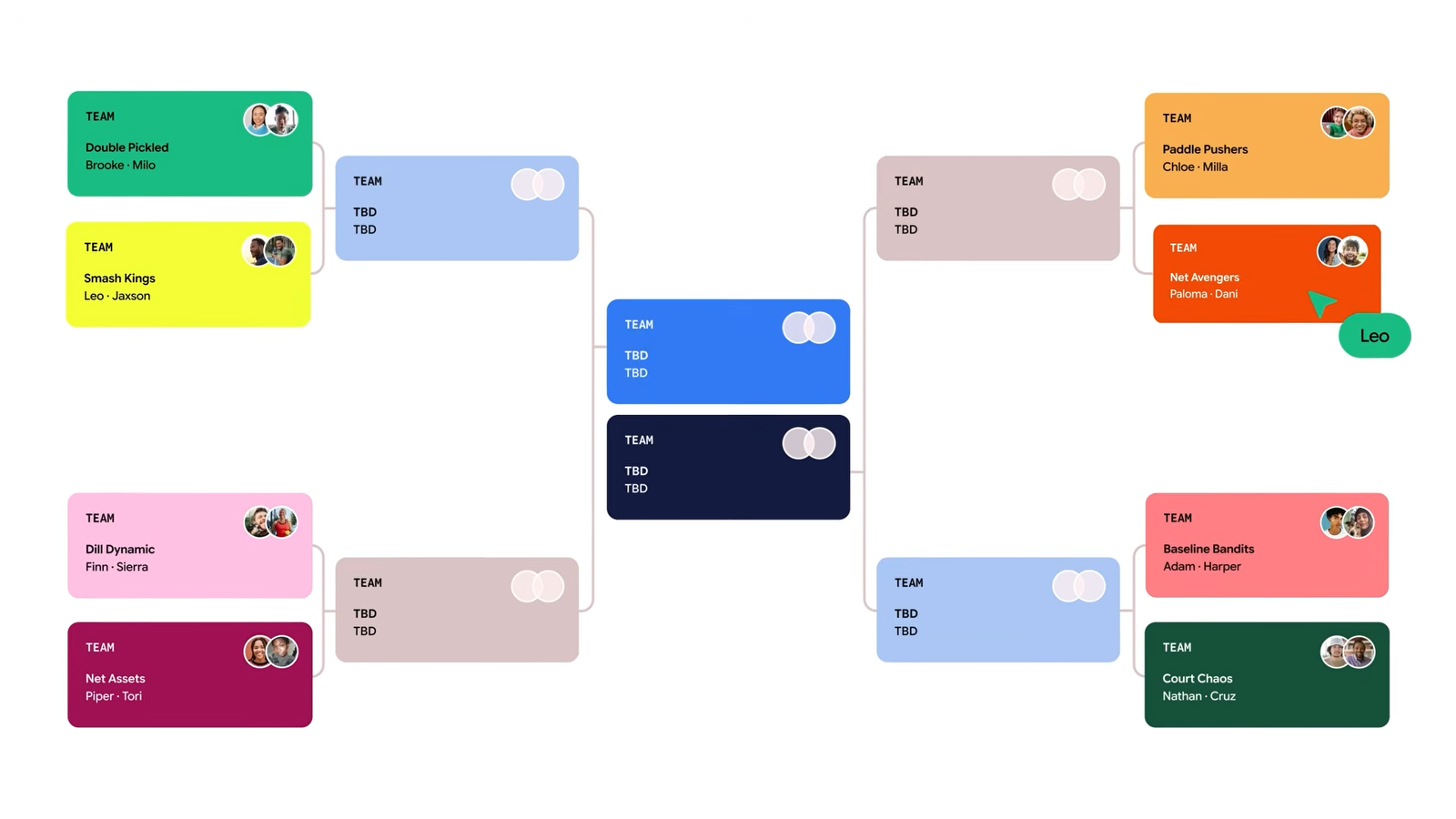
Credit: Google Published Nov 11, 2026, 1:59 PM EST Simon is a Computer Science BSc graduate who has been writing about technology since 2014, and using Windows machines since 3.1. After working for an indie game studio and acting as the family's go-to technician for all computer issues, he found his passion for writing and decided to use his skill set to write about all things tech. Since beginning his writing career, he has written for many different publications such as WorldStart, Listverse, and MakeTechEasier. However, after finding his home at MakeUseOf in February 2019, he would eventually move on to its sister site, XDA, to bring the latest and greatest in Windows, Linux, and DIY electronics. Sign in to your XDA account Summary Google Labs Tabletop builds shared AI canvases you can invite friends to edit and interact with. Use @tabletop to assemble files, tweak layouts, generate assets, and iterate with collaborators in real time. Great for group plans - from tournaments and pairings to voting on logos; join the Tabletop waitlist to try it. AI assistants are really helpful for creating tools for personal use, but what if you want something that your friends and family can interact with? Well, it seems Google is working on something to do just that. The company has announced a new feature for Google Labs called Tabletop. On the surface, it does what every powerful AI model these days can do: make and deploy apps. However, the major selling point for Tabletop is that you can invite friends to collaborate, interact, and tweak the canvas to get more done with your friends. No more arguments over who owes what for the restaurant bill Over on the News from Google blog, the company has announced Tabletop for Google Labs. The idea is pretty simple: you assemble all your files and data like a regular project, then ping @tabletop and ask it to create a canvas. You can invite people to interact and collaborate on the canvas, and you can continue asking @tabletop to make more adjustments. The example Google gives in the above video shows several people using Tabletop to arrange a pickleball tournament, including drawing out a pairings table, matching people, and even generating logo ideas for shirts. Other people can submit their ideas and vote for their faves, which is a cool way to bring these powerful AI tools into group settings. If you'd like to know more, you can sign up for the waitlist over on the Google Labs Tabletop website.
Google Labs’ new Tabletop feature lets you turn an AI canvas into a multiplayer experience
Full Article
Original Source
Read the full article at Xda-developers →KhanList aggregates and links to publicly available news content. We do not host full articles from third-party sources. Always verify important information with original sources.