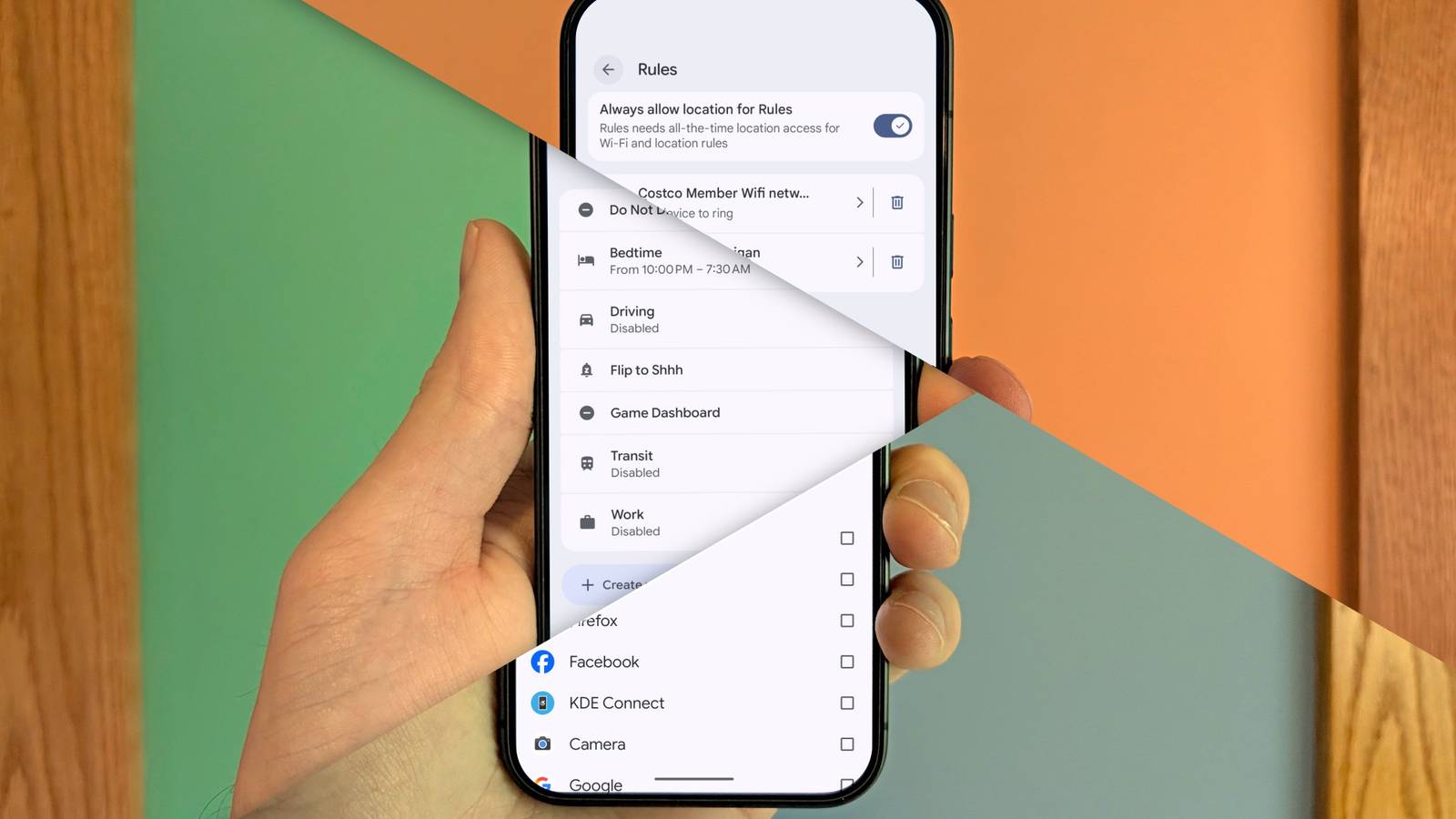
Published Aug 13, 2026, 12:16 PM EDT Joe Fedewa has been writing about technology for over a decade. Android and the rest of the Google ecosystem have been a focus for years, as well as reviewing devices, hosting podcasts, filming videos, and writing tutorials. Joe loves all things technology and is also an avid DIYer and food blogger. He has written thousands of articles, hundreds of tutorials, and dozens of reviews. Before joining How-To Geek, Joe worked at XDA-Developers as Managing Editor and covered news from the Google ecosystem. He got his start in the industry covering Windows Phone on a small blog, and later moved to Phandroid where he covered Android news, reviewed devices, wrote tutorials, created YouTube videos, and hosted a podcast. From smartphones to Bluetooth earbuds to Z-Wave switches, Joe is interested in all kinds of technology. After several years of jailbreaking and heavily modifying an iPod Touch, he moved on to his first smartphone, the HTC DROID Eris. He's been hooked ever since. The big word Google has been throwing around a lot for Pixel phones this year is “intelligence.” It wants your phone to genuinely be able to take control and do stuff for you. When it comes to automation, though, Pixel phones don’t seem very smart. Automation is something that has quietly become a standard phone feature. Samsung has “Modes & Routines,” the iPhone has “Shortcuts,” and Pixel has “Rules.” Never heard of Rules? What about “Modes” or “Focus”? Google’s approach is all over the place, and there’s not much tying it all together. When I say Google has been focused on “intelligence,” I’m not exaggerating. Earlier this year, it went so far as to say it no longer thinks of Android as an “operating system,” but an “intelligence system.” To it’s credit, Gemini can do some very cool things now. Unfortunately, in areas where Gemini can’t touch (yet), the Pixel is falling behind. Pixel Rules, Modes, and Focus A brief explainer Since Google doesn’t talk about these three features very often, let’s start by establishing what they actually do. Rules is the one primarily for automation, but as I’ll explain, they are all somewhat related. Rules First up is “Rules.” If you’ve ever used IFTTT or another “if-this-then-that” automation tool, you know how to use Rules. It’s easy to use, but incredibly limited. There are exactly two “if” triggers to choose from: Wi-Fi network and location. These triggers can be paired with one of four “that” actions: turn on Do Not Disturb, set device to silent, set device to vibrate, and set device to ring. That’s it—that’s the extent of what you can do with Rules. No time-based or Bluetooth device triggers, no NFC tag support, no system settings controls, and no integration with apps. Modes “Modes” are custom Do Not Disturb settings for specific situations. You could have a “Work” mode, “Bedtime” mode, “Driving” mode, etc. Each mode includes options for which people and apps should be able to interrupt, how alarms and other system interruptions are handled, and display adjustments. This is a similar concept to “Modes” on a Samsung Galaxy phone and what Apple calls “Focus” on the iPhone. However, the Pixel version is majorly lacking in one area. Besides a couple of Google’s pre-made Modes, most Modes—including the ones you create—can only be automated on a basic time-based schedule. Meanwhile, the equivalent feature on Galaxy phones and iPhones can be triggered by a wide variety of things. Connecting Bluetooth devices, charging status, apps launching, power saving modes, Wi-Fi networks, locations, and more. Those last two may sound familiar from Rules—more on that later. Focus The last of the Pixel’s automation-related features is called “Focus”—the simplest of the three. While Modes are centered around distracting notifications, Focus is about the apps themselves. To set it up, you choose which apps are distracting, and then you can block them automatically with a time-based schedule, or on demand whenever you need to, you guessed it, focus. Those apps gets grayed-out and can’t be opened while Focus is enabled. There’s not much else to it. Three ships passing in the night Cross-integration is the missing piece Credit: Joe Fedewa / How-To Geek Now, I’ve already highlighted a couple of issues with these three features, but there’s one critical missing element: any communication at all between them. I mentioned that Galaxy phones and iPhones can use Wi-Fi networks and location to trigger their Modes, but Pixel phones can’t. However, you’ll remember that Rules do use Wi-Fi networks and location as triggers. Unfortunately, Rules can only enable the standard Do Not Disturb, not the custom Modes. This is a small thing that would instantly make Rules more useful. It’s the same story for Focus. Maybe you want to enable Focus every time you’re studying at the library. It would be pretty handy if you could automate that when connecting to the library’s Wi-Fi network or location, right? Again, you can’t enable Focus with Rules or Modes. This complete lack of cross-talk is the biggest issue with Google’s automation-related features. On their own, each one is limited compared to the competition, but it wouldn’t be as bad if they could work together. If you listed out all the individual features of Rules, Modes, and Focus, Pixel phones would seem to have a pretty decent automation suite. But when you realize certain things don’t work together—even something as basic as changing ringer settings with a Mode—it all falls apart.
Google calls Pixel an "intelligence system," but its basic automation is surprisingly dumb
Full Article
Original Source
Read the full article at Howtogeek →KhanList aggregates and links to publicly available news content. We do not host full articles from third-party sources. Always verify important information with original sources.