
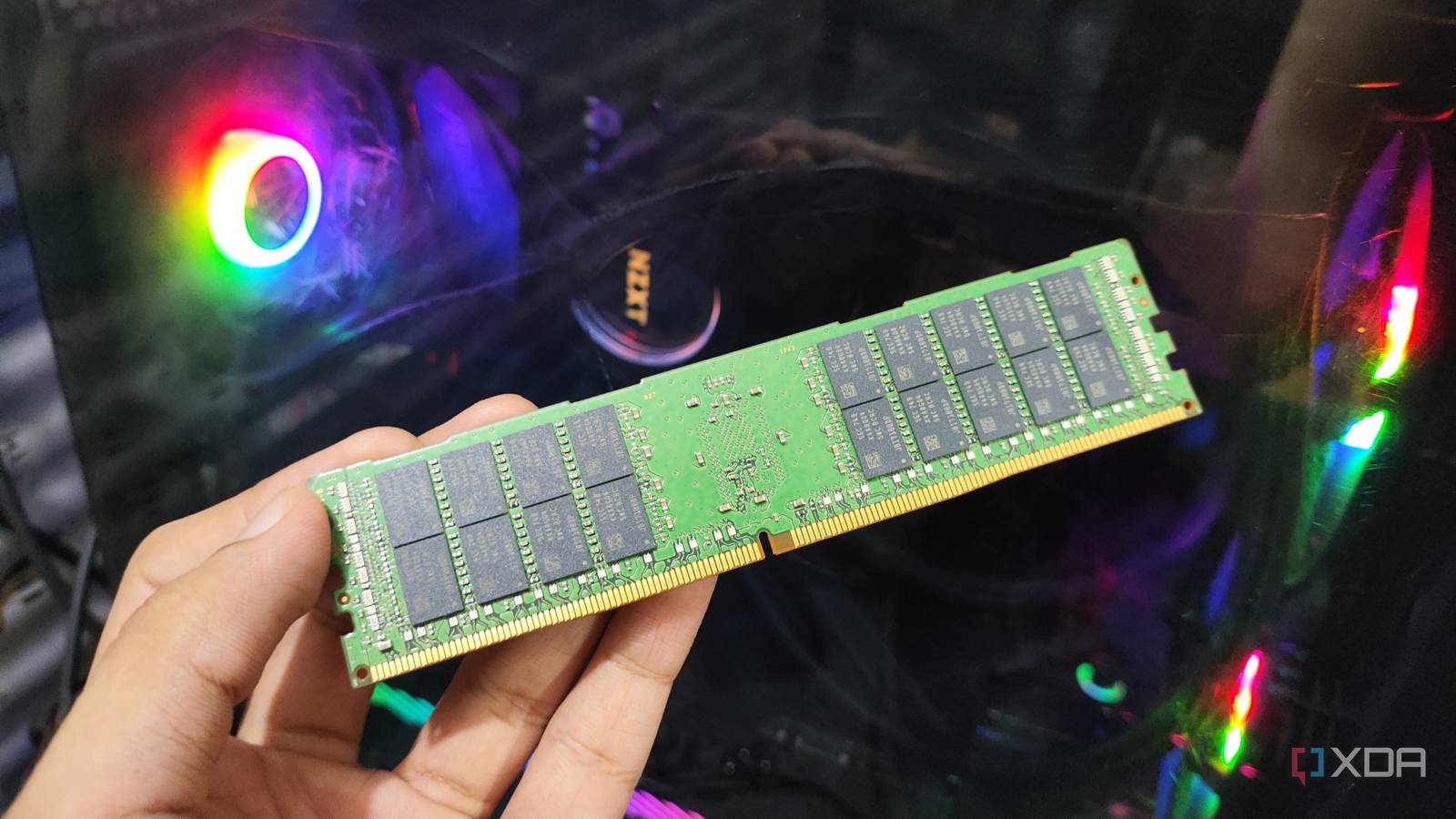
Published Oct 7, 2026, 2:30 PM EDT Ayush Pande is a PC hardware and gaming writer. When he's not working on a new article, you can find him with his head stuck inside a PC or tinkering with a server operating system. Besides computing, his interests include spending hours in long RPGs, yelling at his friends in co-op games, and practicing guitar. Seeing as how the primary objective of Network-Attached Storage servers is to store backups and archived data, they don’t sound all that complicated at first glance. However, it wasn’t until I built my first NAS that I came across all the software jargon and unique components that are typically required for a reliable storage server. On the popular side of things, you’ve got hot spares, rsync workloads, scrub tasks, SLOG devices, and a bunch of other useful ways to improve your NAS’ functionality. Many folks consider ECC memory an important part of this group, and I used to be one of them until a few years ago. Although there are certain benefits to these RAM kits, their sky-high price tags make them far less tempting for simple consumer-tier home servers, especially when you can add cheaper (and to some extent, better) upgrades to your NAS. ECC memory is undoubtedly helpful for hardcore NAS units When you’ve got TBs of data stored on your NAS, you’ll want to take extra precautions to stop corruption from rearing its ugly head. Failed transfer tasks, improper shutdowns, and damaged hardware are typically the most common causes of file corruption, but bit rot is another problem that can cause your data to become irretrievable. The problem? Bit rot can gradually corrupt your data during normal NAS operations, and without proper failsafes, you won’t notice until it’s too late. After all, anything from magnetic decay on HDDs and high temps to manufacturing defects and cosmic rays can trigger bit rot, and that’s where Error-Correcting Code memory comes into the equation. Unlike normal, consumer-tier memory, ECC RAM bears nine chips instead of the usual eight, and it uses this extra chip to add seven extra bits for each block of data. The sole purpose of these extra bits is ensuring data integrity, so when a single bit of actual data changes due to bit rot, the ECC memory detects it and flips it right back. Since bit rot can slowly corrupt your storage pools over time, it can snowball into unrecoverable data if you’re not careful. ECC memory serves as a solid counter to this problem, which is why it’s borderline essential for enterprise servers. Back in the day, I used to consider it pretty useful for backup workstations, but things have changed a lot since then. That said, it’s still an optional upgrade for consumer home labs It’s also not very feasible considering the current RAM prices When I got my first 64GB DDR4 ECC memory kit, it barely cost $150, even with all the shipping costs. Considering that typical DDR4 memory would’ve cost around $15-20 less, this investment wasn’t all that expensive since it would add an additional layer of protection between my data and bit rot. But since the RAM apocalypse is still in full swing, even traditional memory kits have become overpriced. Considering ECC memory is designed for production-grade servers, you can imagine how expensive it’s gotten in this day and age. Fortunately, ECC memory isn’t the only way to detect bit rot. Plenty of modern NAS distributions support scrub tasks, which use checksums to look for corruption. For the uninitiated, a checksum is a unique identifier created for each block of data transferred to a storage pool. When you run a scrub task, your NAS distro recalculates the checksum and compares it to the original value. Since bit rot (or any other form of corruption, for that matter) causes changes to the new value of the checksum, the scrub task detects the faulty block immediately. Of course, scrub tasks can’t really fix bit rot on their own. But if you run them every once in a while and have enough backups, you can restore your data to its former uncorrupted glory. Personally, I’d choose a 3-2-1 backup over ECC memory A remote NAS is more reassuring than a local high-end storage server Going back to the cost analysis of ECC memory, there are still plenty of problems these overpriced RAM sticks can’t solve. For example, failing hard drives can easily cause my backup and archival data to become irrecoverable, regardless of the amount of ECC memory in my NAS. Likewise, no amount of ECC memory can protect my storage pools from ransomware, accidental deletions, or random natural disasters. So, if I really have to invest in a safeguard for my NAS, I’d go for a 3-2-1 backup pipeline before I go anywhere near ECC kits. That’s because remote NAS servers lying hundreds of miles away from my home lab can not only protect my data from all these untoward scenarios, but they even serve as a reliable counter to bit rot. The best part? They don’t have to be expensive, either. Depending on the amount of data you consider “essential,” these remote servers can be as cheap as simple 2-bay NAS rigs that use simple rsync tasks to pull specific storage pools from your local NAS. TrueNAS SCALE
ECC memory isn't the NAS requirement people make it out to be, and there are better ways to protect your data
Full Article
Original Source
Read the full article at Xda-developers →KhanList aggregates and links to publicly available news content. We do not host full articles from third-party sources. Always verify important information with original sources.