
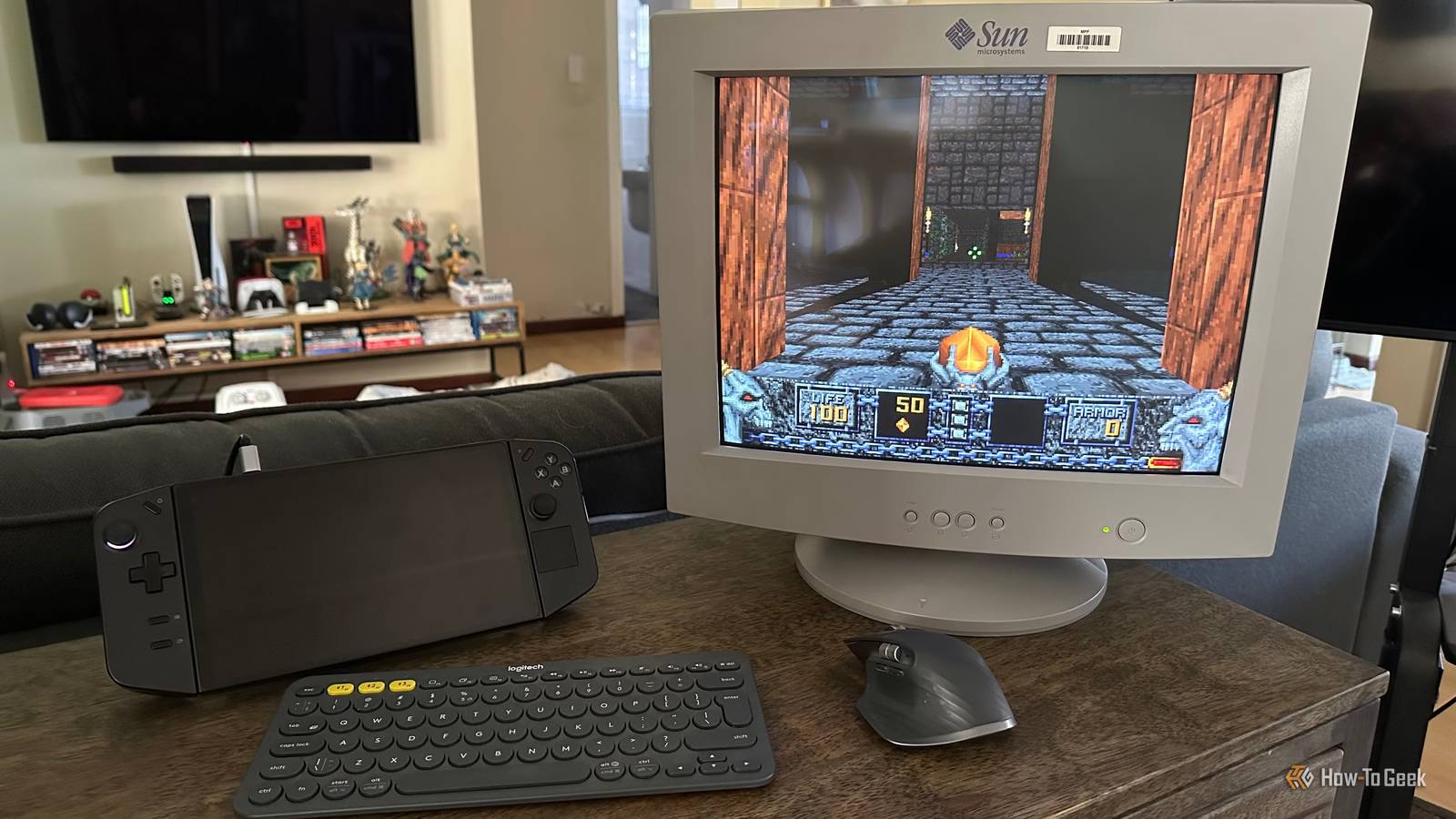
Published Oct 12, 2026, 8:00 PM EDT Sydney Butler is a technology writer with over 20 years of experience as a freelance PC technician and system builder and over a decade as a professional writer. He's worked for more than a decade in user education. On How-To Geek, he writes commerce content, guides, opinions, and specializes in editing hardware and cutting edge technology articles. Sydney started working as a freelance computer technician around the age of 13, before which he was in charge of running the computer center for his school. (He also ran LAN gaming tournaments when the teachers weren't looking!) His interests include VR, PC, Mac, gaming, 3D printing, consumer electronics, the web, and privacy. He holds a Master of Arts degree in Research Psychology with a minor in media and technology studies. His masters dissertation examined the potential for social media to spread misinformation. Outside of How-To Geek, he hosts the Online Tech Tips YouTube Channel, and writes for Online Tech Tips, Switching to Mac, and Helpdesk Geek. Sydney also writes for Expert Reviews UK. He also has bylines at 9to5Mac, 9to5Google, 9to5Toys, Tom's Hardware, MakeTechEasier, and Laptop Mag. So you've found an old CRT PC monitor, or maybe you inherited it from your grandpa. Either way, it's just a heavy old piece of junk, right? Best to just send it off for recycling, because there's no good use for these anymore. Wrong! First, if you have a working CRT monitor and you are set on getting rid of it, don't recycle it. Put it up for sale. Some silly person (me, it's me) will pay to take it off your hands. However, if you're willing to be just a little open-minded, you might find that a decent CRT monitor can be an awesome addition to your existing display setup, or the perfect item for various fun projects. The obvious one: retro gaming You ain't seen nothing yet I love retro PC gaming, mainly because these are just the same games I've been playing since the '90s. The problem is that so many amazing games from the '80s and '90s look absolutely awful on a modern flat-panel display. Retro gaming enthusiasts have come up with all sorts of scaling solutions and filters to try and make old PC games look right, but it's just not the same. 2D games in particular, like Diablo, Diablo II, Commander Keen, Master of Orion, Fallout, and so many more, look like a smeary mess on a flat panel. You haven't seen how good these games look on a CRT running at 640x480 or 800x600. Side-scrolling games, in particular, have so much ghosting on most modern TVs that it's frankly intolerable. The only way I will play my beloved Jazz Jackrabbit these days is on one of my CRT monitors. Less obvious: retro TV shows Better than I remember I use the Pomodoro method to enhance my productivity, where you work for a set interval and then take a break for a set interval. Actually, these days I'm doing something closer to the "Animedoro" method, where I take a break just long enough to watch an episode of an anime or other old cartoon. Sadly, some of my favorite animated shows from the US and Japan look rather awful blown up on a big LCD or OLED, but I keep a CRT monitor on my desk just for that reason. I can tell you, both old animated and live-action SD shows look incredible on a CRT monitor. Not only that, but Spotify has a ton of high-quality 4:3 music videos. So I've been putting together a massive playlist of classic music videos to run in the background while I work. Play your Dreamcast the way it was meant to be Another way the Dreamcast is superior Credit: Evan Amos Most retro consoles designed to work with CRT TVs output a signal that's not suitable for a PC CRT monitor. For example, a NES or original PlayStation usually outputs a 240p (progressive) signal, which a PC monitor almost never supports. Likewise, consoles like the PlayStation 2 almost always output a 480i (interlaced) image, which is why PS2 games have that telltale flickering. The Sega Dreamcast outputs a real, native 480p signal. Sega made an official Dreamcast VGA box (as per Sega Retro), and today you can get a third-party adapter for your Dreamcast with relative ease. Using a VGA CRT monitor is widely considered the definitive way to play Dreamcast games on original hardware. So if you have one, or plan to get one, hold on to that CRT monitor. Turn it into a (virtual) aquarium Tap on the glass all you want You may have seen some DIY projects where someone takes the shell of an old CRT TV or monitor, and then turns it into an aquarium. However, if the CRT monitor is still functional, you can turn it into a virtual aquarium instead. This is already a popular thing to do with flat panels, but I have found that the properties of a CRT, along with the thick glass between you and the image, make it much more compelling than on a flat panel. Especially if you use 60fps footage coupled with a CRT's natural lack of motion blur. There are plenty of high-quality aquarium videos on YouTube, but of course they are all formatted for 16:9 screens. So I use a Chrome extension called "Zoom to Fill," which blows the video up to fit a 4:3 CRT. Sure, this cuts off the ends of the video, but for this specific job it doesn't matter. Honestly, it looks awesome, and I dedicated a $10 used Samsung CRT to the job. It uses less power than a real aquarium too, before someone brings up CRT power consumption. CRTs are an endangered species Unlike most CRT TVs, a typical CRT monitor isn't that power-hungry, heavy, or impractical. The resolution on my Sun Microsystems CRT is 1152x900, which is actually plenty usable for a single app. Making it a decent side monitor. Sadly, every CRT monitor that dies or gets recycled reduces the total number of these screens still out in the wild. Which is sad because there's still so much content out there that looks best on them. So think about that before you're ready to trash Grandpa's pride and joy.
Don't recycle that CRT yet—these 4 uses beat any flat panel for retro games and TV
Full Article
Original Source
Read the full article at Howtogeek →KhanList aggregates and links to publicly available news content. We do not host full articles from third-party sources. Always verify important information with original sources.