
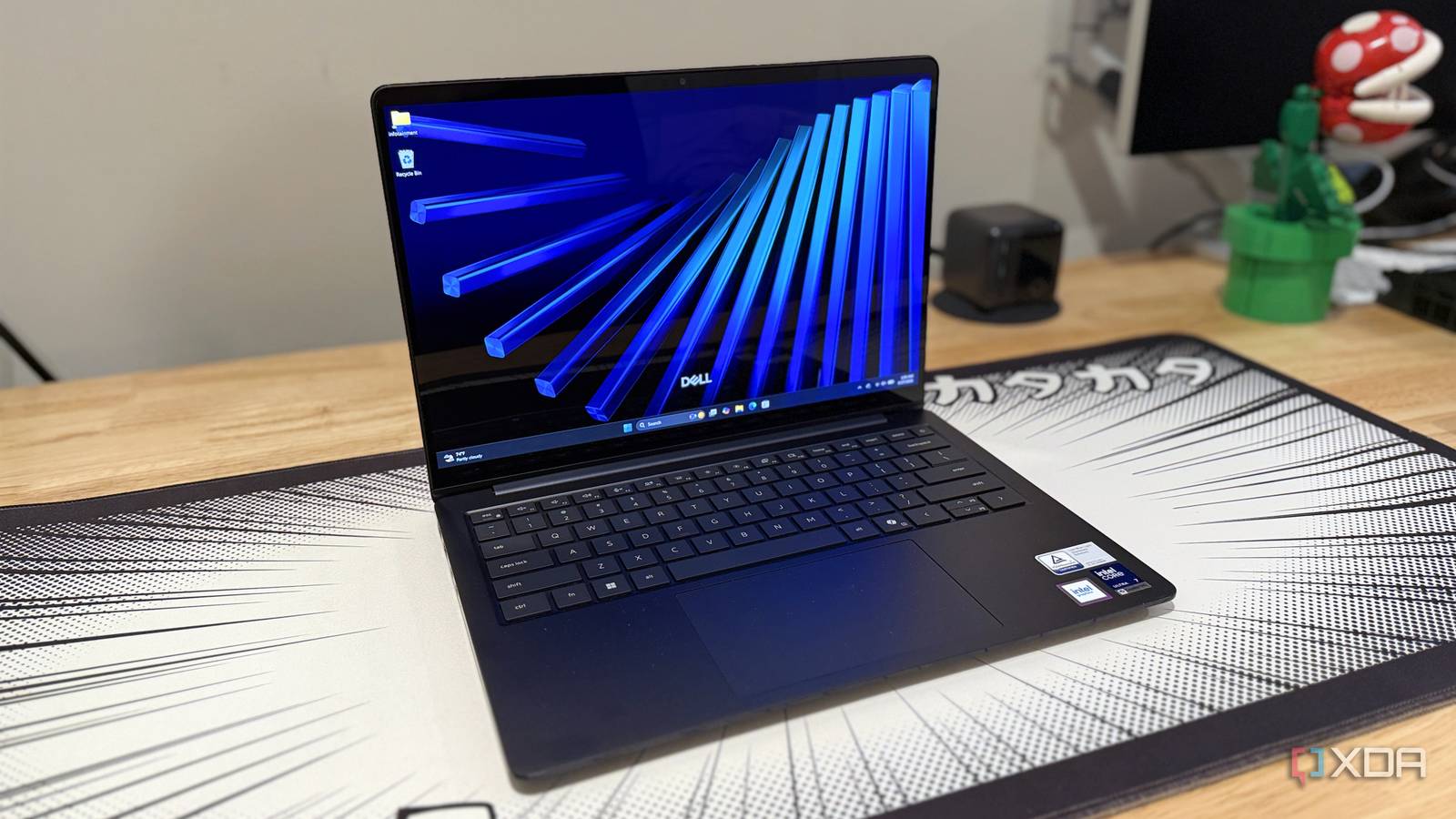
Published Aug 29, 2026, 1:30 PM EDT Maker, meme-r, and unabashed geek, Joe has been writing about technology since starting his career in 2018 at KnowTechie. He's covered everything from Apple to apps and crowdfunding and loves getting to the bottom of complicated topics. In that time, he's also written for SlashGear and numerous corporate clients before finding his home at XDA in the spring of 2023. He was the kid who took apart every toy to see how it worked, even if it didn't exactly go back together afterward. That's given him a solid background for explaining how complex systems work together, and he promises he's gotten better at the putting things back together stage since then. Sign in to your XDA account Dell's midrange has gone through three rebrands in as many years, from the Inspiron to the Dell 14 Plus, and now to the Dell 14S. It's the range you buy when your budget isn't quite at the XPS level, but the good news is that this year the quality gap is smaller than ever. It's a solid laptop choice if you pick the entry-level trim, but it quickly gets too close to the premium offerings once you start adding upgrades. The chassis is fully metal now; it's got a comfortable keyboard to type on, a touchpad that does what you want, and a very nice screen (if you go for the OLED options). The MacBook Air might be a better value overall, but not everyone wants to use macOS, and the battery life of the Dell 14S may be better, depending on which CPU you choose. About this review: Dell sent XDA the 14S used for this article and had no input into its contents. Dell 14S $1520 $1620 Save $100 7/10 Operating System Windows 11 Home CPU Up to Intel Core Ultra 9 386H GPU Intel graphics The Dell 14S is the new name for the 14 Plus, which used to be the Inspiron in days past. That firmly puts it in the midrange, but the 14S feels more like a premium laptop with a few corners cut to get to a lower cost, and I'm all for it. Pros & Cons Fantastic battery life OLED display looks great Lots of ports Only charges from one side Glossy, reflective screen Price, specs, and availability The Dell 14S is a full refresh of the Dell 14 Plus, which is shipping now from Dell and the usual big-box electronics retailers like Best Buy. It starts from $1,220 with Ryzen AI 400 processors, or $1,270 with Intel Core Ultra Series 3 processors. Our review unit has an Intel Core Ultra 7-355, 16 GB RAM, a 512 GB SSD, and a 1920x1200 OLED touchscreen, and is currently priced at $1,470 on Dell's webstore. I'm not sure you'd want to go to the Core Ultra X7 358H or Ultra 9 386H options; both put you into the XPS 14 price range, and that's a better machine overall. Dell 14S CPU Up to Intel Core Ultra 9 386H GPU Intel graphics Display type IPS, OLED Display (Size, Resolution) 14-inch FHD+ (1920x1200), 400 nits (IPS), 300 nits (OLED) RAM Up to 32GB LPDDR5X Storage 512 GB SSD Battery 70 Wh 3-cell Charge speed 65W USB-C Ports 2 Thunderbolt 4, HDMI 2.1, 2x USB-A 5 Gbps, 3.5mm audio jack Operating System Windows 11 Home Webcam 2MP IR camera Cellular connectivity No Wi-Fi connectivity Wi-Fi 7 Bluetooth Bluetooth 5.4 Form factor Clamshell Dimensions 12.35 x 8.82 x 0.61 in (313.7 x 224.0 x 15.4 mm) Weight 3.4 lbs (1.54 kg) Speakers 2 x 2W Colors Celestial Blue Pen compatibility No NPU up to 50 TOPS What I liked about the Dell 14S This is a sleek laptop with responsive control The Dell 14S looks like a premium laptop, although perhaps one from a couple of years ago. The chiclet-style keyboard is well-spaced and a joy to type on, and the mechanical trackpad is good enough. The overall finish of the chassis is lovely, and the port selection gives you tons of connectivity options without needing dongles or docking stations. The FHD+ OLED display is gorgeous to look at, but the 300-nit brightness and glossy screen will make it hard to use outdoors. It's sharp, colorful, and nice to watch movies on, and I couldn't ask for much more from a display for a non-gaming machine. Even the midrange Panther Lake CPUs have plenty of power Here's the thing: the mid-range laptop market is heavily made up of Arm-based silicon, so it's good to see an x86 option from a trusted brand. The Intel Core Ultra 7 355 in our review unit is powerful enough for the intended user, and it handled all the productivity tasks I needed to do over the couple of weeks I was using it. Dell 14S (Intel Core Ultra 7 355) Asus Zenbook A16 (Snapdragon X2 Elite Extreme X2E-94-100) Asus Zenbook 14 (Core Ultra 9 285H) Dell XPS 14 (2026) (Intel Core Ultra X7-358H) HP EliteBook Ultra (Snapdragon X Elite X1E-78-100) PCMark 10 (AC / battery (best perf) / battery (balanced) 7,464 / 7,921 / 7,063 - / -/ - 7,480 / 7,134 / 6,255 8,980 / 9,561 / 8,313 ----- Geekbench 6 (single / multi) 2,720 / 11,318 3,521 / 22,978 2,807 / 15,390 2,835 / 16,358 2,392 / 13,266 Cinebench 2024 (single / multi) 177 / 577 146 / 1,490 125 / 746 123 / 806 101 / 826 3DMark (Time Spy / Wild Life / Night Raid) 3,194 / 21,267 / 29,409 4,516 / 38,708 / 50,653 4,401 / - / 31,322 6,136 / 33,695 / 37,886 1,793 / --/ 24,654 CrossMark (Overall) 1,969 2,091 2,032 1,905 1,007 The Intel Core Ultra 7 355 isn't the most powerful CPU in the range, but it's got incredible battery life. Our looping video test ran for over 33 hours, which is as good as any laptop I've had on my desk. Realistically, that's going to be multiple days of work without needing a wall charger, and it'll charge up quickly when it runs low. What I didn't like about the Dell 14S This will be a short list The Dell 14S is a little heavier than competing laptops in this price range, at 3.4 pounds for the touchscreen options. It's a little lighter without a touch, and its compact footprint and 0.61-inch thickness make it relatively portable. The OLED display has only a 60 Hz refresh rate, which is okay, but every option is the same 1200p FHD+ resolution, with no higher-resolution options for those who want them. The speakers and webcam are serviceable enough for video meetings or streaming content. There's no privacy shutter; however, if an inbuilt one makes a difference to you. Should you buy the Dell 14S? You should buy the Dell 14S if: You want a good value laptop You want a good display You need multiple USB ports on your laptop You should NOT buy the Dell 14S if: Reflective screens give you the ick You need a discrete GPU You want the power of a MacBook The Dell 14S is a sleek, office-focused laptop with a gorgeous screen on the OLED option. And you get Thunderbolt 4 and Wi-Fi 7 paired with USB-A and HDMI, something that premium laptops won't give you without a docking station. It's not for gamers or video editors, but it's not being marketed as such, and it is one of the best options for midrange Windows laptops. The MacBook Air and Arm-based Windows laptops might have the performance edge, but not everything runs on Arm (yet), and it's good to have an x86 option. Dell 14S $1520 $1620 Save $100 7/10 CPU Up to Intel Core Ultra 9 386H GPU Intel graphics Display type IPS, OLED The Dell 14S is the new name for the 14 Plus, which used to be the Inspiron in days past. That firmly puts it in the midrange, but the 14S feels more like a premium laptop with a few corners cut to get to a lower cost, and I'm all for it. Display (Size, Resolution) 14-inch FHD+ (1920x1200), 400 nits (IPS), 300 nits (OLED) RAM Up to 32GB LPDDR5X Storage 512 GB SSD Battery 70 Wh 3-cell Charge speed 65W USB-C Ports 2 Thunderbolt 4, HDMI 2.1, 2x USB-A 5 Gbps, 3.5mm audio jack Operating System Windows 11 Home Webcam 2MP IR camera Cellular connectivity No Wi-Fi connectivity Wi-Fi 7 Bluetooth Bluetooth 5.4 Form factor Clamshell Dimensions 12.35 x 8.82 x 0.61 in (313.7 x 224.0 x 15.4 mm) Weight 3.4 lbs (1.54 kg) Speakers 2 x 2W Colors Celestial Blue Pen compatibility No NPU up to 50 TOPS
Dell's 14S proves that boring laptops are finally worth buying again
Full Article
Original Source
Read the full article at Xda-developers →KhanList aggregates and links to publicly available news content. We do not host full articles from third-party sources. Always verify important information with original sources.