
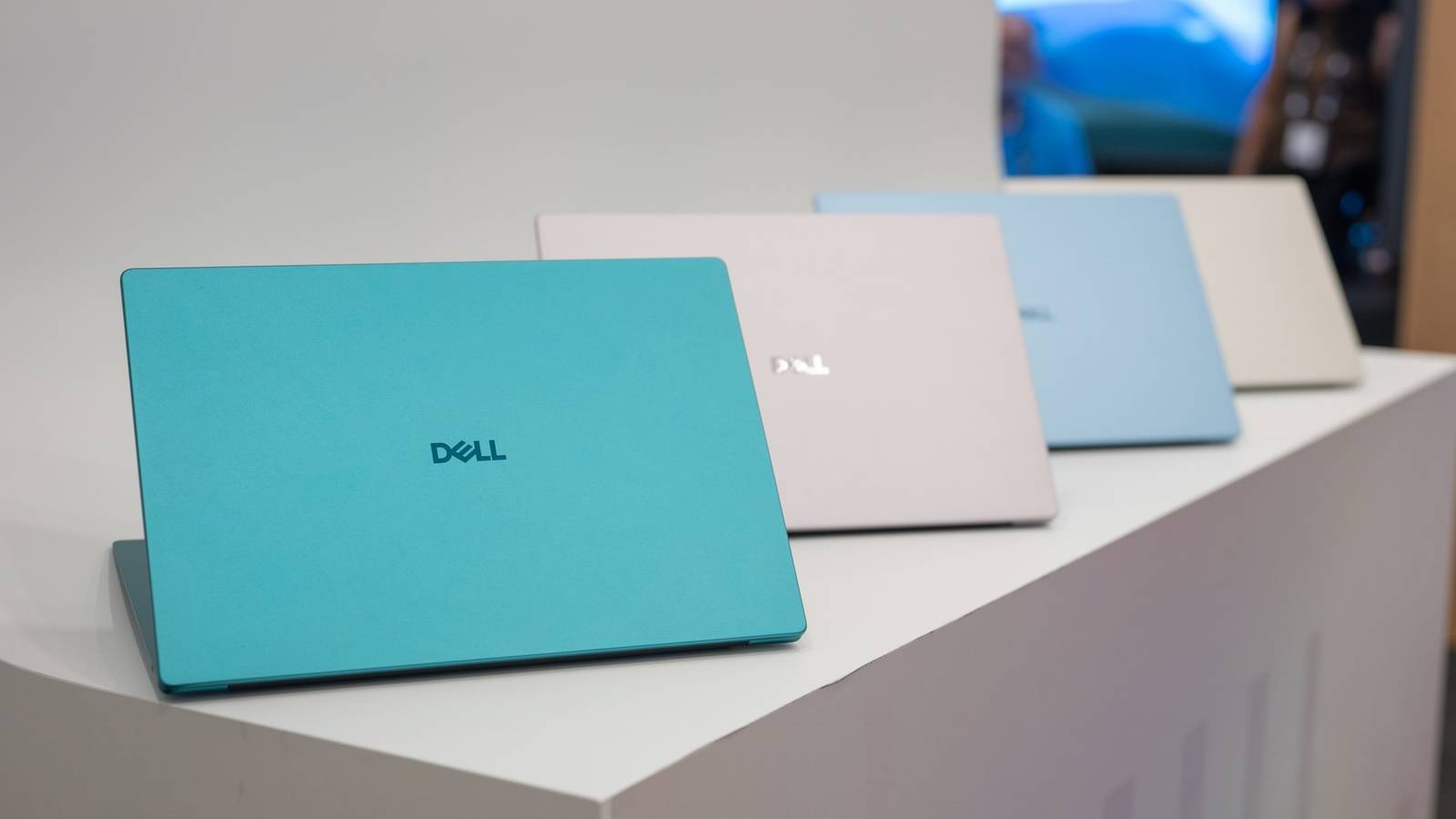
Published Nov 20, 2026, 10:57 AM EST The below articles are sponsored by one of our partners. Product choices and opinions expressed are from the sponsor and do not reflect the views of the XDA editorial staff. The Dell 14S is a good pick if you want a Windows 11 laptop for everyday work, whether you’re working from a fully equipped home office or taking it elsewhere. The successor to last year's Dell 14 Plus brings a sturdier design, newer Intel processors, and more ports for the accessories you already own. More importantly, the Dell 14S starts at $1,399.99, around $590 less than the XPS 14. If you're setting up a home office, that leaves more room in the budget for a larger monitor, a comfortable chair, or other upgrades that make long working days easier. Here's what the Dell 14S brings to that routine. Credit: Intel/Microsoft Premium design without the premium price Dell 14S CPU Up to Intel Core Ultra 9 386H GPU Intel graphics Display type IPS, OLED Display (Size, Resolution) 14-inch FHD+ (1920x1200), 400 nits (IPS), 300 nits (OLED) RAM Up to 32GB LPDDR5X Storage 512 GB SSD The Dell 14S is a solid pick if you want one Windows 11 laptop for your home office and the days you work elsewhere. You get the power to juggle everyday work apps, plenty of ports for your desk accessories, and long battery life in a sturdy aluminum design that’s easy to carry. Battery 70 Wh 3-cell Ports 2 Thunderbolt 4, HDMI 2.1, 2x USB-A 5 Gbps, 3.5mm audio jack Operating System Windows 11 Home Weight 3.4 lbs (1.54 kg) Perhaps the biggest upgrade over last year’s Dell 14 Plus is the build quality. Despite costing less than the premium-class XPS 14, the Dell 14S also features an aluminum chassis, offering a sturdier, more premium feel than its predecessor, which retained a plastic palm rest. Speaking of which, at around 15 mm thick and starting at 3.28 pounds, the Dell 14S remains compact enough to carry between home and the office. If your workspace changes throughout the day, you can move to another room for a meeting or pack it away when you need the table back. If you travel frequently and want to carry less weight, the Dell XPS 13 is a lighter option. For everyday work, though, the Dell 14S offers a more practical package, with a larger screen and more ports for connecting a monitor, keyboard, and other desk accessories. Power for office work, coding, and content creation Credit: Justin Duino / XDA-Developers The Dell 14S has Intel Core Ultra Series 3 processors, with the Core Ultra 5 322, 16 GB of LPDDR5x memory, and a 512 GB SSD for the base configuration. For everyday work, the base configuration should comfortably handle writing reports, spreadsheets, and joining video meetings while keeping your browser tabs and other work apps open. For more demanding tasks like video editing, programming, or data analytics, you can configure the Dell 14S with more powerful Panther Lake processors, including the Core Ultra X7 358H or up to the Core Ultra 9 386H, alongside up to 32 GB of RAM. The Core Ultra 9 386H has a slightly higher boost clock than the X7 and outperformed the Core Ultra 9 288V in the Dell 16 Plus in Dell’s official Cinebench R24 multi-core testing. However, the Core Ultra X7 358H has the more powerful Intel Arc B390 iGPU, which offers better performance for gaming and GPU-accelerated video effects. That said, you get Windows 11’s Copilot+ features even with the base model. Its dedicated NPU supports on-device AI features such as Windows Studio Effects for video calls and live captions with translation. More ports for a complete home-office setup Credit: Justin Duino / XDA-Developers A full home office setup doesn’t have to start with a desktop. Compared with thin and light laptops that offer only USB-C ports, the Dell 14S offers more options for connecting your monitor, keyboard, SSDs, and more desk peripherals. Specifically, the Dell 14S has two Thunderbolt 4 ports, HDMI 2.1, two USB-A 3.2 Gen 1 ports, and a headset jack. You can connect your monitor over HDMI and plug a keyboard and mouse receiver into the USB-A ports, leaving the Thunderbolt ports available for charging, fast external SSDs, or an additional USB-C display. Alternatively, you can leave your display and peripherals connected to a compatible powered Thunderbolt dock and use a single cable to connect and charge the laptop. When you want to work in another room or head to the office, you only have one cable to unplug. A sharp and colorful display for work and play The Dell 14S has a 14-inch FHD+ IPS display, offering a 1920 × 1200 resolution and 400 nits of brightness. The resolution works out to a 16:10 aspect ratio, which makes the screen slightly taller than a traditional 16:9 display. You can see more of a document or spreadsheet at once, with less scrolling through longer pages. If you want deeper blacks and richer colors for photos and movies, you can opt for an OLED display. It's slightly dimmer at 300 nits but should still be sufficient for indoor use. That said, whether you go with the FHD+ IPS or OLED panel, you can order it with or without a touchscreen. For smoother scrolling or even gaming, you can upgrade to the 120Hz IPS display, which also offers a sharper QHD+ (2560 × 1600) resolution and 500-nit brightness. However, if you want an OLED display with a faster 120Hz refresh rate, you’ll need to step up to the XPS 14, as the OLED options on the Dell 14S are limited to 60Hz. Long battery life for working away from home For hybrid workers, long battery life makes it easier to move between home, the office, and other workspaces throughout the day without needing to recharge along the way. The Dell 14S has enough battery life to get you through a full workday. It has a larger 70Wh battery compared to the 64Wh pack in the Dell 14 Plus from 2025. According to Notebookcheck, the Dell 14S lasted roughly 19 hours of Wi-Fi web browsing. The tested configuration included a Core Ultra 7 355, 16 GB of RAM, and an FHD+ OLED touchscreen. For everyday tasks, such as working with documents and browsing, you can comfortably leave the charger at home, whether you’re heading into the office or getting some quick work done at a coffee shop. A practical choice for home and the office The Dell 14S combines a sturdier build, useful ports, and long battery life in a laptop you can use at your desk or take elsewhere. With processor and display options to suit different workloads, it’s a strong choice if you want a Windows 11 laptop for everyday work and more demanding projects without paying a premium for the Dell XPS lineup.
Dell’s 14S laptop is a reliable option for daily work
Full Article
Original Source
Read the full article at Xda-developers →KhanList aggregates and links to publicly available news content. We do not host full articles from third-party sources. Always verify important information with original sources.