
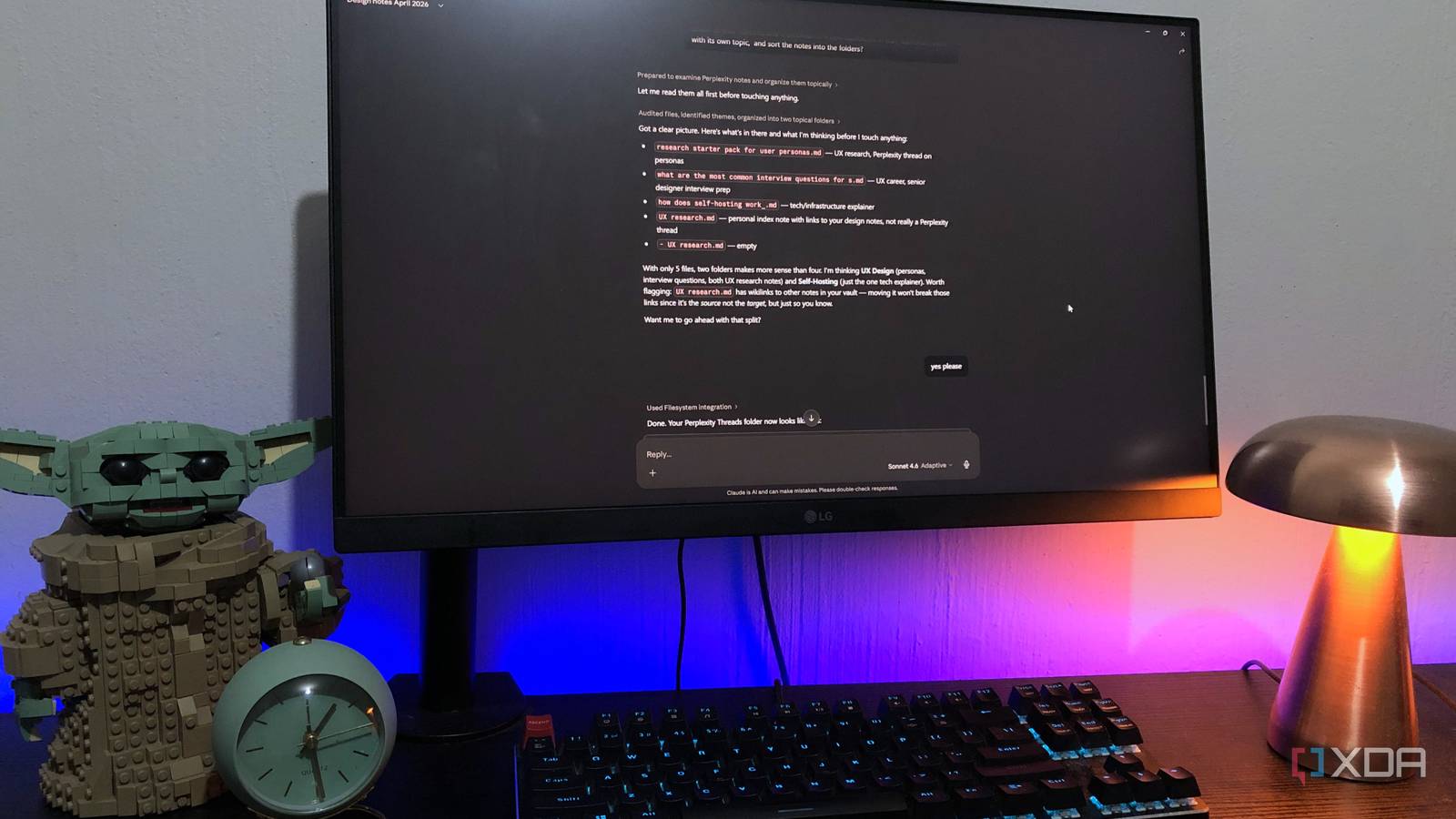
Published Oct 1, 2026, 6:00 AM EDT Nolen began their writing career in 2019, with three years dedicated to editing the Creative section at MakeUseOf. Their expertise lies at the crossroads of technology and creativity, covering areas like photography, video editing, and graphic design. Outside of work, you'll often find Nolen diving into a good book, writing their own stories, or playing video games. Most productivity setups comprise a stack of apps that all keep a copy of your stuff, and these days there's usually an AI research tool somewhere in the mix as well. They integrate with each other a lot better than they used to, however, integration is still something you need to set up and keep an eye on, and your data is still scattered across apps, and you're perhaps still paying multiple subscriptions. Two apps that ended up taking over my setup are Obsidian and Claude. I've been using them together since I got my Claude Pro subscription, which let me use Claude Code directly in my local folders. And looking at the rest of my productivity stack, they haven't been getting as much love since these two came along - it all comes down to the power of Markdown. Why a Markdown file can actually act like an app It's just text, and that's the whole point Markdown has been around for over two decades, and the idea was text that can be read as-is without looking "marked up". A markdown file is just a plain text file ending in .md, with a few symbols handling the formatting. Putting a hash in front of a line turns it into a heading, for example, and that's about as deep as most people ever need to go. Since it's plain text, pretty much any app on any device can open it, which is a big part of why Obsidian uses it. The app doesn't actually own any of the notes, so your Obsidian vault is just a regular folder of these .md files. If I think about the apps I've used and paid for over the years, their primary function is to hold data and present it to me in a specific way. The markdown files in my vault can assume a similar structure - files can hold the data, Obsidian's job is taking the plain syntax and giving me the checkboxes, tables, and whichever other layouts, and Claude's job is the manage and oversee it all. The properties at the top of a note (status, priority, due date) behave like a row in a database, and the links between notes are just text in double brackets that anything can read. Even Bases, which looks like a full database app, is saved as a .base file that has to be valid YAML, which means Claude can write one from scratch without ever opening Obsidian. Dispatch covers my phone as well, as long as my PC stays awake with the desktop app open, so I don't need all the mobile versions of the apps I used to use either. The apps my plain text files took over Most productivity app functions can be turned into notes I didn't create this setup with the intention of replacing anything, it was mostly just a curiosity in Claude Code and what it could do for me as a non-coder. But the more entrenched I became in it, the more I realized how much I've been neglecting my original stack. Project management is probably the biggest category. My /index/ folder has files like this-week.md and stalled.md, and when I ask Claude to regenerate the dashboard it rescans everything and hands back a diff of what it changed. Stalled.md is probably the most important one because every file that's "stuck" gets a very specific reason: Claude points out a pattern running through them, which is not a feature an app like Trello has. This is the cool thing about Markdown, because it's text, you get to customize your entire user experience by simply typing it. My This-week.md also doubles as a to-do list, alongside regular checkboxes in my notes. It's built from the project notes themselves, so a deadline I add to a design brief turns up there on the next regenerate without me having to copy anything. I've also started shifting away from my diagramming tools in favor of Claude, plain text files, and Obsidian. I can easily create low-fi wireframes or diagrams with Claude, which can be stored in the vault, and opened in Obsidian Canvas or with the help of the Excalidraw plugin. It's all still just plain text, no interface needed. There's another tool which I didn't expect to be phased out, and that's Perplexity. I used to save its threads into my vault, in a folder literally called Perplexity Threads. Now CLAUDE.md tells Claude to save research-heavy answers as notes in /Cache/ and check there before going back to the sources, and that folder has more or less replaced the app for me. Where a Markdown file runs out of road Some jobs still need a dedicated app Anything that requires collaboration stays out of the vault. Obsidian doesn't support live editing on the same file yet, even on shared Sync vaults, so if a doc needs a team to poke at it, it usually still goes to Notion or Google Docs for me. Design is the other obvious one - my notes can link to a Figma file, even contain component specs, but it can never be the design. Another is that a Markdown file never pings you. It only gets utilized when I actively open it, and scheduled tasks don't necessarily fix that since tasks using files on your computer need the desktop app open. So there are simply some reminders that remain on my phone and dedicated reminder apps. My stack is mostly Markdown now Steph Ango, Obsidian's CEO, wrote an essay called File over app back in 2023, and one line in it predicts that transforming text across a whole document would become as normal as filtering images. I think my vault ended up somewhere close to that after this year, with Claude doing much of the transforming. Obsidian OS Windows, macOS, Linux, iOS, iPadOS, Android Individual pricing Free normally; $4/month for Obsidian Sync
Claude and Obsidian now run every workflow I needed separate apps for
Full Article
Original Source
Read the full article at Xda-developers →KhanList aggregates and links to publicly available news content. We do not host full articles from third-party sources. Always verify important information with original sources.