
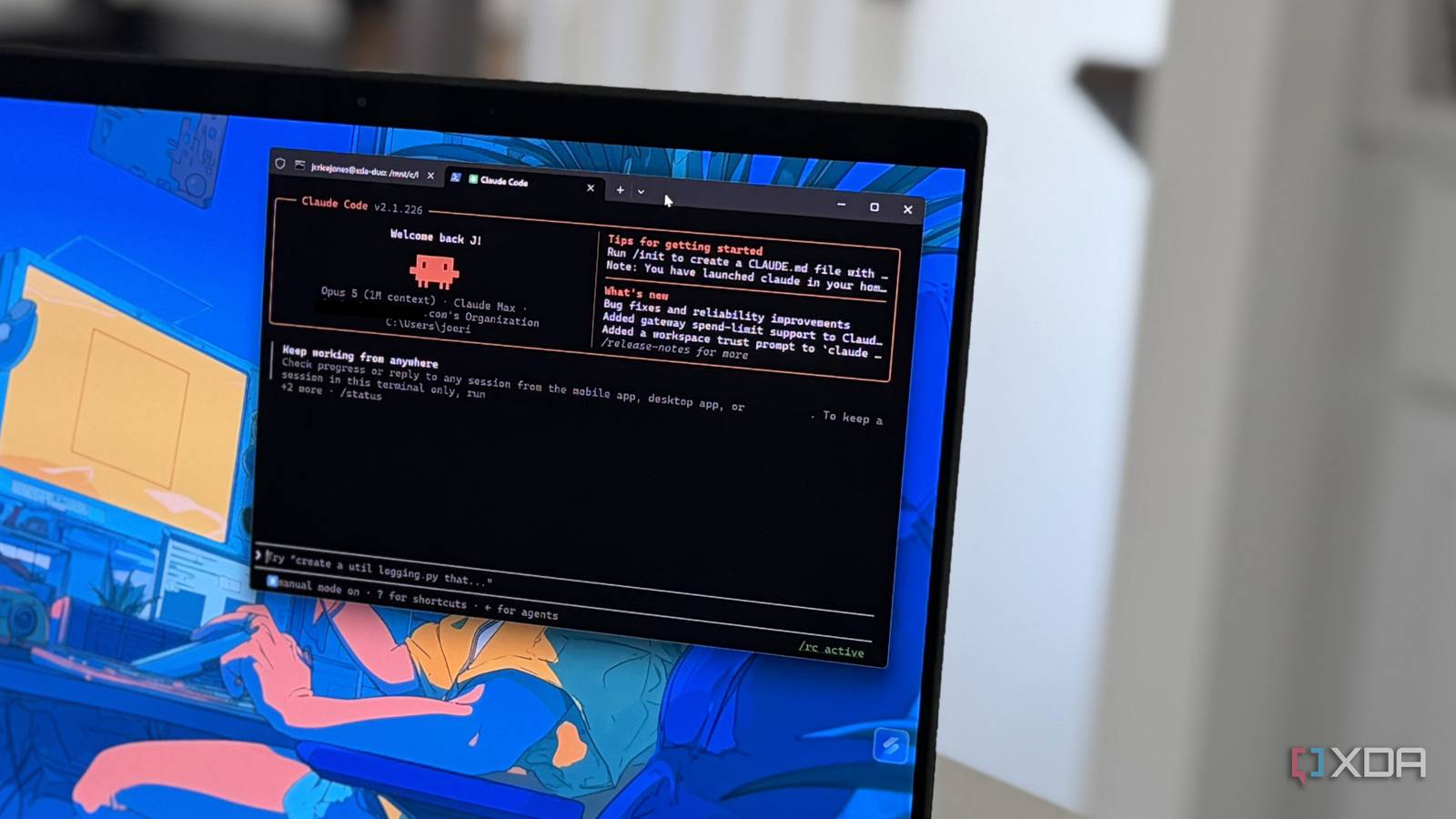
Published Aug 23, 2026, 2:00 PM EDT Maker, meme-r, and unabashed geek, Joe has been writing about technology since starting his career in 2018 at KnowTechie. He's covered everything from Apple to apps and crowdfunding and loves getting to the bottom of complicated topics. In that time, he's also written for SlashGear and numerous corporate clients before finding his home at XDA in the spring of 2023. He was the kid who took apart every toy to see how it worked, even if it didn't exactly go back together afterward. That's given him a solid background for explaining how complex systems work together, and he promises he's gotten better at the putting things back together stage since then. One of Claude Code's safety features from the start was requiring the agent to ask for user permission for certain tasks, but apparently that's no longer needed. On August 14, Anthropic set the default to auto mode for all Pro, Max, and Team plans because the company’s numbers show that most of us approved every ask anyway. That gives the agent handling my Home Assistant installation and clearing up my messy Windows 11 folders more autonomy, with every decision going through internal classifiers before it asks for my okay. And I’m okay with that, after all the slowest part of the agentic coding pipeline is me. It also shows you where the real controls live, from how to structure your CLAUDE.md file, hooks, and sandboxing for your agentic tasks. What Claude Code's auto mode default really changes The prompts never really kept you safe anyway The new default is auto mode, which isn’t as unsafe as you think. Instead of stopping on every tool call to ask for approval, Claude Code runs the action through a separate classifier system. This lets most tool calls through unless they look irreversible, destructive, or aimed outside your environment. When the classifier blocks something, Claude either finds a safer way to do the task or stops and asks you. I poked at that classifier to get an example screenshot, and my own agent caught me cheating. I seeded a decoy backups folder with random data, and asked Claude to clear out some backups left over from a migration “months ago.” The clanker decided that it wasn’t going to rm -rf like a good robot, because it noticed the files were blobs that looked like encrypted archives instead of tarballs. It also noticed the creation timestamps were earlier that day and gave me a menu with “hold off, let me check” as the default selection. One of the other options was to go after my real disk space hogs: the folders where my downloaded LLM models live. My trap card didn’t hit, but that’s okay, because it makes a stronger case for how safe the agents are now. The safety feature isn’t a blank “no”; it’s that the agent checked whether my question was correct before doing anything it couldn’t undo. That’s more due diligence than any time I ever reflexively smashed the Enter button in response to a question. Anthropic data shows we weren’t using the guardrail anyway The justification for the change stings a little, because it shows that nobody was paying attention when Claude asked for permission. Anthropic says 97% of permission prompts get approved anyway. That’s not “human in charge,” that’s “somebody has to press a button,” and they’re a world away from each other. The company even commissioned a third-party testing company to run a controlled test with 1,053 people to see how many deliberately dangerous commands they would catch. Only 13.6% of the dangerous commands were caught, and that number dropped the longer a session went on. The classifier system built for Claude Code caught 89% of them. Sure, the agent missed some, but the success rate was much higher. A second safeguard was added as well. If the classifier blocks three commands in a row, or 20 across a session, Claude Code drops back to manual mode. The other thing is that tokens used for the classifier aren’t billed on Pro, Max, or Team plans, which gives you more overhead on your plan. You just need to remember to use them The classifier doesn’t use tokens now, which saves a good chunk per turn. Auto mode has another token cost, though, because long autonomous runs don’t force you to glance at what Claude is doing. My first defense is a lean CLAUDE.md, because every session reads that file and any instruction or dead project note in there is a token tax that doesn’t need to be there. Remembering to run compaction at natural checkpoints helps, because letting the context window balloon to where Claude runs the compaction routine is a recipe for disaster. It never happens at a good time. Running a quick /clear between unrelated tasks also helps, because the conversation you used for debugging doesn’t need to carry over into the next feature addition. Model choice makes more impact with auto mode, and I resisted this one. Not every task needs the biggest model. Now a cheaper model handles quick refactors and boilerplate tasks, while the big guns are kept in reserve for hard architectural work. Your settings file makes more of a difference now I went to check my settings.json file to see what rules it had in it, and it was almost empty, and I bet yours is too. There wasn’t even a permissions block at all. My start ritual was flipping Claude to auto mode when I opened the app, because I didn’t want a session started in the wrong folder to do things without asking. If that sounds like you, pin defaultMode to whatever setting you prefer, and then the change to auto mode will respect your settings file. This has to be your main settings.json file, though; it won’t make a difference in the project folder’s copy. Two other settings are important: permissions.allow and permissions.deny. These run before the classifier, so any tool you explicitly set with either setting skips the classifier, saving time. Run things in plan mode first if you’re unsure about what will happen, and scope your subagents appropriately to the task. Guardrails also save tokens And your files from deletion Now the prompts are gone, the permissions.deny rules are more important. You can write “never touch production” in your CLAUDE.md file as many times as you want, but those are gentle suggestions compared to the rules the classifier reads. Claude will (mostly) honor your instructions, but the rules are something the agent can’t get around. My coding environment does a lot of the heavy lifting. Claude Code runs inside WSL2, which keeps the blast radius to a virtual machine I can rebuild in minutes. If I’m doing anything risky, I do it inside a Proxmox VM with a snapshot taken first. I’d love to say that was foresight, but it was a hard-learned lesson when I accidentally ran init in my home folder and something I asked Claude to do destroyed my OS install. The undo button is Git, and I commit before kicking off any long run, while running everything as a branch so main is rarely touched. Credentials get the same treatment. Agentic tasks get tokens scoped to exactly what’s needed, and production keys are kept in Tailscale or 1Password, so the agent never has my API key. It's time to build real guardrails because auto mode isn't playing around Auto mode as default is the right move based on the data. The thing is, the data says more about the human in the chair than Claude Code. With most of the prompts approved, even the dangerous ones, we’re the bigger security issue. That means anyone using agentic coding needs to build their own guardrails, whether that’s in CLAUDE.md, or your deny list, or any other system that works for your peace of mind.
Auto mode is now Claude Code's default, and it changes how fast you can actually build
Full Article
Original Source
Read the full article at Xda-developers →KhanList aggregates and links to publicly available news content. We do not host full articles from third-party sources. Always verify important information with original sources.