
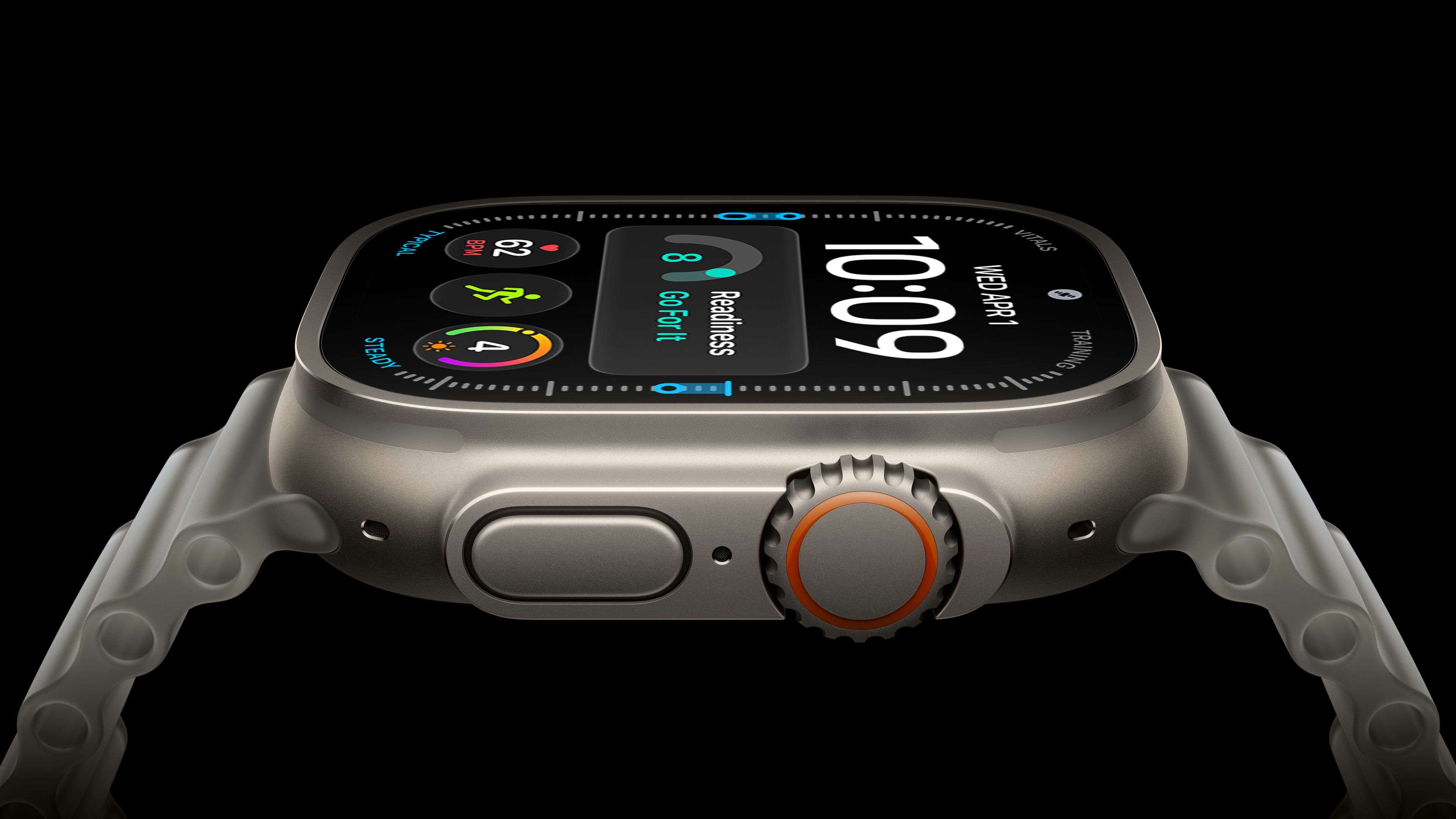
The Apple Watch Ultra 4 arrives four years after the original model. Across three subsequent generations, Apple added a brighter and larger display, satellite connectivity, new health sensors, more capable chips, and longer battery life. For owners of the original Ultra, are those cumulative improvements enough to justify upgrading now, or can their existing watch last another year? Both watches retain a 49mm titanium case, an Action button, a siren, dual-frequency GPS, and support for recreational diving to 40 meters. The Apple Watch Ultra 4 starts at $799 in the U.S. Apple discontinued the original Ultra in 2023, and it no longer supports the latest major watchOS release. Here are the key differences between the two models: Apple Watch Ultra (first-generation) Apple Watch Ultra 4 Natural titanium finish Natural and black titanium finishes LTPO2 OLED display with always-on updates once per minute Wide-angle LTPO3 OLED display with 1Hz always-on updates, allowing supported faces to show ticking seconds Up to 2,000 nits of brightness Up to 3,000 nits of brightness; 1-nit minimum brightness 410 by 502 pixels; 1,185 sq mm display area 422 by 514 pixels; 1,245 sq mm display area (5% larger), with thinner display borders Flashlight Flashlight boost via Digital Crown S8 chip S11 chip 1GB RAM 4GB RAM Neural Engine 4-core Neural Engine Secure Exclave for isolated audio processing 32GB storage 64GB storage Single tap, Double Tap, and wrist flick gestures Siri processed in the cloud via an internet connection On-device Siri for supported requests, including access to and logging of health and fitness data Dictation Improved on-device dictation Siri AI support First-generation Ultra Wideband chip Second-generation Ultra Wideband chip Play a sound to locate an iPhone; locate accessories using Find Devices and Find Items Precision Finding for compatible iPhone models, AirTag 2, and the AirPods Pro 3 charging case, with distance and direction guidance Automatic Now Playing controls and Smart Stack media suggestions when near a HomePod Electrical heart sensor and third-generation optical heart sensor Health Sensing System with new electrical and always-on optical heart sensors Background heart-rate measurements Background heart-rate measurements every five seconds Heart-rate variability (HRV) measurements More frequent measurements of overall HRV and Recovery HRV Overnight Vitals view Overnight and daytime Vitals views Readiness app Sleep apnea notifications Hypertension notifications Blood Oxygen readings viewable on the watch On affected U.S. models, Blood Oxygen readings are analyzed on the paired iPhone and viewed in its Health app Step tracking and estimated indoor workout distance More accurate all-day step tracking and indoor workout distance measurements, plus a Steps watch-face complication Workout Buddy requires a nearby Apple Intelligence-enabled iPhone Enhanced Workout Buddy with additional insights and Spanish support Live Translation in Messages when paired with a compatible Apple Intelligence-enabled iPhone LTE and UMTS cellular connectivity LTE and 5G cellular connectivity, with improved weak-signal reception through simultaneous use of both antennas Emergency SOS, Messages, and Find My via satellite Audio Intelligence: Sound Recognition, automatic music identification, Live Rewind, and Siri Recap Built-in speakers for calls, alerts, and Siri Built-in speakers for calls, alerts, Siri, and media playback Up to 36 hours of normal use Up to 50 hours of normal use Up to 72 hours in Low Power Mode, according to Apple's current comparison page Up to 84 hours in Low Power Mode Up to 12 hours of standard outdoor workout tracking Up to 18 hours of standard outdoor workout tracking Low Power Mode during workouts, with an optional setting for fewer GPS and heart-rate readings Extended Workout mode: up to 25 hours with full GPS and heart-rate readings; Max Extended Workout mode: up to 45 hours with GPS readings every second Charges from 0 to 80% in about one hour Charges from 0 to 80% in about 45 minutes; 15 minutes of charging for up to 18 hours of normal use; five minutes for up to 10 hours of sleep tracking 61.3 grams Natural titanium: 63.0 grams; black titanium: 63.1 grams Dual-frequency GPS supporting GPS, GLONASS, Galileo, QZSS, and BeiDou Dual-frequency GPS supporting GPS, Galileo, QZSS, and BeiDou Supports watchOS 26 Supports watchOS 27, including the Siri app, dynamic app grid, new Smart Stack suggestions, Call Context, and consolidated Find My app Now discontinued Starts at $799 Existing first-generation Apple Watch Ultra owners can reasonably keep their watch for another year if its battery still covers their usual days and workouts. Losing support for watchOS 27 is significant, but it does not prevent the original Ultra from continuing to handle notifications, activity tracking, navigation, and its other existing features. Owners satisfied with those capabilities may prefer to eke out another year of use and wait to see whether next year's model offers a more substantial upgrade. However, the Ultra 4 is a worthwhile upgrade for anyone already running into the original model's limitations. The new Health Sensing System provides more detailed heart-rate and recovery insights, while sleep apnea and hypertension notifications expand its health capabilities. These changes are most compelling if you will use the additional information to follow changes in your daily condition or adjust your training. Longer battery life and satellite connectivity strengthen the case for owners who record extended workouts or regularly travel beyond cellular coverage. If your original Apple Watch Ultra now struggles to finish an outing without charging, the improved battery life is a practical reason to replace it. The larger, brighter display, newer gestures, Audio Intelligence, and expanded Precision Finding support also make the cumulative upgrade more noticeable in everyday use. Software support is a major reason to move on. The original Apple Watch Ultra cannot run watchOS 27, so it misses Siri AI and the latest operating system's other additions. If those features would materially improve how you use your watch, waiting another year means accepting those limitations in the meantime. Popular StoriesHere's Why a New Apple Watch Charging Puck Was Just ReleasedWednesday September 16, 2026 8:53 am PDT by Joe RossignolThe new Apple Watch Series 12 and Apple Watch Ultra 4 have hardware changes that allow for faster charging, but you will need to use the new version of the Apple Watch Magnetic Fast Charger included in the box in order to achieve this boost. If you need extra ones for your own charging stands or travel or so forth, Apple released the new version of the charger on its online store last week, with...Apple Watch Ultra 3 vs. Ultra 4 Buyer's GuideThe Apple Watch Ultra 4 is now available for pre-order, bringing a new health sensing system, more memory, and longer battery life over its predecessor. Here's everything that's new. Last year, the Apple Watch Ultra 3 introduced a larger, more efficient display, satellite connectivity, 5G, and improved battery life. The Ultra 4 retains the same basic design and display, but focuses on more...PSA: watchOS 27 Removes This Useful Feature From Your Apple WatchThursday September 17, 2026 1:34 am PDT by Tim HardwickApple released watchOS 27 on September 14, bringing a new Audio Intelligence feature set to its latest Apple Watch models, but as a result, owners of previous models are set to lose out doubly in the process. Apple Watch Series 12 and Ultra 4 models later this year will get Live Rewind, a feature that provides a transcript of any spoken audio that was picked up by the device in the last 15...
Apple Watch Ultra 1 vs. Ultra 4 Buyer's Guide: Is It Worth Upgrading?
Full Article
Original Source
Read the full article at Macrumors →KhanList aggregates and links to publicly available news content. We do not host full articles from third-party sources. Always verify important information with original sources.