
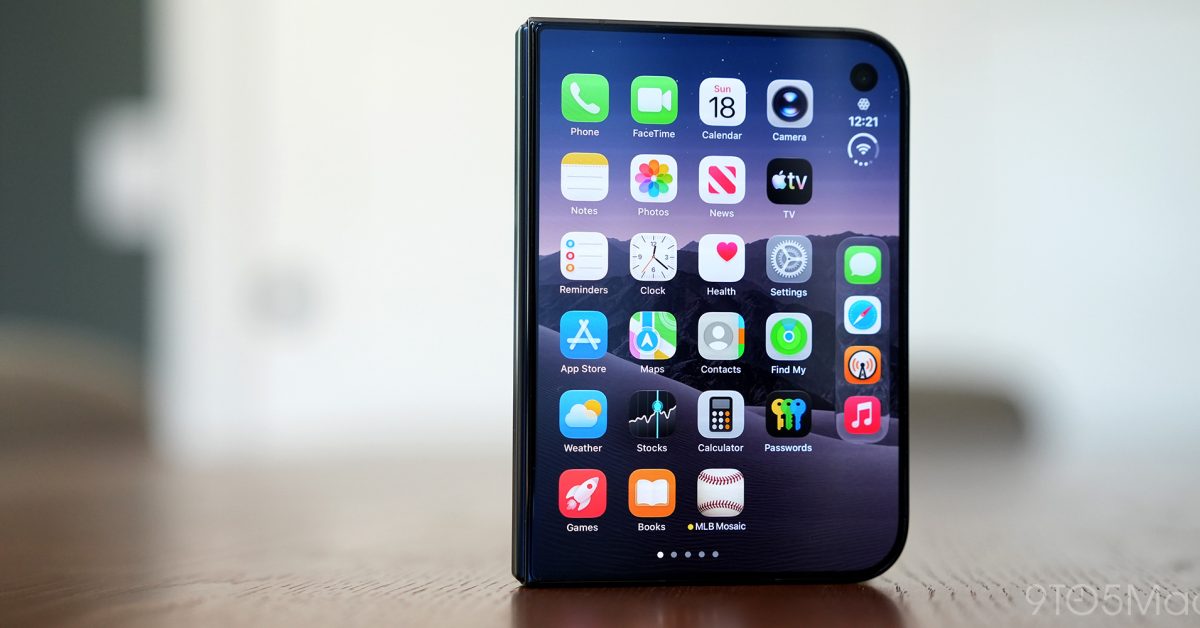
Next fall, Apple will introduce its second-generation iPhone Duo. It’s unclear what it’ll offer in terms of meaningful upgrades outside of the usual chip upgrades and camera improvements, but Apple engineers are reportedly attempting to bake Face ID into the device. That said, the feature might not make the cutoff. According to Bloomberg’s Mark Gurman, Apple has two priorities for iPhone Duo: Face ID and the Action Button. The latter might just end up being a new software addition to Camera Control that allows you to remap the hold action from Siri in Camera to an app of your choice. As for Face ID, Apple engineers are ‘actively working’ on integrating the technology on the device, specifically on the outer display: Other goals for the next couple of generations include adding a telephoto camera and making the device thinner and lighter overall. But Face ID is the top priority. I’m told that Apple has already developed prototypes of the iPhone Duo 2 with Face ID, and engineers are still actively working to integrate the facial-recognition system into the outer display of the second-generation model. That said, the feature might not make it. According to Gurman, the timelines are tight here and it isn’t quite ready – so he isn’t reporting with certainty on whether or not this feature will make it. If it doesn’t debut with the iPhone Duo 2, it’ll likely be in the cards for iPhone Duo 3 in 2028. Later down the road, the company wants to introduce an improved camera system for the iPhone Duo, including a telephoto camera. It also wants to make the device even thinner and lighter. The Duo definitely needs to be lighter, but making it even thinner would be an interesting feat. 9to5Mac’s Take While Face ID on the iPhone Duo would certainly be much appreciated, I’m not quite convinced that it’ll be super meaningful on only the outer display. I’m fine with Touch ID, but whenever it is bothersome, it’s usually on the inner display, where it can be hard to reach the button depending on how you’re holding the device. If I could only have Face ID on one display, I think I’d rather have it on the inner display. Orientation can make a huge difference for how you reach Touch ID on the inner display, whereas you’re generally only going to hold the outer display one of two ways: upright in your left hand, or upright in your right hand. Some of my favorite Apple accessory recommendations: AirPods Pro 3 (2x ANC vs AirPods Pro 2!) Anker MagGo 25W 10K Battery Bank with Kickstand Belkin MagSafe 3-in-1 Charging Stand for iPhone MOFT MagSafe Kickstand Wallet for iPhone Anker Prime 3-in-1 25W Compact MagSafe Charger Follow Michael: X/Twitter, Bluesky, Instagram FTC: We use income earning auto affiliate links. More.
Apple engineers ‘actively working’ on Face ID for iPhone Duo 2’s outer display: report
Full Article
Original Source
Read the full article at 9to5mac →KhanList aggregates and links to publicly available news content. We do not host full articles from third-party sources. Always verify important information with original sources.