
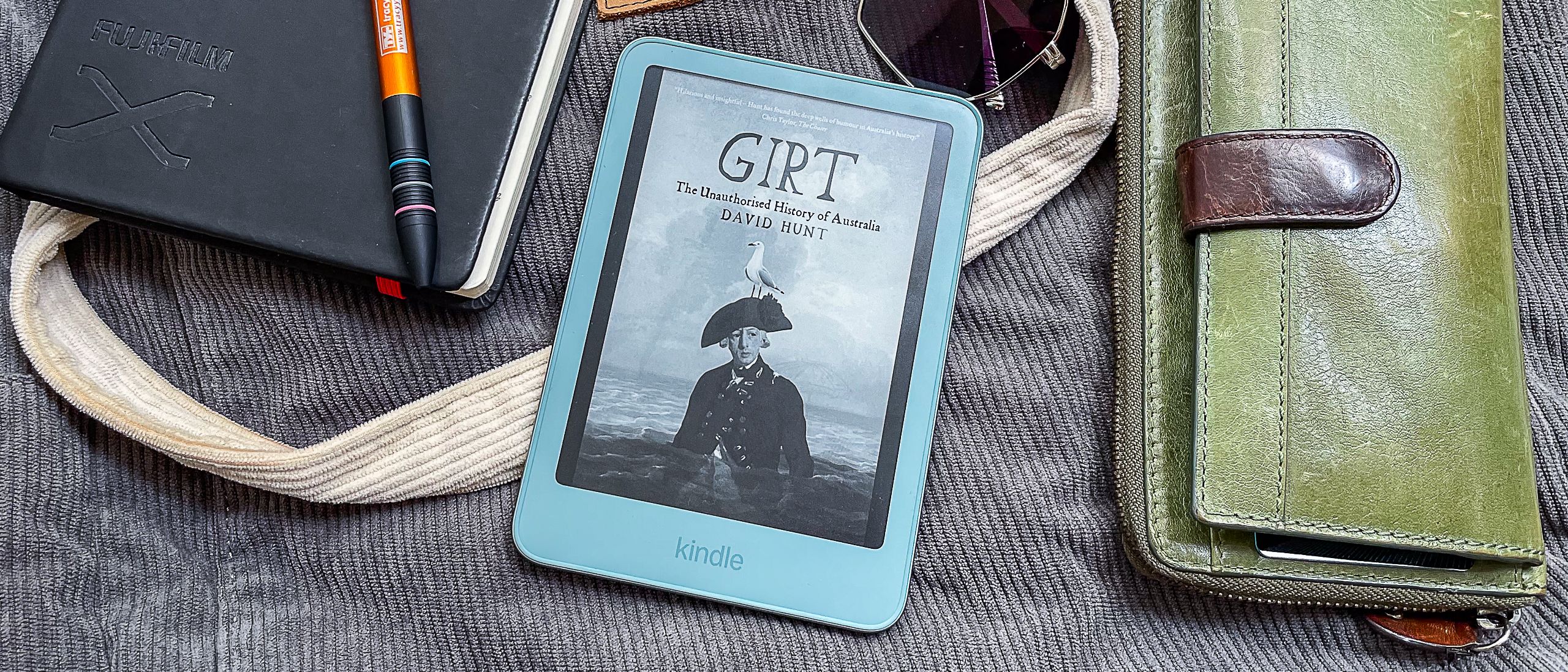
TechRadar Verdict With a thinner and lighter body compared to the 2024 release, Amazon's entry-level Kindle (2026) comes in some lovely colors and even a new metal body. You also get a sharper screen — which is now flush with the bezels — with improved contrast, and its general performance over its predecessor is slightly better. However, the 32GB aluminum Kindle sent for this review suffered from slight light bleed in dark mode, while the lack of any interface changes, or new features — like warm light or waterproofing — makes it a hard sell at its higher price compared to the 2026 edition of the Kindle Paperwhite. Reasons to buy +Perfectly sized for small hands +Excellent overall performance +Lovely colors +Double storage (32GB) also available Reasons to avoid -No warm or auto-adjusting light -Still no waterproofing -Lackluster battery life -Flush screen triggers accidental page turns Why you can trust TechRadar We spend hours testing every product or service we review, so you can be sure you're buying the best. Find out more about how we test. Jump To: Two-minute review Price & availability Specs Design & display Software Performance Should I buy? Also consider How I tested Amazon Kindle (2026): Two-minute reviewWhen Amazon announced its 2026 range of Kindles on October 1, I balked at the prices, particularly for the entry-level model. Then again, I should have expected it, given the current cost of components. The days of Kindles being the affordable ereader are long gone now.Yet the 2026 entry-level Kindle does go some way in justifying its higher price compared to its predecessor thanks to all new hardware that includes new colors — now also in an aluminum chassis that gets you double the storage (32GB) — as well as a thinner and even lighter design. The power button being moved to the right edge is also a welcome change that made my colleague Lance Ulanoff especially happy.The design changes also include the screen now lying flush with the bezels and the display offering better contrast that improves text sharpness. However, I noticed a tiny bit of light bleeding on the top edge of the screen when reading in dark mode, which Amazon has acknowledge is a flaw, and the slim bezels don't offer enough space for the thumb to rest, thus triggering accidental page turns.Latest Videos FromTechRadarThe page-turn speed here hasn't visibly improved over the 2024 model, but general navigation has. Amazon says the 2026 base Kindle is 30% faster than the previous model and, while that's hard to measure, I can attest that many other functions on the latter, like opening books, accessing the Kindle Store and going through settings, and are definitely faster. (Image credit: Sharmishta Sarkar / TechRadar)That's all that's new here, though, which is why I said the 2026 Kindle only goes 'some' way in justifying its cost. At launch, when I began my testing of this Kindle, there were no new software features to distinguish it from previous generations. However, Amazon released a new firmware just a couple of days before the publication of this review that has made a small change to how some books appear in the library tab — all titles within a series are now grouped together. This software update has also been rolled out to the previous Kindle generation, so you really aren't missing much if you don't upgrade... except for the slight increase in speed and the new screen.There is still no warm light or auto-adjusting brightness for evening reading, and neither is there any waterproofing, not even on the aluminum version which has a screwed on back panel rather than the plastic one's pop-off option.Yes, the rear panels can be removed now to allow users to change the battery when needed, in compliance with EU regulations, but I haven't seen any official battery packs being sold as yet. Battery life, however, is lackluster compared to the Kindle Paperwhite (both 2024 and the newer release) — it's practically half, which makes the aluminum Kindle especially harder to recommend over the 2026 Paperwhite as the prices aren't all that different.Get daily insight, inspiration and deals in your inboxSign up for breaking news, reviews, opinion, top tech deals, and more.So while I can appreciate that a new Kindle would cost more, I'm struggling to find value in it, more so because the Kobo Clara BW comes with waterproofing and warm light temperatures at a similar price to the plastic 16GB Kindle, albeit in a now two-year-old device. (Image credit: Sharmishta Sarkar / TechRadar)Amazon Kindle (2026) review: price & availabilityFirst announced October 2026Available in major markets, including the US, UK and AustraliaList price from $149.99 / £134.99 / AU$279With a starting price of $149.99 / £134.99 in the US and the UK for the ad-supported 16GB plastic Kindle, it's still a cheaper option compared to the 2024 release of the Kobo Clara BW that retails for $159.99 / £149.99. However, you get a few more features with the latter that the new 2026 release of the entry-level Kindle still doesn't get you — namely, warm light and waterproofing.If you don't want the ads, then you need to tack on another $20 / £15 to that cost, which shifts the price dynamic between the Kindle and its Kobo counterpart.In Australia, only the ad-free version of the Kindles has always been available and the starting price is now AU$279, which is AU$10 more than the Kobo Clara BW.The 32GB Kindle Aluminum (yes, that's what Amazon is calling it in the US and is the model sent to TechRadar for this review) is ad-free by default and will set you back $189.99 / £169.99 / AU$299. Given the 2026 Kindle Paperwhite costs just another $10 / £15 / AU$50 (with ads in the US and UK), I'm struggling to see the value in the shiny new aluminum Kindle.• Value score: 3 / 5 (Image credit: Sharmishta Sarkar / TechRadar)Amazon Kindle (2026) review: specs Swipe to scroll horizontally Display type: E Ink (possibly Carta 1300) Screen size: 6 inches Resolution: 300ppi Processor: unknown Frontlight: Yes, white light only Storage: 16GB / 32GB Battery: up to 6 weeks (capacity unknown) Water protection: None Software: Linux based Connectivity: Wi-Fi, Bluetooth, USB-C File support: 6 natively; 1 audio Dimensions: 108 x 152.8 x 6.85 mm (4.3 x 6.0 x 0.3 inches) Weight: 140g (4.9 oz) for plastic finish; 162g (5.7 oz) for aluminum Amazon Kindle (2026) review: Design & displayShiny, new hardware, including fresh colors and a new aluminum modelThinner, lighter and more compact than beforeGorgeous new display with better contrast and sharper textI might have been disappointed with the 2024 edition of the base Kindle, saying it wasn't really an 'upgrade' just because it came in a lovely new color, but that's not the case with the 2026 release. This time, the entry-level Kindle truly is a worthwhile upgrade — at least in terms of hardware. Nearly everything about it is brand-spanking new and I love it.The most obvious difference between the previous Kindle generations and the 2026 model(s) is the new chassis. Now available in two finishes — plastic and aluminum — and lovely new colors (Ube and the usual Graphite for the former, Alpine Sky and Seaglass Green for the latter), there's more choice where the base Kindle is concerned.The other point of difference, and not just between generations but also between the two finishes, is that the aluminum version comes with 32GB of storage (like the Signature Editions of the Paperwhite and Colorsoft) and is ad-free by default in the US and the UK. (Image credit: Sharmishta Sarkar / TechRadar)While I personally didn't mind the power/sleep button on the bottom edge of the Kindle, now having it just below the top right corner is a good move, putting the cheapest Kindle in the new range on a similar design footing as the current Kindle Scribes.The flush screen on both the plastic and metal Kindles makes it look modern and more premium, although the thin side bezels triggered numerous accidental page turns during my testing. I also noticed a small amount of light bleed on the top edge of the review unit sent to me, visible in dark mode. This has been discussed on Reddit and Amazon has acknowledged there is a flaw and is ready to exchange any units with such issues.Impressively, though, the screen and the aluminum body aren't fingerprint magnets, which is my biggest relief compared to, say, the 2024 edition of the Kindle Paperwhite that showed off every oily smudge on the front and back. (Image credit: Sharmishta Sarkar / TechRadar)Another hardware difference — and a first for Amazon — is the replaceable battery. On the plastic model, the rear panel just pops open, but you will need tiny hex screwdriver to remove the aluminum panel if you ever need to change the battery. This is accordance to EU regulations, but I am yet to see official replacement batteries being listed on Amazon. It's early days yet, and a Kindle battery typically lasts about 10 years, so I'd expect to see official listings down the line.In comparison, though, Kobo's 2024 ereaders — namely, the Libra Colour, Clara BW and Clara Colour — have even better repairability, with screens and motherboards also replaceable. So if longevity is important to you, Amazon still has a way to go to impress its Kindle users. (Image credit: Sharmishta Sarkar / TechRadar)As much as I love the new colors, the star of the show here is the upgraded display. The entry-level Kindle finally gets the E Ink Carta 1300 screen tech that the 2024 model missed out on.Admittedly it still lacks warm LEDs, which is disappointing, but despite that it's the sharpest display on the entry-level Kindle that I've seen to date. It also boasts better contrast where blacks are blacker, even the background in dark mode, and that gives text better clarity overall.Alongside the lack of warm hues for the frontlight, the entry-level Kindle still doesn't have waterproofing, which is probably for the best at least for the plastic model where the rear pops right off to access the battery. However, it would have been nice if Amazon had deigned to provide at least one of these missing features on the aluminum version to justify the higher price tag, especially since there are hardly any new software features to speak of here.Design & display score: 4.5 / 5 (Image credit: Sharmishta Sarkar / TechRadar)Amazon Kindle (2026) review: SoftwareBooks in a series are now grouped together in the Library tabAdditional wallpapers are niceNot much else is new with the latest software releaseIf you've been using an older Kindle, you'll be intimately familiar with navigating around the 2026 release as well. At the start of my two-week testing of the new Kindle, seemingly nothing had changed with the release of the software version 5.20.1.0.1. However, just a day before this review was published, Amazon released firmware 5.20.1.02 and the only new feature here that I've come across is books in a series being grouped together in the Library tab.There is, however, a caveat here — only items purchased or borrowed from the Kindle Store (or from Kindle+, previous Kindle Unlimited) are arranged this way. If you've sideloaded books in a series via, say, the Send To Kindle platform, they will still appear as individual titles.This latest firmware at the time of writing has also been rolled out to the 2024 11th-generation Kindle, so this new feature will also be available on the older model. (Image credit: Sharmishta Sarkar / TechRadar)I do appreciate that Amazon has added more wallpapers now, some which debuted on the 2025 releases of the Kindle Scribe. You can still choose to show the book covers if you don't want to cycle through the wallpapers when the device is sleeping.The lack of significant new features on the Kindle is not a bad thing, although it would have been nice to have something different — perhaps reading stats like Kobo offers. However, the Kindle UX remains very simple to navigate around even if you're a first-time user — there is just the home screen and the library tabs, with the rest of the features and settings accessible by swiping down from the top edge of the screen. Image 1 of 4 (Image credit: Sharmishta Sarkar / TechRadar) I still find the home screen to be too wound up in Amazon's ecosystem and looks quite cluttered compared to Kobo's homepage setup, but it at least makes it easy to find your next read if you source your content from the Kindle Store. In the same vein, if you are a Prime member or have a Kindle+ subscription, you'll be able to find something new right from the homepage based on your previous reading habits.Audible support is no longer restricted to select countries at launch, like it was for the 2024 Kindles. Meaning if you're in, say, Australia, you can absolutely listen to Audible audiobooks by pairing the Kindle to a set of wireless headphones or earbuds (or even a Bluetooth speaker).WhisperSync will continue narration on any Alexa-supported speaker too if you prefer to move on from using the Kindle, like when you're perhaps fixing dinner and, in a similar vein, if you ever change your Kindle to a newer device, your entire library is already available the moment you sign into your Amazon account (something I wish Kobo would offer).• Software score: 4 / 5 (Image credit: Sharmishta Sarkar / TechRadar)Amazon Kindle (2026) review: PerformanceExcellent reading experienceGeneral navigation is faster compared to previous generationSame battery life as previous model, which is disappointing compared to the PaperwhiteNew hardware aside, the overall performance from the 2026 Kindle is also better, making it a true upgrade that I was expecting to see in 2024. Amazon, however, hasn't revealed whether there's an upgraded processor under the hood but I suspect there would be, even if it's a small update.While page-turn speed is more or less the same on the 2024 and 2026 Kindles, all other navigation and functionality happens just that much quicker on the latter, including ebook load times. Even automatic screen refreshes are so quick that I barely registered most of them — similar to what I experienced in my 3rd-generation Kindle Scribe (2025) review.This speedy performance adds to the excellent reading experience, where the darker background in both regular and dark mode adds better contrast and makes text look sharper.That said, I personally find 6-inch ereaders too small, and prefer the 7-inch or 8-inch ones — the sweet spot in terms of screen real estate, not too small and not too large. If you prefer larger fonts, you'll end up turning pages more often and that will then eat into the battery life of the Kindle. Image 1 of 4 (Image credit: Sharmishta Sarkar / TechRadar) And that has not changed from the 2024 model. Battery life is still up to 6 weeks according to Amazon, based on just 30 minutes of reading per day. That is doable, if you leave Bluetooth and Wi-Fi off, switch off the frontlight completely and don't keep browsing the Kindle Store or doing anything else except read.In my testing, where I read for 4-5 hours a day for two weeks, had Wi-Fi always on and screen brightness set to level 7 in regular mode (relatively low), I had to charge the Kindle every 2 to 3 days, which got a little annoying considering the 2024 Kindle Paperwhite I have gives me double the battery life.Charging the battery is quick, though, with the device going from 11% to full in just about an hour when plugged into a 25W USB-C outlet and using a good-quality C-to-C cable. Three attempts at topping from 10% or 11% battery gave me the same results.• Performance score: 4 / 5 (Image credit: Sharmishta Sarkar / TechRadar)Should I buy the Amazon Kindle (2026)? Swipe to scroll horizontally Attribute Notes Score Value As lovely as the new hardware is, the 2026 Paperwhite isn't much more expensive than the 2026 Kindle (especially the aluminum version), making it a hard sell. 3 / 5 Design & display A full revamp of the hardware and an updated screen makes this a good upgrade from an aging Kindle. 4.5 / 5 Software Not much has changed here, so it's still an easy-to-use interface. But the lack of new software features is still disappointing. 4 / 5 Performance Overall navigation and speed of loading books is visibly quicker compared to older generations. Battery life could have been better though. 4 / 5 Buy it if...You're using a very old Kindle that now feels slow and clunkyFor its entry-level model, Amazon has definitely done a good job with making the 2026 Kindle a worthy upgrade, if you can handle the higher price. You want the most compact, lightest Kindle made to dateThe entry-level Kindles have always been the most portable options in Amazon's ereader range, but the 2026 editions are smaller still, although the aluminum version isn't quite the lightest.You care about device longevityIt may not be as repairable as Kobo's more popular ereaders, but at least being able to change out the battery — if official stock is made available globally — ensures your ereader will last way longer than the usual 10 years.Don't buy it if...Value for money is importantAdmittedly the new hardware makes the 2026 Kindle a worthy upgrade over the 2024 model but, the latter — as long as it's available to buy — is cheaper and will continue getting new software features that are released for its successor, at least for a few years longer. Moreover, Kobo offers more features for around the same price, making the 2026 Kindle harder to recommend.You prefer reading with larger fontsGiven its limited battery life and smaller screen size, you'll be better off opting for a 7-inch or 8-inch ereader with better battery capacity to support more frequent page turns.You read a lot on holiday, by the pool or in the bathI wouldn't recommend dropping any ereader in the ocean as salt water corrodes, but if you do read on the beach, by the pool, in the bath or just by the kitchen sink (hey, maybe you do), I'd recommend opting for an ereader that has waterproofing.Amazon Kindle (2026) review: AlternativesThe 2026 edition of the base Amazon Kindle is good — a very worthy upgrade. However, its price might make you stop and think. So if you're keen on alternatives, I would consider the 2026 Kindle Paperwhite better value than the Kindle Aluminum, for example. I haven't tested the new Paperwhite yet, but from the existing crop of tried and tested models, the below two options are my top picks and are still some of the best ereaders you can buy.Kobo Clara BWAs I've already mentioned earlier in this review, this 6-inch counterpart to the Kindle offers more features for around the same price as the 2026 release and is far more repairable than any Kindle. It might feel slower compared to the 2026 Kindle because it's now over two years old (at the time of publication of this review), but it's still a fabulous E Ink tablet with very good per-dollar value.Read my full Kobo Clara BW review for more informationAmazon Kindle Paperwhite (2024)For as long as this model is on the market, it's the better buy. You get a larger screen, waterproofing, warm LEDs, auto-adjusting screen light, a very good screen, excellent performance and better battery life than the 2026 Kindle.Read my in-depth Amazon Kindle Paperwhite (2024) review to learn moreHow I tested the Amazon Kindle (2026) (Image credit: Sharmishta Sarkar / TechRadar)No matter the circumstances, I generally read for at least a few hours a day, so it wasn't much different when it came to testing the 2026 Kindle. I used it for two and a half weeks, reading every single day for 4 to 5 hours.While I already have an Amazon library accessible on any Kindle as soon as I sign in, I also used the Send To Kindle app to add a few more titles for good measure. Most of the titles I read on the 2026 Kindle were borrowed from Kindle+ though. This also allowed me to try out audiobooks on the device. I paired the Bose QuietComfort Ultra Headphones to the Kindle and also a JBL Charge 5 speaker for this purpose.During testing, I changed screen brightness regularly to see how much affect it had on battery life, while also noting how browsing the Kindle Store affected the same. I also made a note of how much battery was lost when the device was sleeping.Unfortunately I couldn't find the right screwdriver to access the battery under the Kindle Aluminum sent for this review, so I can't speak to how easy it would be to swap out an old pack for a new one.Read more about how we test[First published October 2026] While she's happiest with a camera in her hand, Sharmishta's main priority is being TechRadar's APAC Managing Editor, looking after the day-to-day functioning of the Australian, New Zealand and Singapore editions of the site, steering everything from news and reviews to ecommerce content like deals and coupon codes. While she loves reviewing cameras and lenses when she can, she's also an avid reader and has become quite the expert on ereaders and E Ink writing tablets, having appeared on Singaporean radio to talk about these underrated devices. Other than her duties at TechRadar, she's also the Managing Editor of the Australian edition of Digital Camera World, and writes for Tom's Guide and T3. You must confirm your public display name before commenting Please logout and then login again, you will then be prompted to enter your display name.
Amazon Kindle (2026) review: this ereader is like an old book with a new cover
Full Article
Original Source
Read the full article at Techradar →KhanList aggregates and links to publicly available news content. We do not host full articles from third-party sources. Always verify important information with original sources.