
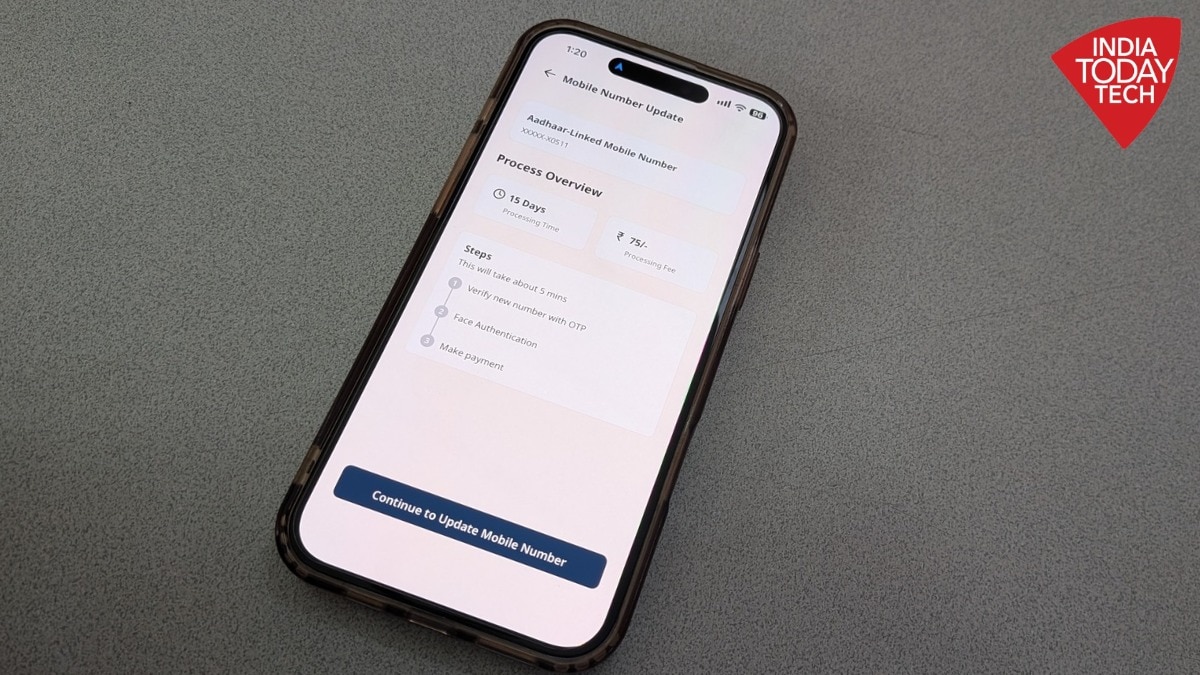
Want to update the mobile number linked to your Aadhaar? One way to do this is by visiting an Aadhaar Seva Kendra. But if you don't have the time to visit a centre, you can also update it using the official Aadhaar App without visiting the offline centre. The app is available on both the Google Play Store and Apple's App Store.But before we tell you the process do note that to update your mobile number online, you must have access to the number currently registered with your Aadhaar. This is required for authentication. If you have lost access to your old number or it has been deactivated, you will still need to visit an Aadhaar Seva Kendra or enrolment centre to complete the update.If you have access to your old number, here is a step-by-step guide to updating it through the Aadhaar App.How to update your Aadhaar mobile number using the appStep 1: Install the official Aadhaar App from the Google Play Store or Apple App Store. Make sure the SIM card linked to your old mobile number is active and available in your phone. Step 2: Open the app, enter your 12-digit Aadhaar number, select your preferred language and agree to the terms and conditions and privacy policy.Step 3: Select the SIM card linked to your Aadhaar, complete face authentication and set a six-digit PIN to secure the app. Step 4: Once you are logged in, tap on 'Services' in the lower section of the app and select 'Mobile Number Update'. Do note that the service costs Rs 75.Step 5: Enter the new mobile number you want to link to your Aadhaar. The app will ask you to verify the number using an OTP.Step 6: Follow the on-screen instructions to complete face authentication and make the payment for the update. You can do it using a card or UPI. Step 7: Once the verification and payment are complete, submit your request. You can use the app's request-tracking service to check the status of your update.Step 8: The update is expected to take around 72 hours. Once it is completed, you will receive a confirmation message on your new mobile number. You can then use the new number to log in to the Aadhaar App.What if you do not have access to your old mobile number?If your old number is lost, deactivated or no longer accessible, you cannot complete the update through the Aadhaar App. In this case, you will have to visit an Aadhaar Seva Kendra or an authorised enrolment and update centre.Here is what you need to do:Find your nearest Aadhaar centre. You can locate an Aadhaar Seva Kendra through the UIDAI website.Ask for the Aadhaar Update or Correction Form and enter your new mobile number.Submit the form and authenticate your identity using your fingerprints or other biometric details as requested.The current charge for a standalone demographic update, including a mobile number change, is Rs 75.Once the request is made, you will receive an acknowledgement containing an Update Request Number (URN), which you can use to track the status of your request.You do not need to submit supporting documents or provide your old mobile number for an in-person mobile number update. UIDAI says that update requests can take up to 30 days to be processed.- Ends
Aadhaar mobile number update: How to change your details online using the app
Full Article
Original Source
Read the full article at Indiatoday →KhanList aggregates and links to publicly available news content. We do not host full articles from third-party sources. Always verify important information with original sources.