
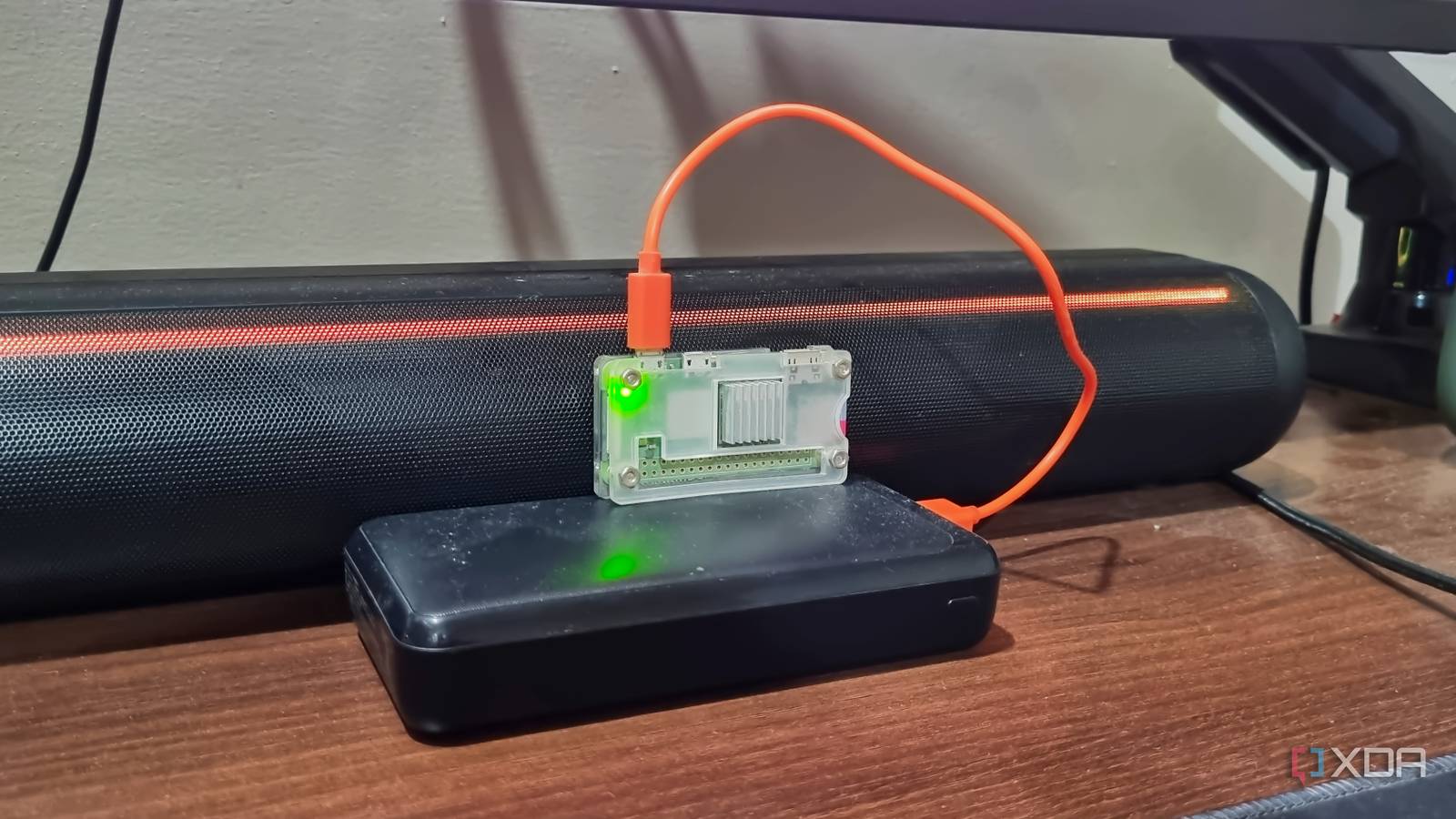
Published Aug 30, 2026, 11:00 AM EDT Abhishek is an author at XDA who covers computing. He has loved computers since he got the Lenovo G570 in 2012. Abhishek holds a master's degree in computer applications and began his writing career in 2018. He loves writing how-to articles, listicles, and informational posts on popular operating systems and web services. He closely follows the Windows Insider program and tests new Insider builds to discover upcoming experimental features and upgrades. His past work includes long-term collaborations with reputed publications like Tom's Hardware, and Windows Latest. When not writing anything, he is busy watching new episodes of One Piece or searching for something binge-worthy. Homelab sounds like a complex affair, one that demands the most powerful hardware you can find to pair with equally demanding software you can run. Add AI into the mix, and it no longer looks like a simple DIY project. What started as an interest in finding free alternatives to paid software and keeping your data private now requires a deep investment and a thorough understanding of maintaining an almost enterprise-grade home server. I'm not lambasting the whole niche, just the subreddits that overcomplicate simple stuff like small-scale self-hosting. A Raspberry Pi taught me what matters most in homelabbing, and it certainly wasn't the server rack, the network switch, or the multi-node cluster setup I read about. Let's discuss how a Raspberry Pi changed my perspective. Avoiding extremely expensive hardware Homelabbing shouldn’t burn a hole in your pocket Scouring through multiple homelab subreddits became my hobby when I first discovered the term. Users shared their fascinating setups, consisting of powerful computing systems, network hardware, storage racks, and even multi-machine setups that seemed like an impossible starting point. A beginner cannot invest in such expensive hardware just to get a few tools running and avoid paying for software. It might have a niche use case, but it doesn’t apply to everyone. Few tools need a ridiculously powerful computer and other components. You can easily build a mini-server by using an old entry-level computer or a Raspberry Pi, compared to what the subreddits boast about. It’s also a bad idea to jump into an expensive hobby without knowing your actual requirements. The memory and storage crisis has already driven up the price of almost every computer build multifold, and if you aren’t cautious, you’ll end up with hardware you don’t need and waste money. When I first started, I didn’t want a complex home automation setup or a multi-drive NAS running a RAID array. All I wanted was to self-host a few tools, and even an SBC could teach me that. A Raspberry Pi was a great entry point for me to learn the ropes without spending a huge sum. The first Raspberry Pi I bought was a Raspberry Pi Zero 2 W, which cost around $25 for the whole package (SBC, OTG cable, case, and SD card). The Raspberry Pi taught me many things Testing, improvisation, and patience The first project that I built was a remote download server, and it wasn't even a sophisticated one. I just combined the SBC with the 32-bit Raspberry Pi OS (with desktop), enabled RealVNC, and added jDownloader2 and an external HDD. With this setup, I could offload all download tasks to another drive, spare my SSD from unnecessary write operations, and avoid keeping the main PC active at all times. When you have such constrained hardware, it forces you to think about how to use it best. Your project requirements should govern the hardware you use, not the other way around. I have a few SBCs now, and I use one Raspberry Pi Zero 2 W as the remote download server while the other acts as a Docker system. But Docker isn't possible on such a puny SBC, right? My thoughts were the same until I began testing tools that could actually work on the SBC I had. I tried Jellyfin, Home Assistant, Nextcloud, and a few more demanding tools. These self-hosted tools worked great on an SBC with better computing power and memory than what I had. But deploying them helped me explore which one would work, and what features I would have to compromise to maintain system stability. After individual deployments, I moved on to Docker, which can work under 100MB of memory on the Raspberry Pi Zero 2 W, provided you use a lightweight OS like DietPi. I currently run three Docker containers on the other Raspberry Pi Zero 2 W. They include OmniTools, BentoPDF, and Vaultwarden, with Tailscale to enable remote access and HTTPS support. I tried many alternatives before settling on this trio, and the whole system runs under 200MB of memory. I could have used Sterling PDF, but it needs more than 500MB of memory and doesn’t support client-side data processing, which puts most of the load on the SBC. So, I improvised and adapted to the limited hardware availability by picking a lightweight alternative like BentoPDF. Gradually scaling up the homelab Repurposing old hardware and some essential upgrades Once I became well-versed in hosting tools and making the most of the SBCs, I started roping in other devices I could use as servers. I added laptops and virtual machines into the mix. I tried cluster computing with Docker Swarm, where each device served as a node for my main computer, which was an incredible learning experience. I also tested GlusterFS, which enabled distributed storage across nodes. I ditched the cluster computing idea and reverted to the individual server model because I liked it better. My laptop runs Nextcloud for local cloud storage along with Immich. As you scale up to such tools, additional upgrades like storage and memory become necessary. I bought a couple of SSDs and repurposed an old laptop HDD with a USB-to-SATA adapter. These upgrades made me realize that scaling required more investment, but at the time, I absolutely needed it. My laptop benefited from the 8GB DDR3 memory upgrade, while additional storage drives let me add a backup drive to each SBC and the laptop. Since the SBCs host my password manager, multiple system backup copies help me avoid data loss if hardware fails. Similarly, the laptop storage syncs my files from my phone and PC, and an additional backup adds another layer of protection in those scenarios. Homelabbing shouldn’t be frightening You don't need to figure out the perfect homelab setup before you start, and you can begin the journey with an SBC or an old PC. Self-hosting is all about using what's available to build something unique for your use case. Even if Nextcloud didn’t work on my SBC, I used File Browser to add a web file browser to check, download, and share files present on the external storage connected to it. Mastering self-hosting takes testing, patience, and a gradual dive into this huge rabbit hole. Raspberry Pi Zero 2 W The Raspberry Pi Zero 2 W is a small SBC with Wi-Fi and Bluetooth connectivity.
A Raspberry Pi taught me what actually matters in self-hosting, and it's not what the homelab subreddits obsess over
Full Article
Original Source
Read the full article at Xda-developers →KhanList aggregates and links to publicly available news content. We do not host full articles from third-party sources. Always verify important information with original sources.