
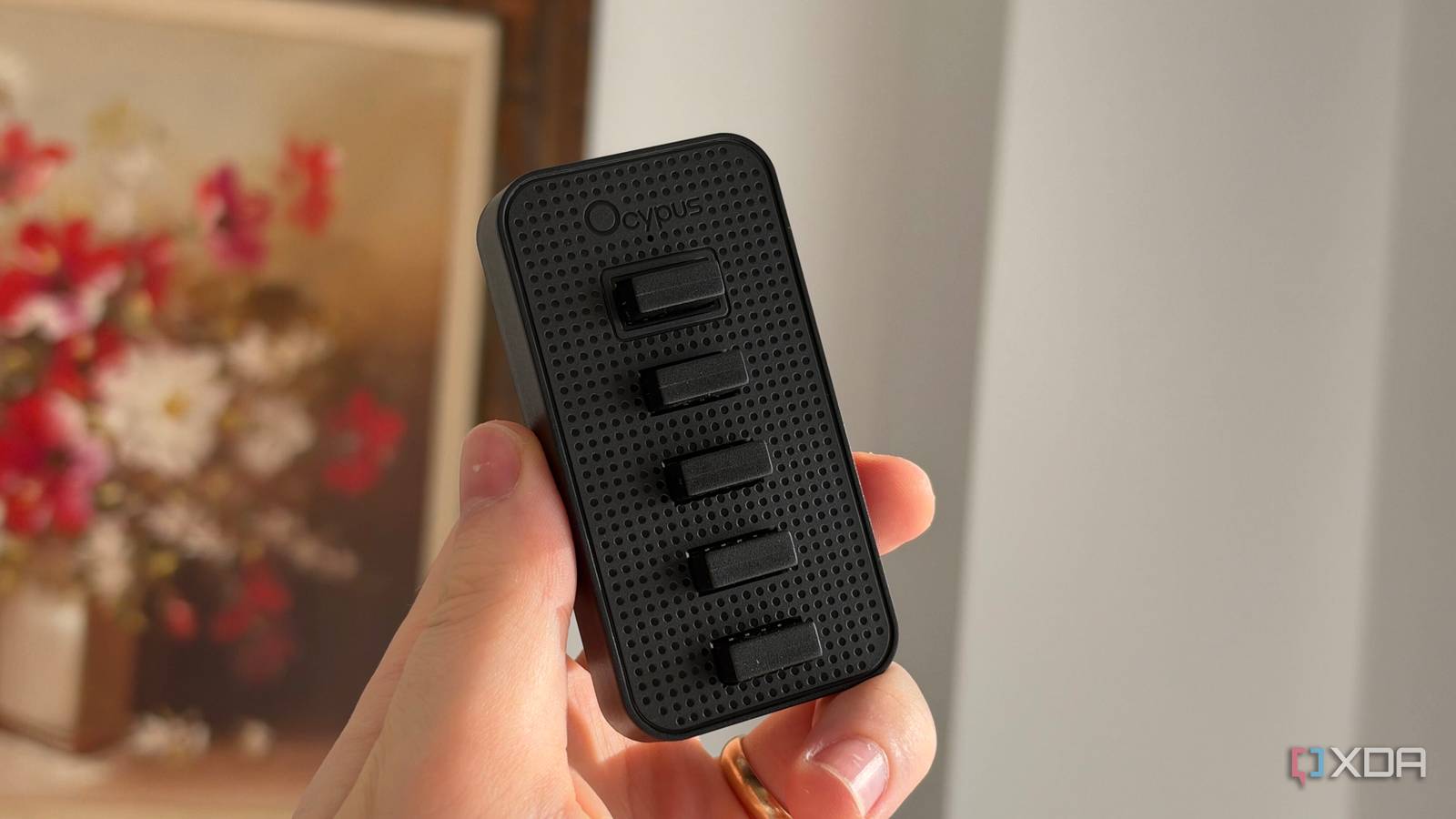
Published Nov 23, 2026, 7:00 AM EST His love of PCs and their components was born out of trying to squeeze every ounce of performance out of the family computer. Tinkering with his own build at age 10 turned into building PCs for friends and family, fostering a passion that would ultimately take shape as a career path. Besides being the first call for tech support for those close to him, Ty is a computer science student, with his focus being cloud computing and networking. He also competed in semi-pro Counter-Strike for 8 years, making him intimately familiar with everything to do with peripherals. When building a PC, the humble USB header is often forgotten about. You mount all the fans, get them plugged in, and go to plug in your AIO, RGB controller, or Bluetooth lead, only to find that the only USB 2.0 header has already been populated by your front I/O. You either have to sacrifice front I/O or some other part of your system, but it doesn't have to be this way. Internal USB hubs remove the need for that sacrifice. Those 9-pin connectors at the bottom of your motherboard can be used for a myriad of things, and spending around $15 for an internal hub that allows you to do all of them instead of only a couple of them is a no-brainer, and they've been a part of every parts list I've thrown together. Lots of components use them A USB 2.0 header is that black block of 9 pins, usually located at the bottom edge of your motherboard. These headers carry a connection worthy of two USB 2.0 ports, so it's what your case needs for the slower USB ports at the front of your case in addition to nearly every internal accessory. Being responsible for all internal accessories is where the problems can start. An AIO liquid cooler, for example, can use one of these headers so that its software can properly read data like pump speed and coolant temperatures. It's also there for when you want to put images on its screen, if that's your style. If you're using a PCIe Wi-Fi card with Bluetooth capability, you usually need to plug it into one of these headers in addition to whatever PCIe interface it's already using to get the Bluetooth to work. Add in any other accessories, like case mounted displays, card readers, power supply features, and RGB controllers, and you can easily run out of your allotment. Motherboards aren't adding more of them, either. Plenty of motherboards only come with two headers, and smaller mATX or ITX boards usually only have the one header. Gigabyte’s B650I Aorus Ultra, a premium Mini-ITX board, lists a single USB 2.0 header, while ASUS’s mainstream Prime B650-Plus has two. Board makers market their fast rear ports and USB-C connectors, and internal header counts just aren't something that they're trying to boost the numbers of. On some past builds for both myself and friends, I've had to pick and choose which devices get their full functionality, at least until I purchased an internal USB hub. No more sacrifices These internal USB hubs can be a total lifesaver in these circumstances. It plugs into one motherboard header and gives you several more 9-pin ports to plug devices into, and most of them are small enough to be tucked behind a motherboard tray or under a power supply shroud. You plug it in, give it power via a SATA power cable, and plug your devices in. There's no software to install and once the side panels go back on, you'll never have to look at it again. If you're going to buy one of these yourself, SATA power is the one thing I wouldn't skimp on. That USB 2.0 header simply isn't going to supply enough power across the other devices you plug into the hub. That can be enough for a controller or two, but stacking an LCD cooler and several controllers on one header leaves very little margin. It also costs a lot less than potentially moving up the motherboard ladder. The sort of money you have to spend to get another header just isn't worth it, and you end up paying for a bunch of other bells and whistles you probably won't use. Daisy-chain ecosystems are removing the need for these hubs Comes with its own set of downsides Vendors like Corsair have been coming up with their own ways to minimize reliance on these internal headers. Their iCUE Link ecosystem relies on just one of these headers to control an entire chain of fans and a cooler. This does increase reliance on their hardware, as adding anything non-iCUE to the mix would require using another header you might not have. Most builders would rather just add another link to the daisy chain than buy an internal USB hub, if you even have space to do so. I personally wouldn't want to be reliant on a single manufacturer's ecosystem for adding components to my build, but the appeal is there for systems with only one header. Remove the guesswork on build-day USB 2.0 headers are the kind of thing you don't think about until you run out of them. For systems that have fancy case displays and flashy AIO pump assemblies, it's entirely possible that your motherboard won't have enough to accommodate all of them. The humble internal USB hub is the answer, and they can be found for incredibly reasonable prices. Thermalright Internal USB 2.0 Hub
A $15 internal USB hub fixed the one motherboard limit I kept running into on every build
Full Article
Original Source
Read the full article at Xda-developers →KhanList aggregates and links to publicly available news content. We do not host full articles from third-party sources. Always verify important information with original sources.