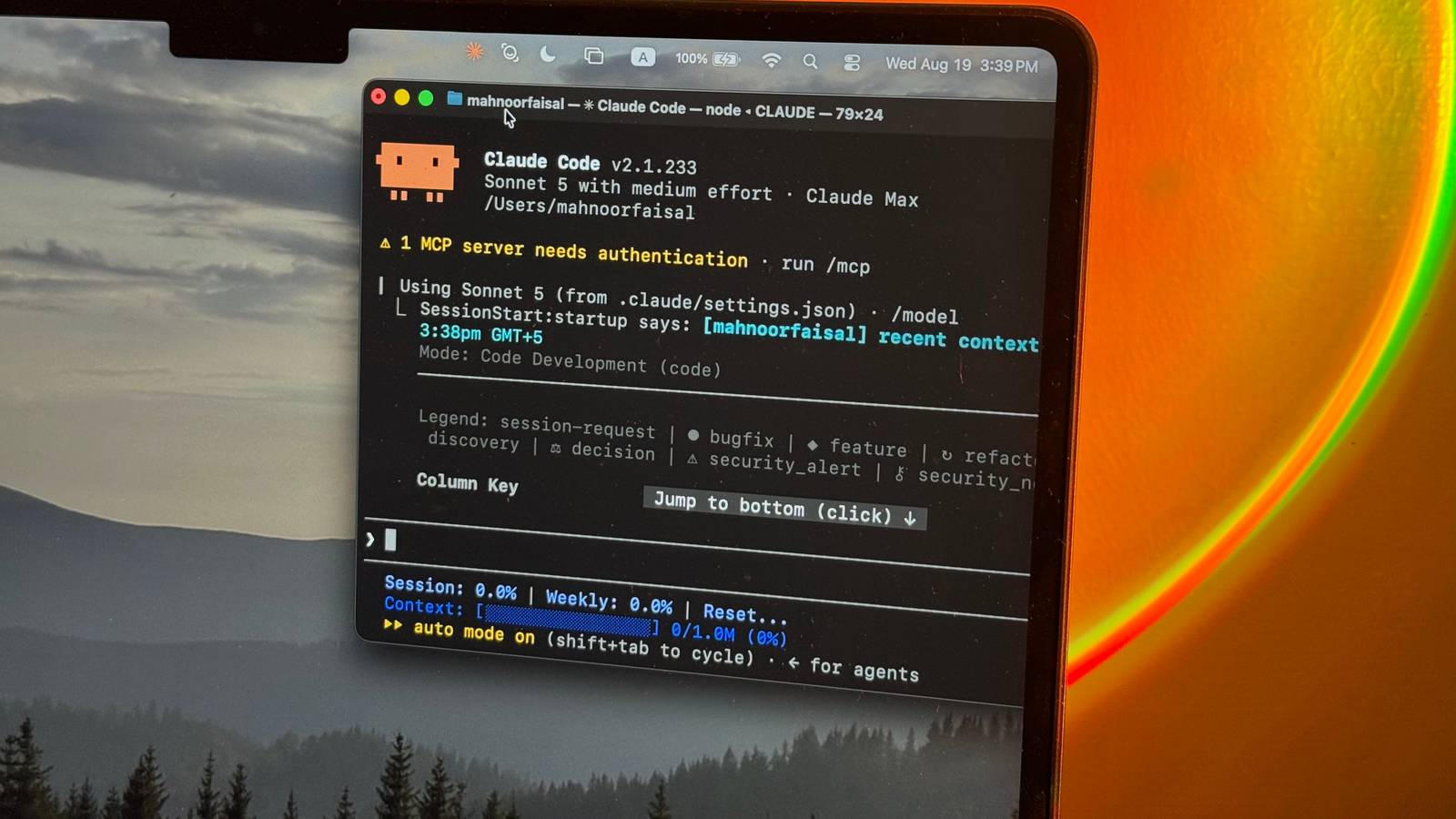
For a lot of subscriptions you pay for, you don't really need to worry about how much you use them. Your Netflix bill is the same whether you watch one movie a month or thirty. Spotify doesn't care if you stream all day. Your gym charges the same whether you show up or not. The price is fixed, and usage is essentially unlimited. Claude Code, and AI tools in general, don't fall into that category. Not only are these subscriptions getting pricier with each passing day, they also come with usage limits in place. With Claude Code in particular, it's surprisingly easy to burn through those limits much faster than you expect. Funnily enough, using more tokens doesn't necessarily mean getting better results. So, instead of rationing how often I use Claude Code, I've been changing how I use it. These are 7 ways I've managed to cut down its token usage without making it any less useful. I start a fresh session instead of dragging one task into the next Claude doesn't need to remember everything A lot of users have a habit of treating an AI conversation as a recurring workspace, returning to the same chat every time they need help with something remotely related. I used to do the same with Claude Code. I'd finish one task, move straight onto another, and keep the same session going simply because Claude already had some context about the project. The problem is that all of that context doesn't disappear just because you've moved on. In fact, all the context you give to Claude isn't stored in its memory either. To keep up with you and give you a sense of continuity, your entire conversation gets handed back to the model every single time you send it a new message. So, essentially, the whole chat is being re-read from the very beginning before Claude gives you a response. The longer that conversation gets, the more tokens Claude has to process on every turn, even if half of what it's reading has absolutely nothing to do with the task you're working on anymore. And while you might think that more context means the model will produce a better response, that isn't always the case. It might end up having the complete opposite effect, since Claude will have more noise to sift through before it can figure out what actually matters. To fix this, I've now started using the /clear slash command between unrelated tasks. It wipes the current conversation history and gives Claude Code a fresh context window, while still keeping the project-level instructions within your CLAUDE.md intact. So, if I've finished debugging one feature, and I'm about to begin working on something completely different, I clear the session instead of making Claude carry all that old baggage into the next task. I also use this when the conversation gets far too long and starts accumulating context that is no longer useful. If there's anything important I don't want to lose, I'll first have Claude summarize the key decisions, files changed, and anything still left to do. I'll then start fresh with that much smaller handoff instead. Run /context to see where the bloat is happening Find out what's eating your tokens You know how the first place you head to when your laptop starts to get sluggish is Task Manager, just to see what's actually hogging your memory? You can do something very similar inside Claude Code with the /context command. Running it gives you a breakdown of exactly what's occupying your context window, split across things like Claude Code's system prompt, built-in tools, custom agents, skills, and the messages in your current conversation. In my case, the command showed that I was using around 41,000 tokens in total, but only about 2,600 of those were coming from my actual messages. More than 20,000 were being taken up by system tools alone. That makes /context particularly useful because token usage isn't always coming from the place you'd expect. You might spend ages trimming your prompts only to discover that a pile of tools, skills, or other loaded context is responsible for a much bigger chunk of the window. Once I know what's taking up space, I can decide whether there's anything I don't actually need for the session instead of blindly trying to make every prompt shorter! For instance, if I have three MCP servers connected but I'm only using one for the task at hand, the other two cost tokens on every message for nothing! Run the /compact command Shrink the chat without starting over When you use the /clear command, you're essentially clearing the entire conversation, and you might find yourself re-explaining a lot of the context Claude still needed. This is why it isn't always a good idea to use it every time the context window starts filling up, especially if Claude has already spent time exploring your codebase, understanding the problem, and narrowing down a solution. In cases like this, or simply when I'm going to take a break from my current session and return to it later, I use /compact instead. Rather than throwing the entire conversation away, the command condenses what has happened so far into a shorter summary, preserving the important decisions and context Claude needs while freeing up space in the context window. Set the effort level based on the task Not every task needs Claude at full throttle You might've noticed that an LLM seldom answers a question instantly. More often than not, it takes its sweet time reasoning through your request before any words begin appearing on your screen. That reasoning isn't free, though. Depending on the model, Claude can spend a significant number of tokens thinking through a task before it ever starts giving you an answer. Claude Code does give you some control over how much work the model puts into a request. You can choose between different effort levels using the /effort command, with options ranging from Low all the way up to Max depending on the model you're using. As you'd expect, the higher you go, the more freedom Claude has to spend tokens thoroughly working through your request. Anthropic's newer models use something called Adaptive Reasoning, meaning Claude can decide whether a particular step needs deeper reasoning. While this means Claude Code can avoid spending excessive time thinking through every simple request without you prompting it, your chosen effort level still influences how readily and deeply it reasons. I switched the effort level from High to Medium for the exact same tasks and noticed roughly a 45% drop in token usage, without seeing a meaningful difference in the quality of the results. Match the model to the task Don't bring Opus to a boilerplate fight Similar to how not every task you do needs the same amount of reasoning, not every task needs to be handed off to Claude's most capable model either. A simple explanation, a quick refactor, or boilerplate change can be handled by a lighter model just fine. Anthropic currently has four main model families you can choose from in Claude Code: Haiku, Sonnet, Opus, and Fable. Anthropic positions Haiku as the fast and efficient option for simple tasks, Sonnet for everyday coding, Opus for more complex reasoning, and Fable for the hardest, longest-running jobs. You can switch between them using the /model command, so I've started treating model choice the same way I treat effort levels! I match the model I select to the task I'm doing, and only reach for the heavier options when I actually need the extra reasoning power. For simpler jobs, Sonnet is usually enough and helps me avoid burning through more usage than necessary. Use @mentions to point Claude to the files it needs Stop making Claude play hide-and-seek Claude Code is pretty good at finding its way around a codebase on its own, but that doesn't mean I make it do so every time. If I already know which file, folder, or handful of files are relevant to what I'm asking, I use @ mentions to point Claude directly toward them. Typing @ followed by a file path lets you reference that file directly in your prompt. You can mention multiple files in the same message too, while mentioning a directory gives Claude a listing of what's inside rather than immediately pulling every file into the conversation. This saves Claude from having to spend the first few steps of a task figuring out where it should even be looking. Instead of searching across the repository, opening several files, and eventually landing on the one I already knew was relevant, it can begin with the right context from the start. Interrupt it the moment it goes wrong Don't pay for the wrong answer twice One of the easiest ways to waste tokens in Claude Code is to let it keep going after you've already realized it's heading in the wrong direction. If Claude misunderstands the task, starts editing the wrong files, or goes down an approach you know won't work, every extra tool call and explanation after that point is just burning through more of your usage. The moment I notice that happening, I interrupt it rather than waiting for Claude to finish. It sounds obvious, but I used to let it complete whatever it was doing just to see where it would end up. More often than not, that meant watching it spend another few thousand tokens solving the wrong problem before I corrected it anyway. There are also times when I'm not entirely sure whether Claude is going off track or whether there's a reason behind what it's doing. That's where /btw comes in handy. The command lets you ask a quick side question about the current session without adding that exchange to the main conversation history. So, I can ask something like /btw why are you looking through these files? and decide whether to let Claude continue or steer it elsewhere, without turning that little detour into more context it'll carry for the rest of the session. Ultimately, while Anthropic definitely has a part in why you hit usage limits faster, it's not entirely fair to pin all of it on the company. A surprising amount of Claude Code's token usage comes down to how you use it!
7 ways I make Claude Code use fewer tokens without hurting the results
Full Article
Original Source
Read the full article at Xda-developers →KhanList aggregates and links to publicly available news content. We do not host full articles from third-party sources. Always verify important information with original sources.