
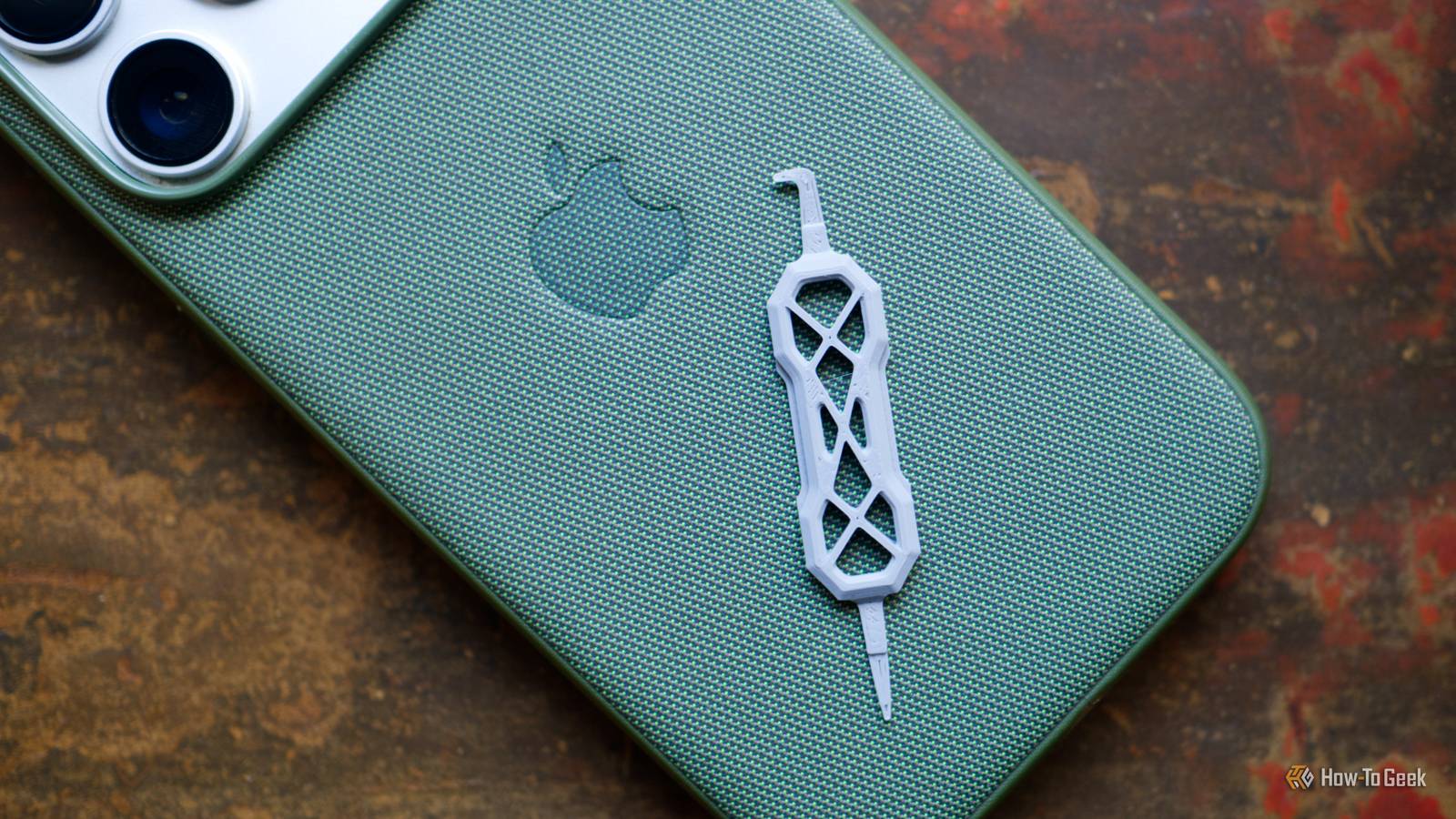
Published Sep 21, 2026, 12:30 PM EDT Tim has been covering technology for almost 20 years, in that time spanning a broad range of topics from security to product reviews. He is especially focused on the Apple ecosystem, productivity, and consumer advice. Over the years Tim has written thousands of articles, reviews, and round-ups in addition to producing video content and original photography. A graduate of journalism, he found his footing as a freelancer with a laptop and loves how he is able to work from practically anywhere. Now a Senior Editor for iPhone, Mac, and Smart Home at How-To Geek, Tim still loves to write. He can also be found crafting round-ups and productivity posts for the Zapier blog. Earlier in his career Tim spent nearly a decade as a writer and eventually Apple section editor for MakeUseOf. Tim currently lives in Brisbane, Australia. Outside of work he loves to hike and work out, play video games, and spend quality time with his wonderful partner and two cats Inka and Roger. Are you always throwing out old USB cables? You’re not alone; cables and the ports into which they fit can be frustratingly delicate. Thankfully, these 3D prints can help protect the bits that are most liable to break. Cable protectors for the point of failure The reason most cables eventually fail Nine times out of ten, if a cable is going to break, then it’s going to happen at the joint. Avoiding pressure at the point where the cable meets the connector housing will make your cables last a lot longer. Though most cables include some sort of flexible rubber protector, reinforcing the area is even better. There are lots of designs available, depending on the cable you’re using. There are USB-C specific designs, USB-A alternatives, others that promise a universal fit, models designed to be printed with flexible TPU, and even some brand-specific fits like these Apple cable protectors. It’s worth saying that even with these fitted, you should do your best to avoid tugging on a cable. USB port cleaners PLA is perfect for cleaning while avoiding damage Credit: Tim Brookes / How-To Geek Your smartphone’s USB-C port is probably full of pocket fluff and other gunk that will eventually interfere with charging performance. The more often you clean it, the easier it is to keep clean. For this, a simple 10-minute print that uses less than 1g of filament is perfect. The charging port cleaner has both a hooked end and a pointy end for cleaning your gummed-up ports. PLA is soft enough that it shouldn’t damage the sensitive charging contacts, and you can just print another if you end up damaging or losing it. USB port covers Protect your ports from dust, pets, and kids Credit: TinkerVault / MakerWorld Not all ports get used all of the time, but when you need them, it’s good to know they won’t fail you. For computer cases, game consoles, and other hardware, dust buildup can be a real problem. If you have pets, fur gets everywhere. If you have kids, you never know what you might find in these ports. You can print a full set of port covers to fit different flavors of USB, HDMI, DisplayPort, and smaller variants. This collection also protects Apple Lightning ports, Ethernet ports, and audio inputs and outputs. For a slightly different take, check out these port covers with an easy-remove design. Strain relievers for tight angles Cheaper than a new cable Credit: HamAndChris / MakerWorld Cable protectors are good at protecting cables against a sudden jerk, but a sharp bend in the cable can do just as much damage over time. It’s better to guide this bend by making sure the angle isn’t too extreme with a cable bender print. These right-angle strain relievers turn a straight cable into a 90º turn. Though this isn’t quite as useful as a right-angle connector, it’s a lot cheaper than replacing the cable. You can also print a 180º version in case you need to route a cable back on itself. Cable guides for static runs Less movement, less hassle Credit: VC_design / MakerWorld While some cables are designed to be carried with you or deployed at will, others are designed to be used in the same place at all times. If you find yourself always using the same cable in the same place to do the same thing, minimizing movement by 3D printing some cable management hacks is worth doing. Sometimes, this is as simple as using a screw-in cable holder to perfectly route a cable along the back side of your desk. Other times it’s taking the opportunity to use an under-desk cable management system like Underware or openGrid to route everything neatly. Under-desk hub mounts Parametric model generators for almost any hub Credit: Patrick Campanale / How-To Geek USB hubs are becoming increasingly necessary in a world of laptops and mini PCs that lack ports. They offer a tidy place to plug in peripherals, and many are even powered for fast charging phones and other accessories. But they can make your desk look a bit untidy unless you integrate them neatly. So why not mount your hub so that it’s just out of the way? This way you can’t bump the cable connectors or accidentally drag the hub off the desk while moving things around. Parametric model generators let you customize models to suit your hardware, and there are plenty to choose from. For example, you can print your own parametric brackets for a floating design, or use a parametric supported mount instead. Pick the color to match your desk, mount it so that you can’t catch cables when in use, and make sure to take the time to cable-manage the back end for a neat run. Protecting cables with a 3D printer is one thing; how about solving your shameful box of cables with a $0.05 print?
6 tiny 3D prints that save your USB ports and cables from an untimely demise
Full Article
Original Source
Read the full article at Howtogeek →KhanList aggregates and links to publicly available news content. We do not host full articles from third-party sources. Always verify important information with original sources.