
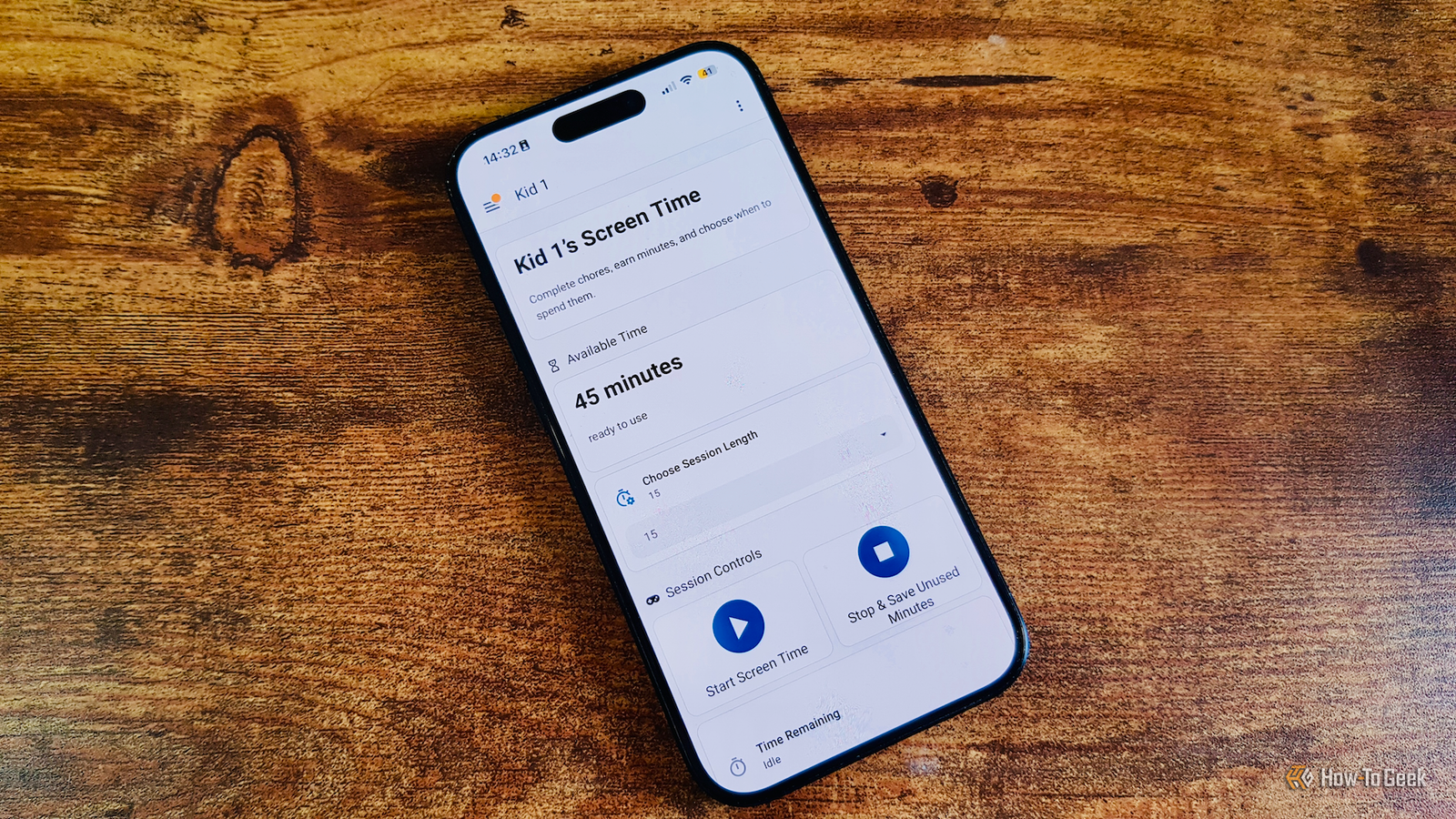
Published Nov 18, 2026, 3:31 PM EST Adam has a degree in Engineering and has a life-long interest in technology. He has been writing for over a decade for various print and online publications, with a focus on consumer tech. He joined How-To Geek in 2024 while working at Pocket-lint. As well as being a long-term fan of Apple products, he also has a strong interest in smart home tech, running a Home Assistant server at home to automate all his smart home devices. He believes that the ideal smart home should work with minimal interaction from the user, with automations running as if by magic rather than requiring you to push buttons on a control panel. You can find more of his work on Muck Rack. You might think that to take advantage of what smart home software can offer, you need a lot of smart home devices such as smart bulbs or motion sensors. In fact, you don't necessarily need any dedicated smart tech at all. Some of the most useful automations that I use every day don't involve anything other than my phone. There are plenty of things you can automate without needing to buy additional smart home devices. Smart home systems such as Alexa and Google Home or automation services such as IFTTT give you some fairly limited options, but if you use software such as Home Assistant, you can do even more. Household chores Track chores and earn rewards This is honestly one of the best things that I've set up using Home Assistant, and it doesn't use a single smart home device. Using the custom KidsChore integration (or the newer ChoreOps integration), I've set up an entire chore management system for my kids. They can see their daily chores on a tablet, and when they've completed a chore, a notification is sent to the grown-ups' phones to confirm that the chore has been completed properly. Once confirmed, the kids earn stars for each completed chore. They can then cash these stars in for allowance, Friday candy, or extra screen time. It works really well, and it means we're no longer nagging the kids to do tasks. They do them as soon as they get home from school so that they can unlock their screen time as quickly as possible. Work and focus sessions Build a Pomodoro timer that works around you Pomodoro timers can help keep you on track for short bursts, but the problem is that most Pomodoro apps follow quite rigid patterns. You can use automation to build your own Pomodoro timer that fits around how you work. If four blocks of 25 minutes don't work for you, you can build a custom Pomodoro timer that does. My own version plays music for 25 minutes before pausing and then gives a spoken announcement that it's time to take a break. However, my setup requires the use of a smart speaker, which definitely counts as a smart home gadget. Even without a smart speaker, you can use alerts on your phone to tell you when to work and when to pause, and you could even get music to play through your phone if you wanted. Medication tracking Never miss a dose again This is another automation I use every day. I have to take two tablets each day, and I'm terrible at remembering to do so. I've tried using dedicated medication tracking apps in the past, but they always lacked features that I really wanted. I ended up building my own using Home Assistant; it sends me repeated alerts every half hour from 7:30 PM until I mark the tablets as taken. I can pause the reminders for a set period, or if I'm away from my house, there's an option to restart the reminders once I get home. The entire thing works using actionable notifications on my phone, and since using it, I've not missed a day. Location-based reminders and actions Your phone can track your location One issue with my medication reminders is that they use critical alerts to ensure that the notifications always play a loud sound, even when my phone is silenced. This is fine at home, but not when I'm at the movie theater, for example. I have an automation that automatically disables loud notifications when I'm in specific locations, such as at the movies or in the local theater. It uses GPS location to determine when I'm in the relevant zone. You can use the same idea in multiple ways, such as bringing up your shopping list when you get to the grocery store. Weather alerts when you actually need them You don't need to know every time it starts raining If you suffer from notification fatigue, weather alerts can really add to your pain. Your phone may inform you that rain is about to start, then tell you it's stopped, then tell you it's about to start again, while you're sitting at home with no plans to leave the house. You can set up automations that not only consider the weather but also what you're planning to do. By linking your calendar to Home Assistant, for example, you can ensure that you only get weather alerts when you're actually planning to go out, and which only relate to the conditions you'll experience when you're out of the house. Automatically silence your phone during meetings No more embarrassing calls This is another useful way to take advantage of linking your calendar to Home Assistant. There's nothing more embarrassing than your phone going off in the middle of a work call while you're on speaker (except maybe forgetting that you're muted over and over again). By linking your smart home to your calendar, you can set up an automation that will automatically put your Android phone into Do Not Disturb mode for the duration of your meetings. There's no direct way to do this on an iPhone; you need to use workarounds such as sending a notification to your phone containing specific text and then creating a shortcut to turn on Do Not Disturb when the message is received. Know exactly when to leave for an appointment Get journey times based on live traffic data As well as knowing when you have appointments, your smart home can also tell you when you need to leave to get to them. If you provide the address of wherever you're going, you can use integrations such as Waze Travel Time to estimate how long it will take to drive there based on current traffic conditions. Your calendar event can also include the time that you need to arrive. You can then set up an automation that will send an alert to your phone informing you when you need to leave so that you reach your destination on time. Your smart home can do a lot with very little All of the automations above can work with nothing but your smart home software and a smartphone. A lot of my most useful automations don't use any smart devices at all. It's worth seeing what you can build without relying on other devices for help.
5 things you can automate without owning a single smart home gadget
Full Article
Original Source
Read the full article at Howtogeek →KhanList aggregates and links to publicly available news content. We do not host full articles from third-party sources. Always verify important information with original sources.