
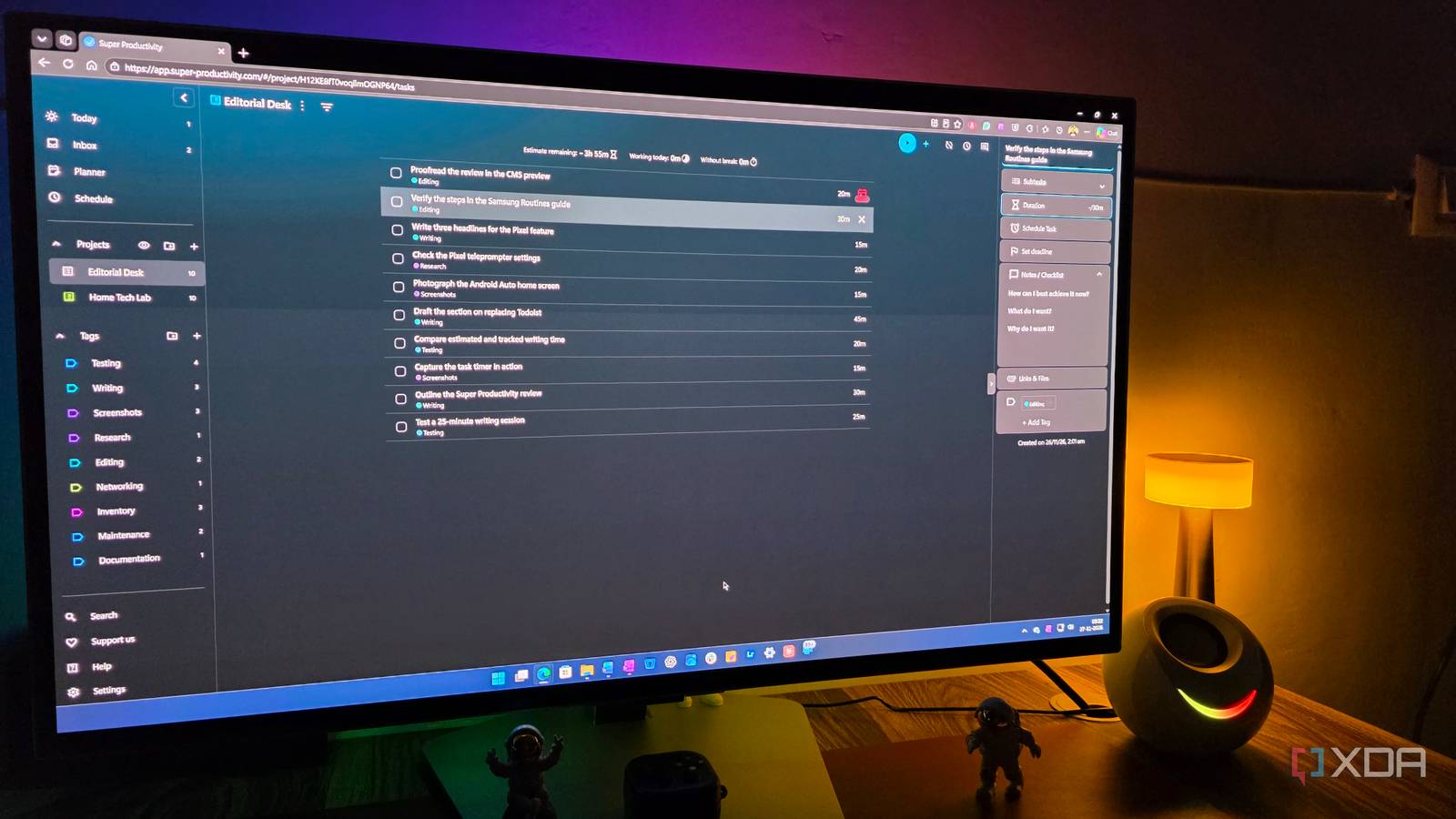
Published Nov 28, 2026, 4:00 PM EST Parth, a seasoned tech writer, wields the keyboard (or pen) with finesse to unravel the intricacies of both Windows and Mac operating systems. He has covered evergreen content on mobile devices and computers for multiple publications over the last six years. You can find his work on AndroidPolice, GuidingTech and TechWiser. Whether it’s demystifying system updates, deciphering error codes, or exploring hidden features, Parth’s prose guides readers through the binary maze. When not immersed in tech jargon, you’ll find him sipping chai, pondering the next software review, and occasionally indulging in a friendly debate about mechanical keyboards. When I first started exploring self-hosted apps, I expected to make a few compromises in exchange for privacy, flexibility, and freedom from recurring subscriptions. A dated interface, clunky navigation, and inconsistent design seemed like a reasonable trade-off. However, after testing dozens of self-hosting tools, I found five apps with stunning dashboards, thoughtful animations, beautiful typography, and intuitive interfaces without compromising on features. Super Productivity Making TickTick look unnecessarily expensive Super Productivity wasn’t always an app I would recommend for its design. When I first came across it, the interface felt rather basic and outdated with generic icons, uninspiring menus, and little visual personality. Although it was packed with useful features, it lacked the visual polish of alternatives like Todoist and TickTick. However, Super Productivity has received a major UI makeover that changes how I feel about the app. From subtle gradients and smooth animations to refined typography and thoughtfully designed task cards, the entire interface feels more cohesive. Even with so many features at my fingertips, it doesn’t feel unnecessarily heavy or cluttered. I can manage complex projects, organize tasks with tags and subtasks, visualize my schedule in a calendar view, track the time I spend on individual tasks, plan my day, build habits, and even use a built-in Pomodoro timer. Super Productivity essentially combines several dedicated productivity tools into a single, beautifully designed package. It no longer feels like an open-source alternative I have to settle for to save money. Super Productivity Super Productivity is an all-in-one productivity tool. Tandoor A digital cookbook with impeccable taste Recipe management apps aren’t exactly known for their beautiful interfaces, but Tandoor is a refreshing exception. Instead of presenting my recipe collection as a boring list of dishes, Tandoor uses attractive recipe cards, large food images, and a well-organized interface. I appreciate how the developers have maintained a consistent design language across the recipe editor, meal planner, and shopping lists. The interface feels lightweight, and I rarely find myself digging through unnecessary menus to access basic functions. I can import recipes directly from websites, adjust ingredient quantities by serving size, organize recipes with keywords, create weekly plans, and generate shopping lists based on upcoming meals. It strikes an excellent balance between visual appeal and practicality. Tandoor Tandoor is a self-hosted recipe manager. BentoPDF Adobe Acrobat could learn something here I have always found Adobe Acrobat’s interface heavy and overwhelming. Between its crowded toolbars and constant upgrade reminders, even a basic PDF operation can feel like a chore. BentoPDF takes a different approach. Its modern card-based layout, colorful icons, and clean typography make working with PDFs pleasant. I can quickly find the right tool, upload my documents, run the necessary operation, and get back to work. The entire experience feels lightweight and responsive compared to Adobe Acrobat. BentoPDF is anything but basic. I can merge and split PDFs, compress large documents, rearrange pages, add watermarks, redact sensitive information, protect files with passwords, and convert documents into different formats. It also processes files locally in my browser, which is a huge advantage for confidential documents. BentoPDF BentoPDF is a self-hosted PDF tool that rivals Adobe Acrobat. AFFiNE Outshining Notion in style As much as I appreciate Notion’s flexibility, I have always found its interface a little overwhelming, especially when dealing with large workspaces. AFFiNE takes a refreshing approach to the same concept. My favorite aspect of AFFiNE’s design is its Edgeless mode. I can switch from a traditional document to an infinite canvas, brainstorm ideas, create mind maps, and arrange different elements freely. The transition between writing and visual brainstorming feels natural, and the interface remains consistent across both modes. I can create interconnected documents, manage projects using databases and Kanban boards, organize pages into collections, and use the whiteboard to visualize complex ideas. It essentially combines much of what I would otherwise use Notion and Miro for under one roof. Despite such a huge feature set, AFFiNE feels lightweight and approachable. AFFiNE AFFiNE is a knowledge management tool that rivals Notion. Linkwarden A digital clutter never looked better Bookmark management is another area where I have come to expect uninspiring interfaces. However, Linkwarden caught my attention with its beautiful card-based layout, rich website previews, refined typography, and modern sidebar. Instead of staring at an endless list of URLs, I can browse my saved articles, websites, and resources in a visually appealing library. I can switch between layout options, create collections, assign tags, and find relevant links using the built-in search. Its dark theme looks attractive without compromising readability. I can preserve webpages as screenshots, PDFs, and HTML files, so I don’t lose valuable information when a website goes offline or removes an article. I can also highlight important passages, collaborate on shared collections, and access my bookmarks through browser extensions. Linkwarden Linkwarden is an open-source bookmark manager. Great design isn’t exclusive to subscriptions These five apps prove that self-hosted software doesn’t have to choose between aesthetics and functionality. Despite looking sleek and feeling lightweight, none of them feels like a stripped-down alternative to their paid counterparts. These apps have fundamentally changed my expectations of self-hosted software.
5 self-hosted apps that look and feel better than software I actually paid for
Full Article
Original Source
Read the full article at Xda-developers →KhanList aggregates and links to publicly available news content. We do not host full articles from third-party sources. Always verify important information with original sources.