
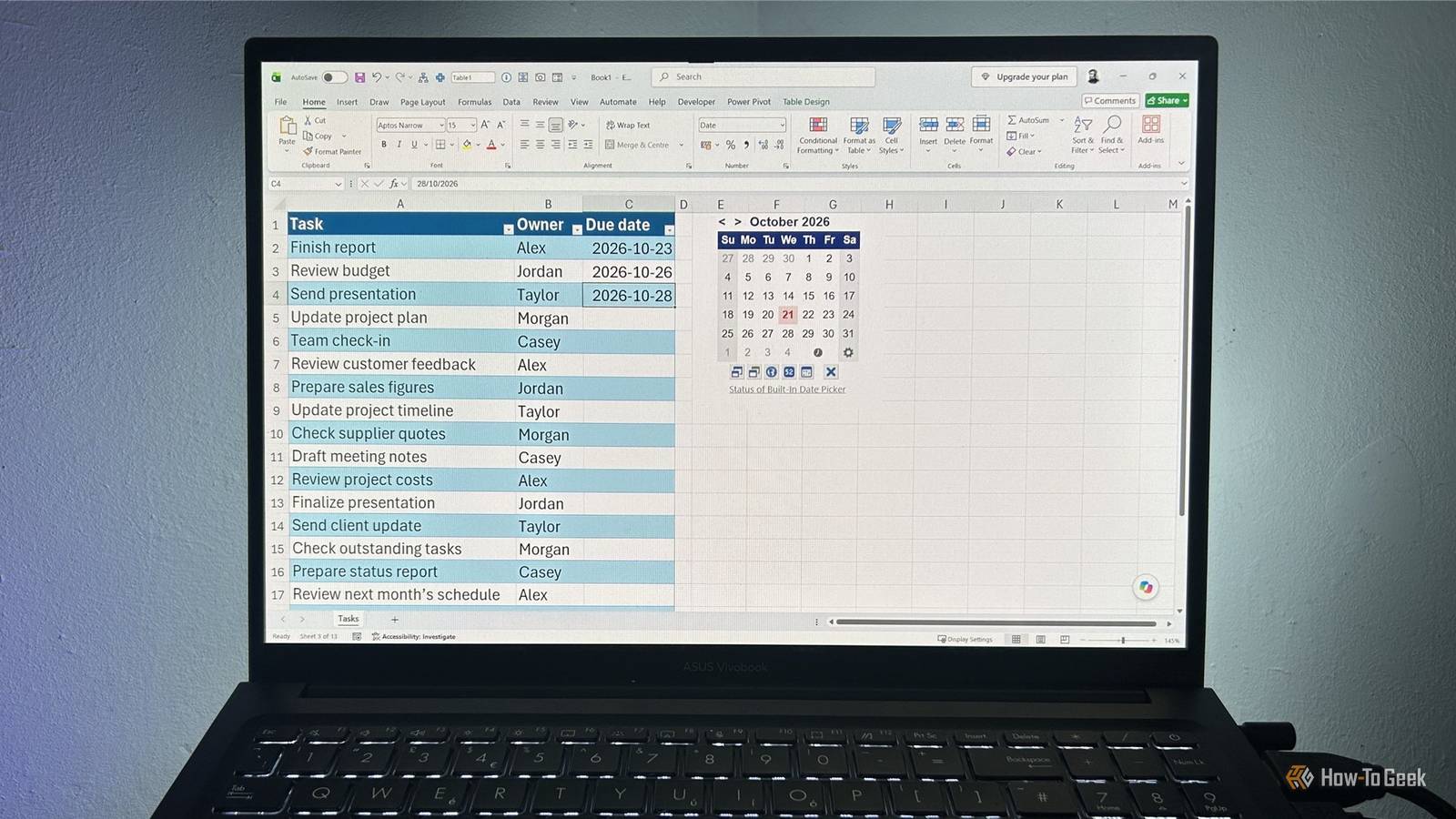
Published Nov 1, 2026, 5:01 PM EST Diana's interest in technology spans many years. Her favorite areas include consumer software, everything Windows-related, VPNs, and graphic design tools. She's always on the lookout for tools and features that make tasks easier, boost creativity, and improve everyday life. When she finds something interesting, chances are she'll have something to say about it. Apple's 2009 "There's an app for that" slogan rings even truer in 2026. Anything you want to do, you'll find an app that's supposed to help you, and productivity apps are no exception. But between paywalls, unnecessary features, and wasting time toggling between too many tabs and views, you might start wondering whether they're making your life easier or just giving you more things to manage. And maybe you could've just used a spreadsheet all along. There's more to Excel than complicated formulas. Todoist, but make it clutter-free Spend less time organizing tasks and more time getting them done Project management apps like Todoist, Asana, or Trello are useful, but can become clunky and overcomplicated. They also tend to keep their most useful features behind a paywall. If you work on multiple projects at once, you know that standard overviews in apps like Asana and Trello tend to pile all tasks in one place, making it difficult to distinguish priorities at first glance. Boards, labels, tags, and subtasks also tend to overcomplicate things. If you replace to-do apps with Excel, you can keep things simple and rely solely on the features you actually need, without being forced into a workflow that doesn't suit you. I'd argue that the lack of notifications is also a plus. You'll open your task manager anyway, and you won't have to dig through newsletters and promotional emails to find a useful one. You can also use formulas to create time slots, compare time spent on a task with overall availability, and generate data and graphs that will help you understand what works and what doesn't so you can adjust your SOPs even further. The biggest tradeoff here is that spreadsheets lack native task-assignment workflows, though Microsoft 365 spreadsheets still support real-time co-authoring and threaded comments. Forget Habitica's streak obsession Lose gimmicks and build habits that actually stick Many habit trackers prioritize app engagement rather than support for habit building. False progress markers like gimmicky games or unforgiving streak systems can shift your focus from doing a habit in a meaningful way to going through the motions just to preserve your progress or gain XP points. You use them frequently and start feeling accomplished, but the habits stay underdeveloped. I should know. My Duolingo streak is over 2,000 days, and somehow my Latin was better back in 10th grade. If you use a spreadsheet, you can keep the core benefits of these systems and cut unnecessary frills. You can build your habit tracker around what you want to achieve and set up better ways to check whether you actually reached your goals. You can build a system that goes beyond ticking boxes. If you’re trying to form a new habit, you can track the days, the time of day when you’re doing it, and also flag the reason why you’re not doing it in case you skip. This will help you adjust over time and focus on building a sustainable routine. And if games keep you motivated, you can still add some elements like milestones or weekly charts to visualize your progress without giving yourself a false sense of accomplishment. Strong without the restrictions Log all fitness progress in one place with no restrictive presets and routines I tried more than a few fitness apps, but ended up sticking with a simple spreadsheet for over two years. Premium apps are too expensive without a clear added value. You can find good exercise splits that fit your goals in one web search. Free apps, on the other hand, can be ok in terms of tracking features, but they’re plagued with ads, and some of them don’t let you track anything beyond preset exercises. If you make an exercise tracker in Excel, you can log any type of exercise, including an oddly specific one you made up yesterday. Apps like Strong are great for tracking weightlifting progress, but good luck if you also cycle, swim, or do anything else that doesn’t involve weights. With a spreadsheet, you can track all of these activities in one place without unnecessary complexity or juggling between multiple apps. And if you’re into stats, you can automate them in Excel as well and visualize your progress over time. YNAB minus the subscription fees Paying for an app that’s meant to save you money would make a perfect case study in cognitive dissonance. But the subscription economy doesn’t exclude budgeting apps. You have to pay $15 a month to track your spending or set budgets in an app like YNAB. Free alternatives like Rocket Money come with limitations. If you want to set up custom budgets, you’ll have to limit yourself to two categories only. And as convenient as it is, I’m not particularly keen on sharing my bank account or wallet app data with a budgeting app just for the sake of tracking. I’m not saying they’re not safe, but I try to limit sharing these details as much as I can. If you take some time to set it up, you can create a budgeting app that helps you track exactly where most of your money goes and set custom goals. Or you can keep it simple and just track your expenses in columns. If you don’t know exactly where to start, you can check Microsoft’s pre-made Excel templates for budgeting. The tradeoff here is that you’ll have to enter most of your information manually. But if you sync Excel with your Android or iOS phone, you can log expenses on the go, as they happen. Goodreads without the numbers game Track what matters to you without turning reading into a competition Reading trackers are great for finding community and discovering new books. But they can also turn reading into a quantity-focused competition and keep you browsing through reviews and recommendations endlessly instead of actually reading. If you use an Excel template for tracking your reading progress, you can set custom goals that focus on more than the quantity of books you read in a year. You can, for instance, set a challenge or goal to read 5 continental philosophy books. Making sense of these will take more time, so your total number of books read might be smaller, but that doesn’t mean you’re getting any less out of reading. In a spreadsheet, you can track by a wider range of criteria like language, page count, genre, or publication period. And it can also double as a digital inventory of the books you own. And if stats keep you motivated, you can track anything that can be tracked, from the number of books read to the number of genres, total page count, languages, or even books per author. The biggest loss of abandoning an app like Goodreads or StoryGraph is that you lose the recommendation aspect, but if you like these apps, your TBR is probably already too long for one lifetime anyway. Building your own vs using a template Creating super-customized workflows that match you perfectly is tempting, but it can also be intimidating if you don't know the exact system you want to use before you start. To get some inspiration, you can check out what other people are doing. You can find useful templates for productivity app swaps on Microsoft websites. They're good starting points, and you can adjust them if they don't match your needs perfectly.
5 productivity app replacements you can build in an Excel spreadsheet
Full Article
Original Source
Read the full article at Howtogeek →KhanList aggregates and links to publicly available news content. We do not host full articles from third-party sources. Always verify important information with original sources.