
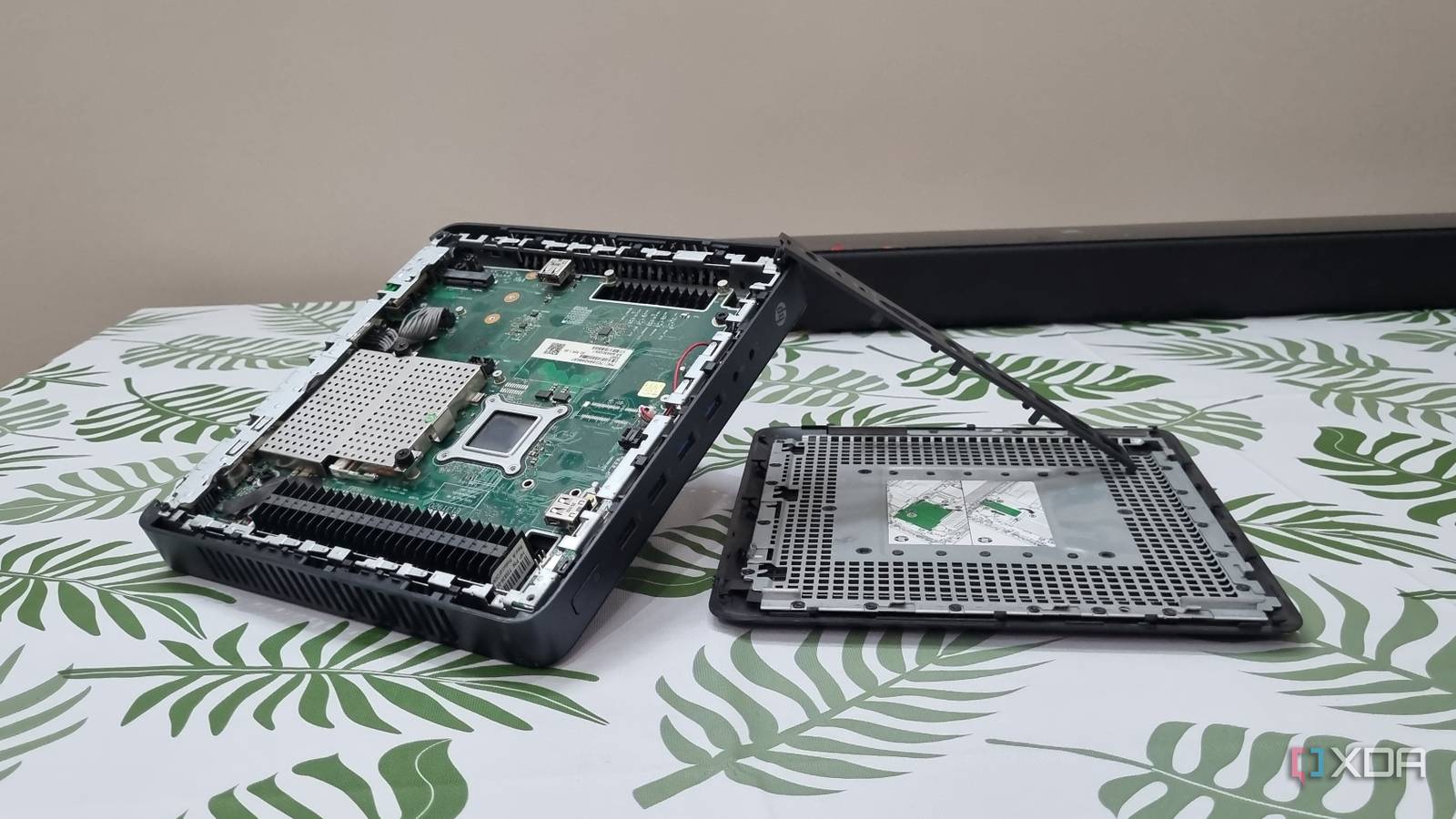
Published Oct 21, 2026, 8:01 PM EDT Abhishek is an author at XDA who covers computing. He has loved computers since he got the Lenovo G570 in 2012. Abhishek holds a master's degree in computer applications and began his writing career in 2018. He loves writing how-to articles, listicles, and informational posts on popular operating systems and web services. He closely follows the Windows Insider program and tests new Insider builds to discover upcoming experimental features and upgrades. His past work includes long-term collaborations with reputed publications like Tom's Hardware, and Windows Latest. When not writing anything, he is busy watching new episodes of One Piece or searching for something binge-worthy. A thin client is the least exciting device for a normal user. It's something you only see in college and school labs, or workplaces that need a just-enough usable computer to run a bunch of software. In contrast, a mini PC feels more exciting because it has a fairly diverse use case. You can pick entry-level devices with Intel N100 and N150 chips, or go with something more powerful like a six/eight-core CPU and a discrete GPU. For home servers or just as an additional computer, the entry-level mini PCs are more suitable. I wanted to buy a mini PC, but in these testing times, even devices that used to be cheap retail at mind-boggling prices. So, I spotted a used thin client and gave it a try after a quick memory and storage upgrade. There's adequate power hiding inside the bland exterior, and here are four ways I would repurpose it. Use it as a spare computer Several Linux distributions can help If you have a thin client that once used to run Windows 10 and cannot run the next one, it's still useful as a spare computer. Linux distributions like AntiX can revive old thin clients and offer a very lightweight design. Similarly, MX Linux Fluxbox is another lightweight distribution that doesn't even have a desktop environment. It aims to provide a desktop-like experience through a window manager. These distributions can run on under 500MB of memory and don't need much GPU power. You can install browsers and a few other tools like LibreOffice to build a basic PC suite. A spare computer doesn't need much, and as long as it can play media and surf the web, anyone in your family can use it. Another idea is to use it as a learning computer for Linux and programming. Use a purely CLI OS like Ubuntu Server to slowly learn the ropes and master the terminal and OS basics. Build a local cloud storage Ditch Google and Microsoft’s duopoly Building a local cloud storage is actually one of the simplest things you can do with a thin client. You can install a lean x86 OS like Ubuntu Server or DietPi and then install Nextcloud. You can also deploy it as a Docker container and run Immich alongside it. I recommend the latter, since containerization is better than installing packages individually. Even if you hate Nextcloud's apps for documents, sheets, and meetings, the basic file sync feature is enough to convince you. Once you have the server set up, you can install Nextcloud client apps on your phone and PC. After a quick file mapping and sync job, the tool will automatically create backups on the server. Most thin clients support SATA HDDs and SSDs, and you can add an extra drive and use it only for Nextcloud backups. A thin client also has multiple external ports for connectivity, and even USB-to-SATA enclosures will work fine. I mentioned Immich because it's a great alternative to Google Photos. Nextcloud has basic image backup and preview, but Immich takes it to the next level. It supports OCR and can use machine learning to improve file mapping and search. A thin client might not be able to handle the machine learning features of the tool, but you can still connect your Nextcloud library to it. Host a suite of lightweight apps Several things to save money on Lately, I've been curious about lightweight, self-hosted tools that can replace paid subscriptions. While I host Vaultwarden on a Raspberry Pi Zero 2 W, I can also host it on the HP t620 thin client I got a few weeks back. The password manager is fully capable of replacing both Chrome and paid tools. I was a devoted LastPass user for years before finally switching to Vaultwarden. Since a password manager should have 24/7 uptime, you'll need uninterrupted power and network connectivity. You'll also need Tailscale Serve or a reverse proxy to enable HTTPS. The next thing you can host is a PDF editor like BentoPDF or Stirling PDF. BentoPDF is a lightweight implementation and surprisingly good for such a small tool. Stirling PDF is more demanding, but the features are also comparable to paid tools like Adobe Acrobat. A thin client won't have problems running either of them. Another lightweight app you can host is OmniTools. It's a purely client-side processing app like BentoPDF and runs on even the weakest SBCs without stutters. Your thin client can run it without issues. Beyond this trio, you can host a local download client for large, uninterrupted downloads. Pi-hole, Unbound, or any other tool It's possible to squeeze the Pi-hole and Unbound combo on a puny Raspberry Pi Zero 2 W. It'll serve as a network-wide ad blocker while Unbound acts as a private DNS resolver. You could use Cloudflare or another DNS provider, but since self-hosting is about maximum privacy, this basic combo gives you the best of both worlds. AdGuard is another tool to block website tracking and remove ads. But it's a more demanding service and needs a powerful SBC or a mini PC. Another idea is to build a primary DNS resolver and sinkhole on the thin client, using the Raspberry Pi Zero 2 W and an alternate one. So, if one goes down, your internet access won't be cut off. Thin clients also have built-in Ethernet ports, which is a perk for a stable connection compared to Wi-Fi. Old but still useful A thin client deserves more praise than it gets. Earlier, I saw SBCs as the cheapest option for a home server use case, but thin clients match that price with better performance. An old thin client is still cheaper than a new mini-PC, and less powerful. But you can run most self-hosted tools without worry, and you can upgrade memory and storage. GMKtec Mini PC GMKtec Nucbox G3 features the Intel Processor N150, 16GB RAM, and a 512GB SSD. Plus, it includes Windows 11 Pro pre-installed.
4 things I'd do with a cheap used thin client before buying a new mini PC
Full Article
Original Source
Read the full article at Xda-developers →KhanList aggregates and links to publicly available news content. We do not host full articles from third-party sources. Always verify important information with original sources.