
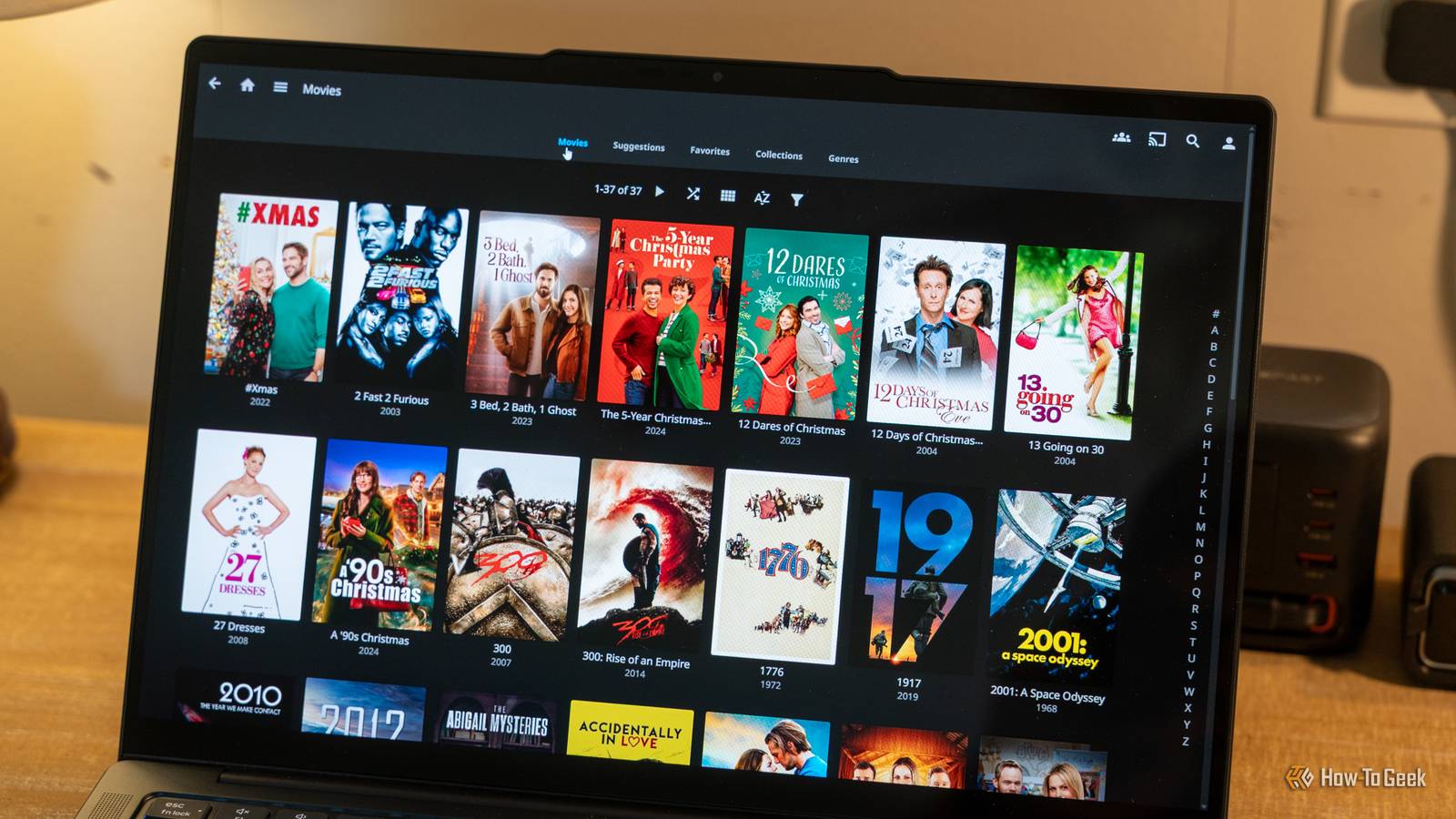
Published Nov 29, 2026, 1:30 PM EST Nimrah has spent the last five-plus years writing about technology, with Linux being one of her favorite subjects to explore. Her work covers everything from Linux and open-source software to databases, cybersecurity, and everyday software. She has contributed to Baeldung, Make Tech Easier, and LinuxHint. She particularly enjoys turning a concept that initially seems complicated into something anyone can understand. Away from tech, she loves to read, cook new recipes, and try new restaurants and cuisines. Cloud subscriptions are convenient, but paying another monthly bill just to manage PDFs, organize documents, stream media, or track your budget gets old quickly. Thankfully, you don't always need another subscription to get these things done. I enjoy self-hosting because I have spare systems, storage, and a genuine interest in tinkering with things. I'd rather put that hardware to good use, run applications my way, and save a few extra bucks on subscriptions while I'm at it. I understand that not everyone wants the added responsibility of managing infrastructure, backups, electricity, and maintenance, and that's perfectly reasonable. But if you enjoy having more control over your software and data, these four Docker apps are worth checking out. Turn your spare storage into your own streaming service The holiday season is almost here, and if you're planning to spend Christmas watching your favorite movies with family, now is a good time to get your media library ready. Instead of relying entirely on streaming services, you can use Jellyfin to build your own personal streaming platform. Jellyfin is an open-source media server that organizes your movies, TV shows, and music into a library with posters, descriptions, episode information, and other metadata. You can stream your collection through supported clients on different devices, making it feel much like using a commercial streaming service. It's also a compelling alternative to Plex if you don't want to pay for Plex Pass to access premium media-server features. Jellyfin doesn't have a paid tier or subscription that hides its features behind a paywall. You install it, add your media, and enjoy your collection without another recurring bill. I particularly like the idea of keeping a personal media library that I can organize and access on my terms. You aren't dependent on a streaming platform deciding to remove your favorite movie or change its subscription plans. There are a few things to consider, though. Jellyfin doesn't provide the movies and shows themselves, so you'll need your own legally obtained media collection. You'll also need enough storage for it, and transcoding can demand considerable processing power depending on your playback devices and media formats. If you want to stream outside your home, you'll need to configure remote access securely. BentoPDF replaces everyday Adobe Acrobat tasks Handle your PDF chores without another subscription PDF tools are one of those things you don't think about until you need to merge two documents, compress a large file, or convert a PDF into another format. Adobe Acrobat Pro handles these tasks, but paying for a subscription can feel excessive when you only need a handful of features. BentoPDF is a self-hosted alternative that brings a collection of PDF tools into your browser. You can merge and split documents, compress files, convert formats, and perform several other everyday PDF operations without paying for Acrobat Pro. I've tried BentoPDF before and shared my experience with readers in an earlier article. Since then, it has earned a permanent place in my tool stack, and I keep recommending it to anyone looking for a convenient way to handle everyday PDF tasks. I like being able to access all these utilities through one browser interface instead of installing separate desktop applications or uploading documents to unfamiliar online tools. That's particularly useful when working with documents you don't want to send to third-party websites. You can run BentoPDF on your own system and keep your PDF processing within your own environment. However, BentoPDF isn't a complete Acrobat replacement. If you regularly edit PDF text, work with complex forms, or need professional document workflows, you may still need a dedicated application. Also, BentoPDF has a free hosted version, so you don't need to self-host it. Running it yourself is more about privacy and control than unlocking additional features. Paperless-ngx replaces paid document-management services Stop treating your Downloads folder like a digital junk drawer If your important documents are scattered across folders, old email attachments, and random downloads, Paperless-ngx can help bring some order to the mess. It's a document-management application that turns receipts, invoices, scanned paperwork, and other files into a searchable digital archive. Its OCR functionality is particularly useful. Rather than relying entirely on filenames to find something, Paperless-ngx extracts text from documents so you can search their contents. It can also automatically assign tags and organize incoming documents using matching rules. I've experimented with its OCR, automatic tagging, and document organization features. I particularly like being able to search through documents instead of manually opening folders and trying to remember where I saved something. Paperless-ngx isn't a direct replacement for Google Drive or Dropbox. Those services focus on cloud storage and synchronization, whereas Paperless-ngx specializes in document management. However, if you're considering a paid document-management or OCR service, it offers a capable alternative without a recurring software subscription. You'll need to think about storage and backups before trusting it with important paperwork. Documents can contain information you really don't want to lose, so keep backups separate from the machine running Paperless-ngx. OCR also isn't perfect, meaning you'll occasionally need to check how it interpreted a scanned document. Actual Budget replaces budgeting subscriptions like YNAB Put your finances in order without another monthly bill Credit: Actual Budget Budgeting applications can help you understand where your money goes, but paying a subscription just to keep track of your spending isn't particularly appealing. Actual Budget offers an alternative if you want to manage your finances without committing to another recurring payment. It uses envelope budgeting, a method where you assign available money to different categories such as groceries, bills, savings, and entertainment. This makes it easier to see how much money you have available for each expense instead of simply looking at your account balance. Actual Budget is a free, open-source application that you can host yourself using Docker. It makes an interesting alternative to YNAB, which charges an annual subscription, particularly if you prefer keeping your financial information on infrastructure you control. I like the idea of having a budgeting application that doesn't require handing my financial data to another subscription service. You can organize your finances, track spending, and decide how your budget is structured without paying for the privilege. However, there's some setup involved, and automatic bank synchronization may require a separately paid integration. You'll also be responsible for maintaining backups of your budgeting database. Losing financial records isn't something you want to discover after your server has a bad day. This is the one app I wouldn't recommend to someone who's new to self-hosting. You're dealing with sensitive financial data, so securing your server and maintaining reliable backups are especially important. If you're not comfortable with that responsibility, a managed budgeting service may be a better starting point. Self-hosting isn't for everyone, and that's okay Not everyone wants to spend their weekends maintaining containers, managing backups, or troubleshooting storage problems. Cloud services are convenient, and there's nothing wrong with paying for that convenience. But if you have spare hardware and enjoy tinkering, self-hosting can be rewarding. You get more control over your data, fewer recurring subscriptions, and the satisfaction of running things your way. Sometimes, it's worth a little extra effort.
4 self-hosted Docker apps that made my cloud subscriptions unnecessary
Full Article
Original Source
Read the full article at Howtogeek →KhanList aggregates and links to publicly available news content. We do not host full articles from third-party sources. Always verify important information with original sources.