
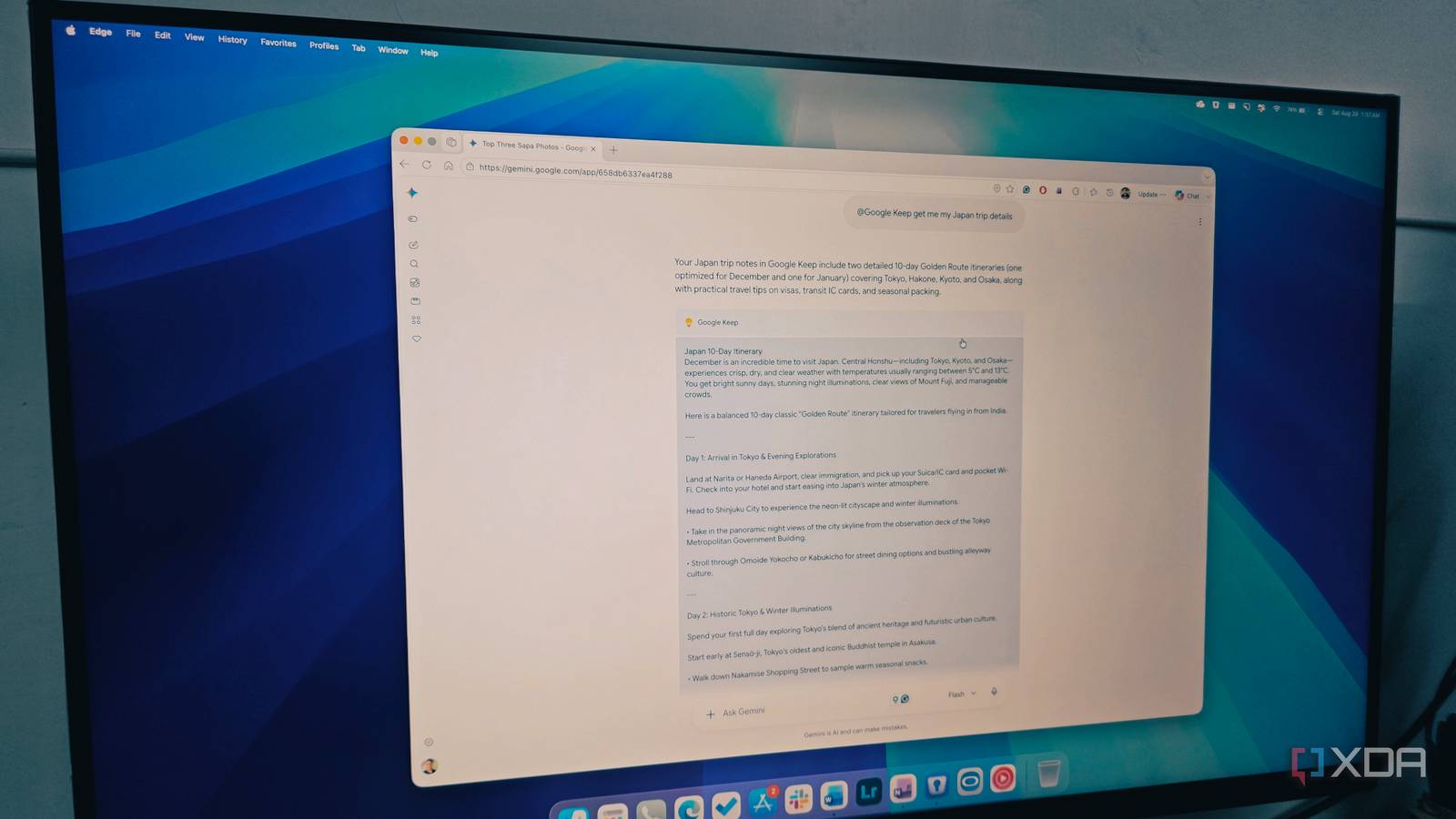
Published Sep 5, 2026, 7:30 AM EDT Parth, a seasoned tech writer, wields the keyboard (or pen) with finesse to unravel the intricacies of both Windows and Mac operating systems. He has covered evergreen content on mobile devices and computers for multiple publications over the last six years. You can find his work on AndroidPolice, GuidingTech and TechWiser. Whether it’s demystifying system updates, deciphering error codes, or exploring hidden features, Parth’s prose guides readers through the binary maze. When not immersed in tech jargon, you’ll find him sipping chai, pondering the next software review, and occasionally indulging in a friendly debate about mechanical keyboards. Claude Pro was my default workspace — the model I trusted for heavy thinking, coding, and complex reasoning. But over time, as my workflow evolved, I couldn’t help but notice Claude’s limitations. When I finally cut the cord and moved my paid subscription to Google Gemini, I expected a compromise. Instead, the combo of blazing-fast responses, direct hooks into my core workspace apps, and an all-in-one package proved that Gemini is more capable than its benchmark numbers suggest. The breaking point with Claude Pro There are several reasons There is nothing more frustrating than being right in the middle of debugging a tricky problem, only to see that warning of hitting the limit. Getting locked out for hours during deep work destroys your momentum. Then there was the output style. Don’t get me wrong, Claude writes beautifully, but it often gives me an entire essay when all I asked for was a quick answer. Having to wade through long introductions and wordy conclusions added unnecessary reading time to what should have been quick research lookups. Finally, the complete lack of multimedia features became a major issue. Modern workflows just don’t happen in plain text. I constantly need quick images, visual mockups, and video snippets to go alongside my drafts. With Claude, I had to pay for a third-party app to do the job. Eventually, it became clear that Claude Pro didn’t fit my workflow, so I had to find another AI tool that met my requirements on the same budget. Raw speed and daily snappiness of Gemini Gemini 3.7 surprised me When Google first rolled out Gemini 3.5 Flash, I gave it a shot and walked away unimpressed. It felt a bit hollow, cut too many corners on complex prompts, and didn’t have the depth I needed to replace a heavyweight model. Gemini 3.7 Flash is another beast, though. The first thing that hits you is snappiness. Whether I am brainstorming article outlines, summarizing docs, or doing quick fact-checks, the response speed is near-instant. More importantly, the output style has improved. It delivers crisp, direct answers that feel natural and conversational rather than robotic. It cuts straight to what matters without wasting my time. The speed carries over to Antigravity, too. I frequently use it for routine coding tasks, frontend mockups, and quick troubleshooting inside Google Antigravity. Let’s be clear: it doesn’t quite match Claude Code in complex tasks, and I won’t pretend it does. But for day-to-day script tweaking, spotting logic bugs, and spinning up quick visual components, it gets the job done without getting bogged down. Deep ecosystem integration Works with my favorite productivity apps This is where the difference between a standalone chatbot and a true digital assistant becomes night and day. Gemini sits directly on top of the Google ecosystem I already live in every day. I can jump into a prompt and say, ‘Find my top three photos from the Turkey trip,’ and it searches Google Photos and displays them right in the chat. If I am planning a project or outlining an article, I can tell it to create a note in Google Keep with the summary, or schedule action items directly into Google Tasks without ever opening another app. It doesn’t stop at productivity apps, either. I can ask Gemini to play a specific song, describe a movie scene, or even play popular tracks from an artist on YouTube Music. This integration is quite helpful when I am behind the wheel and don’t have time to go through my playlists. The all-in-one creative suite The value equation is unbeatable Since my business is quite active on social media, I frequently need to design banners, festive offers, basic graphics, and more. With Claude, I can’t create media, and Claude Design is simply overkill for me. In Gemini, the Nano Banana and Omni tools are built right in. I can write a draft, ask for a matching concept image, or generate a quick video in the exact same chat window. Having text, images, and video tools together saves time and keeps me from constantly jumping between different apps. When you compare what $20 a month actually gets you, Claude Pro simply can’t compete. With Google, the same $20 gets me 5TB of Google Drive storage, Google Health AI Premium that I can use with Fitbit Air, YouTube Music Lite, and higher limits in Antigravity. The overall value is on a different level. My new daily setup delivers more Claude remains brilliant at complex reasoning, but strict usage caps, long answers, and a lack of visual tools made the $20-a-month toll hard to justify. Gemini simply delivers a more complete, practical package. The speed (and effectiveness) of newer Flash models, built-in image and video tools, massive cloud storage, and seamless ties to everyday apps turn it into a daily workhorse rather than a basic chatbot. If you find yourself constantly hitting usage caps or switching between multiple AI subscriptions to get through your workday, it’s time to give Gemini an honest spin for a couple of days.
4 reasons I’m finally quitting Claude Pro – and what I am replacing it with
Full Article
Original Source
Read the full article at Xda-developers →KhanList aggregates and links to publicly available news content. We do not host full articles from third-party sources. Always verify important information with original sources.