
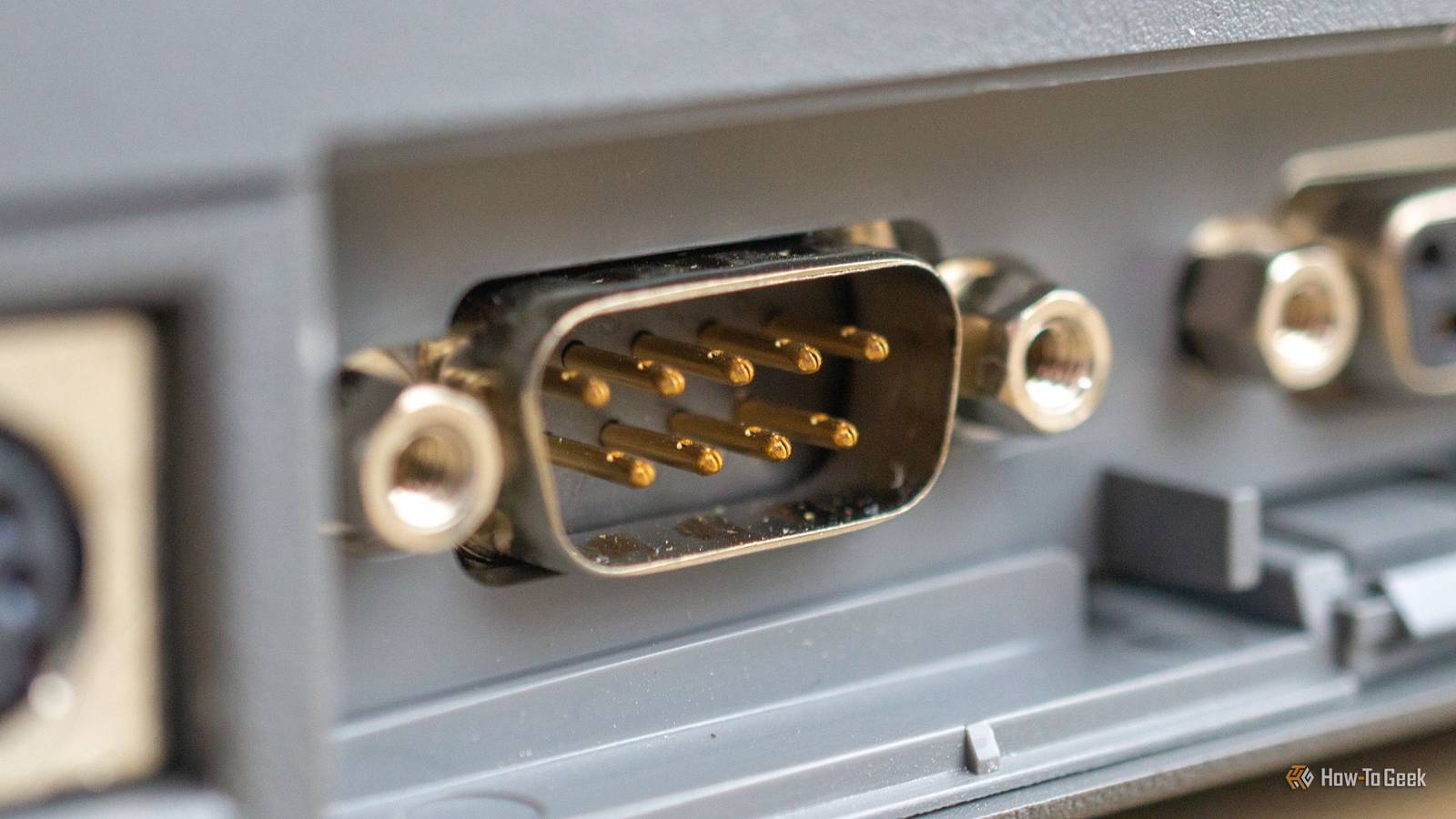
Published Oct 27, 2026, 5:30 PM EDT Andrew Heinzman is a seasoned tech writer with over half a decade of experience. He specializes in delivering insightful tech news and detailed product reviews, particularly focusing on audio and video technology, as well as computers and smartphones. His journey in tech writing includes a two-year stint as the News Editor at Review Geek, the former sister site of How-To Geek. Throughout his career, Andrew has consistently provided readers with valuable insights and up-to-date information on the latest developments in the tech world, earning recognition for his clarity, depth, and relevance. In his free time, Andrew likes to explore music and read books, just as he did when earning his bachelor's degree in English literature. Hippocrates once said "art is long, life is short." It's a neat old proverb that, like many ancient Latin and Greek isms, has been re-observed and re-proven over and over again throughout history. And although I may not be the first to compare computer engineering to an art, I'm probably the first to use a Hippocrates quote to describe the RS-232 serial port. Like a good painting, a computer port can long outlive its inventor and grow into something so common that most people never give it any mind at all. And after roughly a century of computing (depending on who you ask), there's no shortage of ports that could be carved into their engineers' headstones. The 36-pin parallel port A printer changed the history of PC ports Centronics, a subsidiary of Wang Laboratories that primarily designed terminals for casinos, stumbled its way into a printer breakthrough after inventing a faster, more refined way to print casino receipts. The company took its receipt printer technology and spun it into the Centronics Model 101, popularized both dot-matrix impact printing and the parallel interface. Unlike serial ports, which stream data bit by bit and require extra hardware (such as a buffer) in order to work in a printing interface, the 36-pin parallel port could carry an entire byte across eight data lines simultaneously, which resulted in much faster prints. Several online sources, including Wikipedia, state that the 36-pin configuration was chosen for Centronics Model 101 because Wang Laboratories happened to have about 20,000 extra 36-pin connectors on hand, but I can't find where this claim originates from, so take it with a grain of salt. Other printer manufacturers quickly picked up on the 36-pin parallel port as a standard connector. And despite its humble beginnings, the parallel port became so deeply embedded in industry that it outlived just about everything that was supposed to replace it. Printers and other office hardware have finally transitioned to USB, but the parallel port still lives on in a lot of legacy systems. Take a quick look at the receipt printer the next time you go to the grocery store or gas station, it might use a parallel port. Robert Howard, the founder of Centronics who helped design the 36-pin parallel interface, passed away in 2014 at age 91. Co-developer Dr. An Wang died in 1990, while Prentice Robinson, an engineer who contributed to the system, does not have a publicly listed date of birth or death. Quiz 8 Questions · Test Your KnowledgePC ports and motherboard I/OTrivia challengeThink you know your USB from your PCIe? Put your connector knowledge to the test.PortsStandardsHardwareConnectorsMotherboardsBegin Which USB connector type is fully reversible, meaning it can be plugged in either way?AUSB Type-ABUSB Type-BCUSB Type-CDUSB Micro-BCorrect! USB Type-C features a symmetrical oval design that lets you insert it in either orientation. Introduced in 2014, it has become the dominant connector for modern devices and supports everything from data transfer to video output and fast charging.Not quite — the answer is USB Type-C. The older USB Type-A connector (the flat rectangular one) famously required you to flip it at least twice before getting it right. USB Type-C's reversible design was one of its biggest selling points when it launched in 2014.Continue What does the 'x16' in a PCIe x16 slot refer to?AThe slot's maximum wattage outputBThe number of data lanes availableCThe physical length of the slot in millimetersDThe generation version of the PCIe standardExactly right! PCIe x16 means the slot has 16 data lanes, allowing significantly more bandwidth than smaller x1 or x4 slots. This is why discrete graphics cards almost always use x16 slots — they need that extra throughput to feed pixel data to your display.Not quite — the 'x16' refers to the number of data lanes. More lanes mean more simultaneous data paths between the CPU and the card. Graphics cards use x16 slots because their massive data demands require all 16 of those lanes working together.Continue Which port on a motherboard is most commonly used to connect a display directly to the CPU's integrated graphics?AUSB4BHDMI or DisplayPort on the rear I/O panelCThunderbolt 4 onlyDThe PCIe slot video outputThat's correct! The HDMI and DisplayPort connectors found on a motherboard's rear I/O panel are wired directly to the CPU's integrated graphics unit. If you have a discrete GPU installed, you should use that card's outputs instead for best performance.The right answer is the HDMI or DisplayPort connectors on the rear I/O panel. These ports bypass the discrete GPU entirely and tap into the CPU's built-in graphics. It's a common troubleshooting trap — plugging a monitor into the motherboard instead of the GPU and wondering why nothing works.Continue What is the primary function of the 24-pin ATX connector on a motherboard?ADelivering power from the PSU to the motherboardBConnecting the front panel USB portsCLinking the CPU to the chipsetDProviding power to PCIe graphics cardsSpot on! The 24-pin ATX connector is the main power connector that delivers multiple voltage rails — including 3.3V, 5V, and 12V — from the power supply to the motherboard. Without it seated properly, your PC simply won't power on at all.The correct answer is delivering power from the PSU to the motherboard. The 24-pin ATX connector is the big wide plug you'll find on every modern motherboard. It supplies several different voltage levels that the board distributes to components. PCIe cards get their supplemental power from separate 6- or 8-pin connectors directly from the PSU.Continue Which of the following rear I/O ports transmits both audio and video in a single cable and is most commonly found on modern motherboards?AVGABDVI-DCHDMIDS-VideoCorrect! HDMI carries both high-definition audio and video over a single cable, making it one of the most convenient display connectors available. It became standard on motherboards as integrated graphics improved, and modern versions support 4K and even 8K resolutions.The answer is HDMI. VGA is analog-only and carries no audio, DVI-D is digital video only without audio, and S-Video is an older analog format. HDMI bundles both audio and video digitally, which is why it became the go-to connector for TVs, monitors, and motherboard rear panels alike.Continue What maximum theoretical data transfer speed does USB 3.2 Gen 2x2 support?A5 GbpsB10 GbpsC20 GbpsD40 GbpsImpressive! USB 3.2 Gen 2x2 achieves 20 Gbps by using two 10 Gbps lanes simultaneously — that's what the '2x2' means. It requires a USB Type-C connector and is most commonly found on high-end motherboards, making it ideal for fast external SSDs.The correct answer is 20 Gbps. The '2x2' in the name is the key clue — it bonds two 10 Gbps channels together. USB naming got notoriously confusing around this era, with the same physical port potentially supporting very different speeds depending on the generation label printed in the spec sheet.Continue What is the role of the M.2 slot found on most modern motherboards?AConnecting additional USB ports via a riser cardBHousing compact storage drives or wireless cardsCAttaching a secondary GPU for multi-monitor supportDProviding extra RAM slots for memory expansionWell done! M.2 is a compact form-factor slot that most commonly hosts NVMe SSDs, which connect via PCIe lanes for blazing-fast storage speeds. Some M.2 slots also support SATA-based SSDs and Wi-Fi/Bluetooth combo cards, making the slot surprisingly versatile.The correct answer is housing compact storage drives or wireless cards. M.2 replaced the older mSATA standard and supports both PCIe NVMe drives and SATA drives depending on the slot's keying. NVMe M.2 drives can achieve sequential read speeds many times faster than traditional SATA SSDs.Continue Which audio connector color on a standard PC rear I/O panel is designated for the main stereo line output to speakers or headphones?ABlueBPinkCOrangeDGreenThat's right! The green 3.5mm jack is the standard line-out port used for speakers and headphones in the PC audio color-coding scheme. Blue is line-in for recording, and pink is the microphone input — a color system that's been consistent across PC motherboards for decades.The correct answer is green. PC audio jacks follow a long-standing color convention: green for headphones and speakers, blue for line-in (recording from external sources), and pink for the microphone. It's one of those legacy standards that has quietly persisted even as USB and digital audio have become more common.See My Score Challenge CompleteYour Score/ 8Thanks for playing!Try Again The 3.5mm audio jack Oh, you mean the headphone jack? Everybody's favorite cable, the "headphone jack," is nearly a century old. It was developed in the 1950s as a miniaturized version of the standard 1/4" audio jack, which had already been utilized in telephony for over three quarters of a century. Curiously, the 3.5mm jack doesn't have a sole inventor, but it was popularized by Sony transistor radios in the 1960s. The 3.5mm cable lived alongside 1/4" and even 2.5mm jacks for a while, but it became the king of headphone audio when the Walkman took over the world in the '80s. Naturally, it became the de facto standard for PC headphone audio later on. Though it should be noted that the modern 3.5mm headphone jack is slightly different from its original conception. Early versions were monophonic and utilized a tip-sleeve (TS) design, while later versions turned to a tip-ring-sleeve (TRS) configuration for stereo audio (or balanced mono audio). The modern 3.5mm jack that you see in most laptops is tip-ring-ring-sleeve (TRRS), which adds support for things like microphone input or inline remote controls. Other audio cables mirror the 3.5mm's history of development. The 1/4" cable still uses a TS design for instruments but regularly appears in the TRS format for things like studio monitors (effectively offering balanced XLR audio in a 1/4" format). The PS/2 port No, not the game console Developed by IBM for its 1987 Personal System 2 (PS/2) line of PCs, the PS/2 port was effectively an early precursor to USB. It utilized a small, simple 6-pin mini-DIN connector to connect keyboards and mice to early home computers over a serial protocol. And although the PS/2 computer lineup worked out to be a massive failure for IBM, several of its features became stalwart standards of home computing—VGA graphics, 3.5-inch floppy drives, and the PS/2 port. Curiously, PS/2 still lives on as a legacy port in some computer motherboards. Very few people actually use it, but some gamers and retro enthusiasts tout it as a better alternative to USB, as it offers true N-key rollover (you can press more than six keys at once) and has no USB overhead. But others question the benefits of PS/2 in a modern context, as USB keyboards now offer N-key rollover through drivers, and high-speed USB polling is faster than PS/2. As for whether PS/2 has outlived all of its creators, the answer is a solid "maybe." It depends on how you interpret the question. IBM's PC division began a slow march into oblivion in the years before PS/2 was introduced, and it was scooped up by Lenovo in 2004. The PS/2 connector has no patent (which helps to explain its popularity), so it's difficult to figure out who on the IBM team actually worked on it. For what it's worth, some of IBM's most prolific engineers, including Mark Dean (co-creator of the ISA bus) are still around and kicking. The RS-232 serial port A computer port that's older than you'd think Introduced in 1960 as an interface for early teletypewriters and modems, RS-232 (an abbreviation of Recommended Standard 232, funnily enough) was an invention of the Electronic Industries Association (EIA), a trade group that shared patents amongst itself and developed standardized hardware to ensure that different brands of electronics could be interchangeable. While the RS-232 interface predates home computing by nearly two decades, it actually took a while for the standard to trickle down to consumers. Early home computers like the Apple II required an interface to work with RS-232. This changed to some extent in the '80s with computers like the Commodore Amiga and IBM PC, though some landmark machines like the Commodore 64 required adapters for RS-232 gear, as built-in hardware to support the standard would've cost too much. Serial ports weren't abandoned by home computers until the late '90s or early 2000s. So, after half a century in businesses and homes, it's no surprise that RS-232 serial ports are still utilized today, primarily for legacy industrial equipment and POS terminals. Unfortunately, the RS-232's invention is somewhat cloudy. The EIA's committee roster was a rotating list of engineers and executives from across the electronics industry, as opposed to a static team. But some prominent names who were involved with the EIA during the early '60s, such as L. Berkley Davis (who served as president of the organization), are deceased. Honorable mention: Ethernet The history of Ethernet, and computer networking in general, is intertwined with the history of telephony. We primarily associate Ethernet with the RJ45 connector (or 8P8C, more accurately), which was invented by a team at Bell Labs in the 1970s under an FCC directive to standardize telephone equipment. Home telephone systems rarely used RJ45 and usually relied on RJ11 instead, but the standards were developed concurrently. Ethernet itself was conceptualized by Bob Metcalfe and built by a team of co-creators, most notably David Boggs, at Xerox PARC in 1973. But this early version of the technology did not use the RJ-45 connector that we're familiar with—that development came about a decade later when AT&T and Tandem Computers began conceptualizing the 10BASE-T (IEEE 802.3i) standard as part of an effort to leverage existing telephone infrastructure for networking applications. Metcalfe is still active at MIT and received the A.M. Turing Award in 2023. Tim Rock and Richard Bennett, the duo that paired Ethernet with UTP telephone wiring, are still kicking, too. But David Reeves Boggs passed away in 2022, and most of the Bell System designers who contributed to the original RJ-45 jack are gone. So, the modern cable that we recognize as "Ethernet" gets a solid honorable mention in this list, mainly because its development extends over such a long period of time.
4 PC ports that outlived their inventors and still refuse to die
Full Article
Original Source
Read the full article at Howtogeek →KhanList aggregates and links to publicly available news content. We do not host full articles from third-party sources. Always verify important information with original sources.