
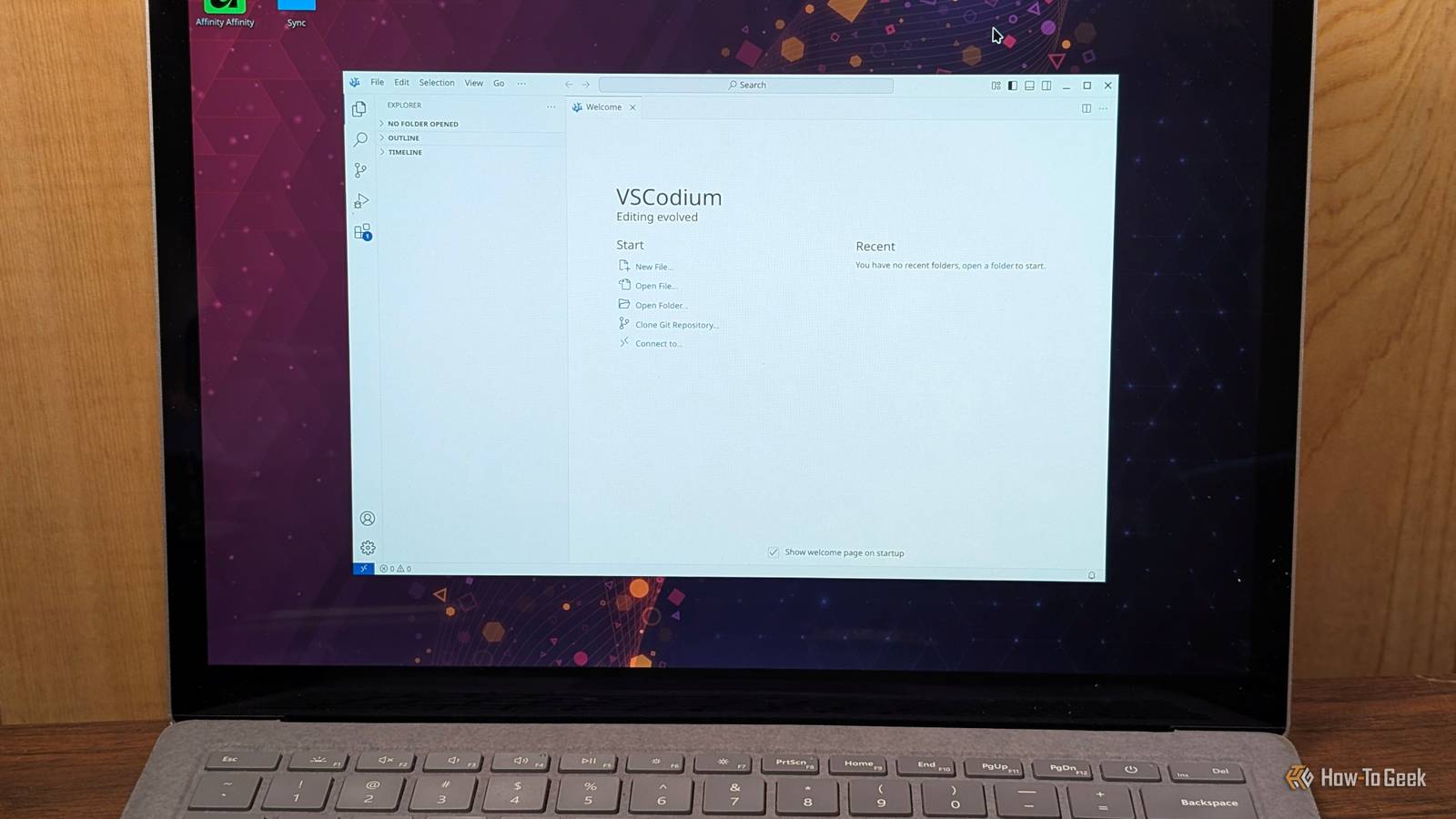
Published Sep 21, 2026, 10:30 AM EDT Nick Lewis is an editor at How-To Geek. He has been using computers for 20 years --- tinkering with everything from the UI to the Windows registry to device firmware. Before How-To Geek, he used Python and C++ as a freelance programmer. In college, Nick made extensive use of Fortran while pursuing a physics degree. Nick's love of tinkering with computers extends beyond work. He has been running video game servers from home for more than 10 years using Windows, Ubuntu, or Raspberry Pi OS. He also uses Proxmox to self-host a variety of services, including a Jellyfin Media Server, an Airsonic music server, a handful of game servers, NextCloud, and two Windows virtual machines. He enjoys DIY projects, especially if they involve technology. He regularly repairs and repurposes old computers and hardware for whatever new project is at hand. He has designed crossovers for homemade speakers all the way from the basic design to the PCB. Nick enjoys the outdoors. When he isn't working on a computer or DIY project, he is most likely to be found camping, backpacking, or canoeing. VS Code is one of the most popular editors out there—it is relatively lightweight, has an extension for everything, and has a core that is open-source. However, the actual download you get from Microsoft isn't; that version comes with telemetry, a proprietary license, and a marketplace that is limited to Microsoft's own builds. Because the core of VS Code is open-source, there are multiple community forks that have taken the program in different directions. Some of them are one-size fits all editors, while others have become slightly more specialized tools. VSCodium VS Code with the telemetry stripped out If you want something that is as close as possible to VS Code without the telemetry, VSCodium is the program you should use. It strips out all the telemetry, branding, and proprietary license from the VS Code repo. The user experience is almost identical. Editing is the same, but VSCodium trades Microsoft's marketplace for the VSX Marketplace. The slight downside is that some extensions are Microsoft exclusive, which means they're not available on the Open VSX marketplace. You can actually point VScodium at the Microsoft marketplace, but it is a terms of service violation. VSCodim is available as an executable, Flatpak, APT, DNF, and almost any other avenue. Once you have it installed, you can just migrate the settings and keybindings JSONs from VS Code to transfer your setup without manually changing everything. Code - OSS The upstream build that often comes with Linux Credit: Nick Lewis / How-To Geek If you're a Linux user, and you prefer to use your own package manager rather than a third-party option, like a Flatpak, Code OSS is an option. It is a build of VS Code, but it comes with some distros, like Arch as "code-oss." Technically, Code - OSS is the upstream open source project and VS Code is more like the fork. The catch is the marketplace again. Some versions of Code OSS don't come with a marketplace at all, which means you need to manually select one to start installing extensions. Code OSS also tends to run a bit behind the main VS Code release. You only get updates when the distro maintainers package them rather than when Microsoft releases them. However, that isn't usually a significant problem. Void An open-source alternative to Cursor AI-powered editors like Cursor or Windsurf are increasingly popular, but they're closed-source and subscription-based. Void is a fork of VS Code that is designed to bring those sorts of AI features, like inline edits, chat, and an agent mode, without a subscription. Like most open-source AI projects, Void allows you to use any AI model that runs on your PC. You can connect it to Ollama or any other OpenAI-compatible endpoint. Your code (or other work) stays local, and you don't rely on third-party services. Of course, that also comes with a few downsides—local AI models, while much better than they were historically, can't match the frontier cloud models for large coding jobs. You can optionally connect Void to a frontier model if you want. The project hasn't been updated in quite a while, but if you want an open-source AI editor, it is a good place to start. There are several modern forks of Void that are currently under development. PearAI AI editor built around plugins PearAI takes a different approach to an AI editor. Rather than just attaching a chat window, it bundles open-source AI tools (which will feel very familiar if you've used Continue) directly into the editor. It comes with chat, autocomplete, an agent mode, and a search tool. As you'd expect, it supports both local and cloud providers. The only tradeoff is that the extension choices, PearAI are a bit difficult to change, since they're integrated from the beginning. In practice, cobbling together a few of your own extensions in VSCodium would probably be faster than swapping out one of the extensions from PearAI. Even with that caveat, PearAI is an interesting choice if you want an AI setup that works out of the box without spending hours combining multiple extensions into a coherent package. Picking between the VS Code forks Every one of these forks has trade-offs. You're trading a bit of convenience that comes with Microsoft's ecosystems for a more private, customizable experience. You will lose official access to the Microsoft marketplace. Open VSX has most of the popular extensions, Microsoft's proprietary tools—like Pylance, Copilot, and Remote SSH—aren't included. However, you can use open alternatives to those extensions instead. If you just need VS Code without the telemetry, opt for VSCodium or Code OSS. If you want AI integration, try PearAI or Void. Void and PearAI actually feel quite different, so I'd recommend trying both. For 99% of what I do, VSCodium fits the bill perfectly. It trades out the bits I find annoying without sacrificing or changing the core features that I like about VS Code. If you're feeling especially ambitious, you can always fork VS Code yourself and try to use ChatGPT or Claude to vibe code your own fork. Given how capable AI models are, it'd probably produce something useable.
4 open-source VS Code forks that do what Microsoft won't
Full Article
Original Source
Read the full article at Howtogeek →KhanList aggregates and links to publicly available news content. We do not host full articles from third-party sources. Always verify important information with original sources.