
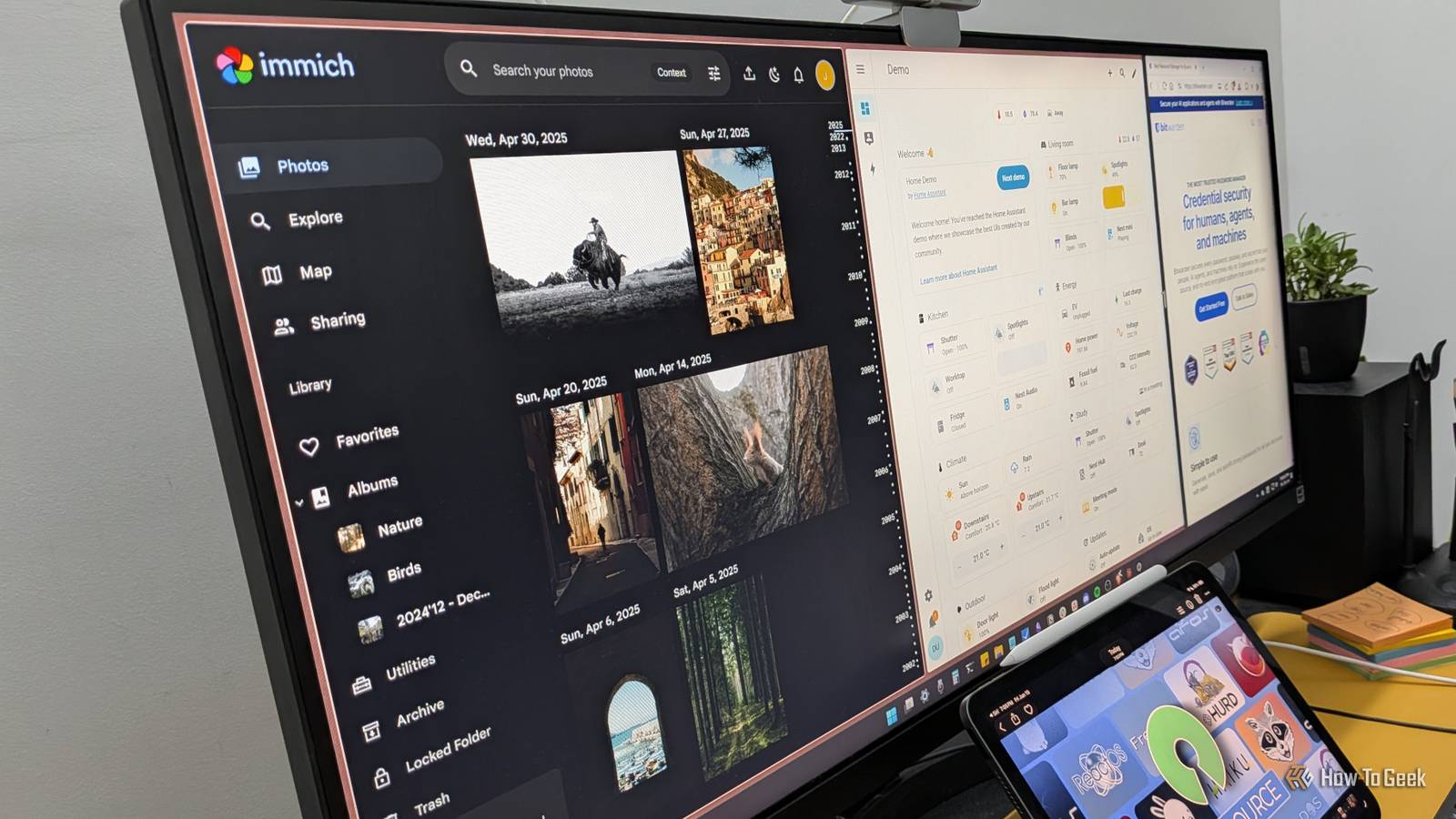
Published Oct 9, 2026, 9:30 AM EDT Patrick Campanale has been in the tech space for well over a decade, specializing in PC/gaming news and reviews, as well as maker-focused products to build small businesses. With a start in technology back in 2010 surrounding the Palm/webOS ecosystem, Patrick spent his formative years developing mobile applications as well as blogging for various publications, eventually leading to starting his own website in 2014. After running a technology blog for a few years, he stepped out of that role and into the world of high-end custom PC manufacturing and building, with a focus on YouTube video production and overclocking. Then, in 2017, Patrick joined the 9to5Toys team as an editor/writer/reviewer with over 14,000 articles being published during his time there, ranging from deals and roundups to in-depth reviews on the latest technology, video games, 3D printers, and more. In his free time, Patrick loves to create projects from wood using various robots and methods, including leveraging the technologies of CNCs and lasers. If Patrick isn't working on a computer or playing video games, he's likely in his 2-car garage workshop creating something unique. In addition to all this, Patrick is also the media director at his local church where he feels God has called him to serve, and he loves every minute of it. Are you ready to ditch Google Photos and self-host your own photo server? There are a number of ways to go about doing that, allowing you to store your pictures without giving Google the rights to crawl through them all. Whether you already have a storage server running at your home or you’re looking to get started, here are three self-hosted alternatives to Google Photos. I've ordered them from easiest and most basic to most advanced and fully-featured. Plex Credit: Jason Montoya / How-To Geek You might already be using Plex as your media streaming hub, but did you know that it also worked as a photo server? Plex Photos is built into your Plex server already, and there’s even a mobile app to handle automatically backing up your photos when on-the-go. The only drawback to Plex is that there’s no real AI or ML capabilities available. Instead, you’ll get a no-frills photo app that simply puts your pictures front and center. However, this also means that you can’t search for dog and have pictures of your furry friend show up. Overall, though, Plex offers a completely free solution if you already have a Plex server up and running (or if you’re planning to spin one up). It’s also nice that Plex Photos wasn’t affected by the recent Plex Pass shake-up that disabled remote access without a subscription. Thankfully, the Plex Photos app still works remotely without paying Plex a dime. Plex Brand Plex Free trial Free version available With Plex, you can keep a single, unified Watchlist for any movie or TV show you hear about, on any service—even theater releases! You can finally stop hopping between watchlists on all your other streaming services, and add it all on Plex instead. Synology Photos Credit: Jerome Thomas / How-To Geek If you have a Synology NAS, then you already have access to Synology Photos. This backup service runs locally on your NAS and allows you to store all the photos and videos from various devices with ease. However, if you don’t already own a Synology, then you can actually get started with backing up your photos for a relatively low price. The Synology Beestation, for example, comes with a 4TB hard drive pre-installed and costs just $220. This unique NAS server supports all Synology apps and works great as a remote photo backup server. Of course, it also functions as a full-blown file server and can replace Google Drive at the same time as replacing Google Photos, making this a versatile buy all around. Synology BeeStation Brand Synology CPU Realtek RTD1619B Store, access, and share files over the web, or from your desktop or mobile devices with the BeeStation. Share storage with family and friends so everyone has their own personalized storage space. Back up files from Google Drive, OneDrive, Dropbox, and external drives to one central place. Immich Credit: Immich For those who want the most Google Photos-like experience, you can’t go wrong with Immich. This self-hosted piece of software runs full machine learning and uses locally-hosted AI models to categorize photos, run facial recognition, and much more. Really, Immich is a drop-in replacement for Google Photos entirely. The mobile app for Immich is pretty stellar, and also is on-par with Google Photos in my experience. The only downside to Immich is its deployment and the hardware required to run it. Because it has the ability to do both AI and ML tagging, you need a relatively beefy system to run it. I used Immich with a GTX 1660 Ti graphics card, but it’ll also work well on newer Intel processors or any modern graphics card when doing the AI/ML tagging. The more power you have, the faster the initial tag happens, and the more efficient it runs. Overall, if you want a direct Google Photos replacement, Immich is it. You can create multiple user accounts, you can generate links to share specific photos or albums, and it has all the search capabilities you could ever want. You just have to have the infrastructure to run it. Immich Photo Server Supported Desktop Browsers All Brand Immich Immich is a self-hosted photo server that can replace Google Photos or iCloud Photos. With on-device machine learning and AI tagging, you'll still be able to search for "dog" and find pictures of your furry friends. Being self-hosted, all of your data remains in your home and away from prying eyes, giving you enhanced security, too. No matter what solution you go with to replace Google Photos, you do need to consider the 3-2-1 backup strategy. You need to have both on-site and off-site backups happening to ensure data integrity. For example, if all your life’s photos are stored on a Beestation, and that drive dies, then you’ve lost everything. However, if you have some form of a backup solution—be that Backblaze B2, Synology C2, or just storing encrypted data in Google Drive or Dropbox—then you have a recovery method available if a drive fails. You could even back up to another storage server at a friend’s house or that you keep with a family member. I’ve even known people who make a backup of their drive and mail it across the country to someone they know. Regardless of what backup method you choose, I strongly recommend against leaving Google Photos, migrating all of your pictures to a local server, and then not keeping it remotely backed up. That’s simply a recipe for disaster.
3 Self-hosted alternatives to Google Photos
Full Article
Original Source
Read the full article at Howtogeek →KhanList aggregates and links to publicly available news content. We do not host full articles from third-party sources. Always verify important information with original sources.