
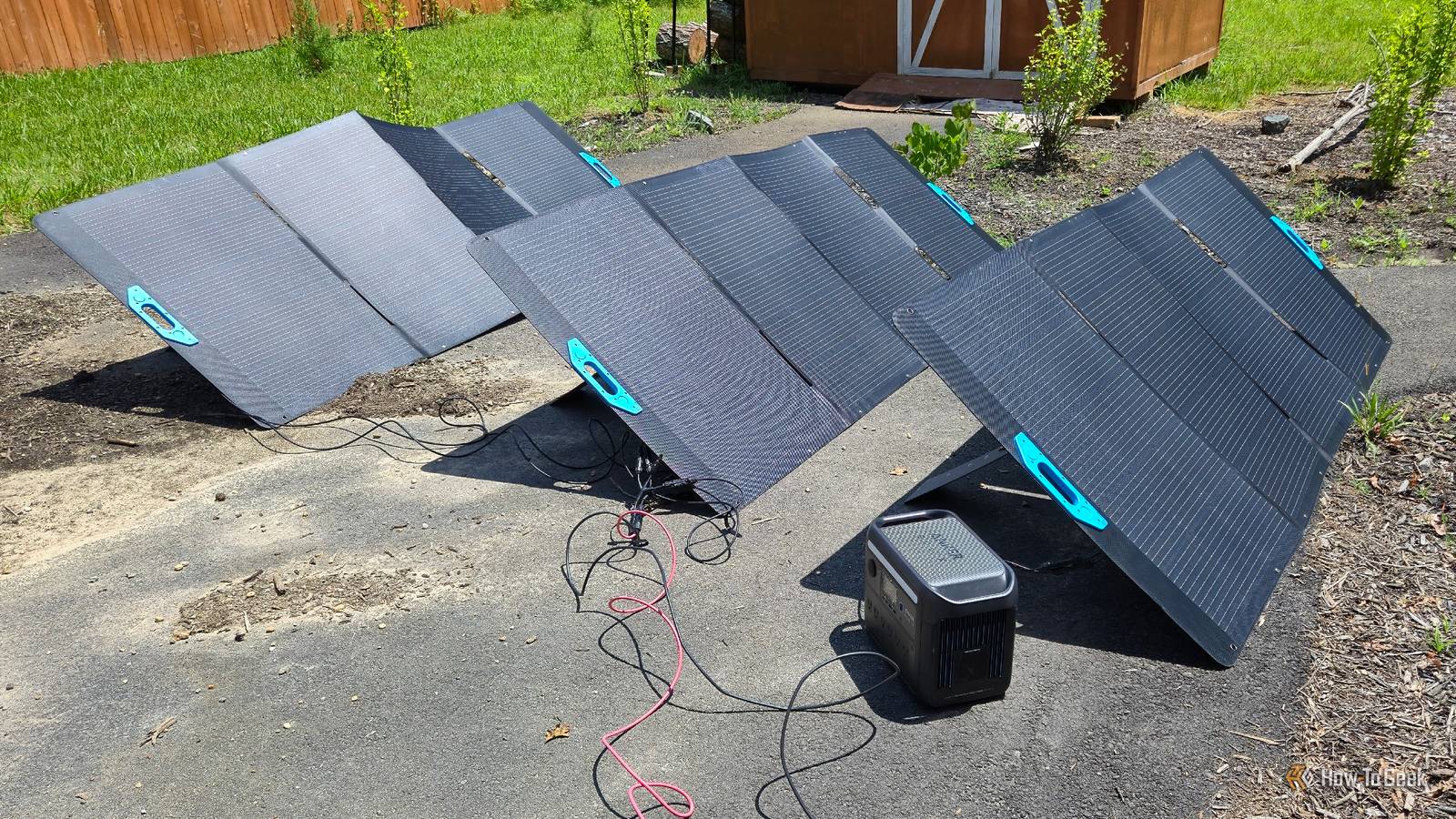
Published Oct 21, 2026, 3:30 PM EDT Bertel is a lifelong tech enthusiast with over a decade of experience writing thousands of articles about Android devices, Linux, and more. Before joining the How-To Geek team, Bertel wrote for the likes of MakeUseOf, MakeTechEasier, and Android Police—at the latter he wrote over 3,500 articles. He delights in helping others decide which tech to bring into their lives... and which tech to do without. Bertel graduated from the College of William and Mary in 2012 with degrees in History and Government. He has spent his entire career as a tech journalist covering Android, Linux, wearables, smart home devices, and more. I didn’t take to smart home tech right away, but solar is different — I’ve always loved the idea of solar panels. Now I have plenty of them, and as it turns out, solar and smart home tech go hand in hand. Solar powers the batteries that keep my smart home running in an outage I don’t want my smart home to fail whenever the power flickers Most smart home tech isn’t essential, so I would turn much of it off during a genuine multi-day emergency — but that’s not the kind of outage we experience most often. More often than not, power is back on within a few hours, and for those outages, I’d rather my home keep functioning as normal. My smart home relies primarily on Matter, an open smart home standard that lets devices communicate over my local network rather than relying on a cloud connection. My devices connect to my Homey Pro, a smart home hub that manages my devices within my home instead of in the cloud (unlike Amazon Alexa Plus, Google Home, or Samsung SmartThings). My Homey Pro (honestly, I'd recommend you get the cheaper Homey Pro mini instead) lives in the entertainment console underneath my TV, along with the main node for my mesh Wi-Fi router and our UGREEN NASync DXP6800 Ultra NAS. These devices are all plugged into a Bluetti FridgePower solar generator mounted to the wall behind the TV stand. The LiFePO4 battery inside has a 2,016kWh capacity, which keeps these devices on through most outages. For an extended outage, I can connect portable solar panels using an extra-long extension cable to recharge the battery and keep my devices powered. I recommend the Bluetti FridgePower for this use case because, unlike most portable power stations, it largely disappears out of sight behind larger entertainment consoles, and it has both enough energy storage and power output (1,800W) to keep smart home hubs, NAS, and Wi-Fi running. It can also easily power our TV and Nintendo Switch dock, letting us run all of these things off solar power during an outage. I have a separate Bluetti FridgePower with an expansion battery behind my fridge (the use case it’s obviously designed for). This can keep my fridge running for over two days without any intervention on my part. Those things stay powered automatically, but I have also installed generator inlet ports underneath my home’s electrical panel and bought solar generators capable enough to turn the entire house back on. Since smart home devices require so little power, my smart home returns to being almost fully functional again whenever I plug my solar generators in (the thermostat and HVAC are the main exceptions here). My smart home monitors my rooftop solar energy production This helps me plan to go off-grid My wife and I have blanketed our roof with solar panels. These provide enough energy to meet our home’s energy needs and also cover much of the driving we do in our two electric cars. I can monitor their energy usage in the Enphase Android app, and I can also monitor energy consumption in the Homey app. This tells me how much energy we would have to work with if we were to invest in built-in home batteries someday so that our home can seamlessly continue to function off-grid. Another investment I haven't made yet: if you’ve purchased energy-monitoring tools, you can see not only how much energy your home produces, but which devices are using it. You can then use this data to make informed changes or set up automations, such as only charging cars or recharging your portable power stations connected to a smart plug when the sun is shining. Solar can power your outdoor smart devices You can now purchase outdoor cameras and lights with solar panels baked in Incorporating smart home tech outdoors comes with extra challenges, and supplying power is one of them. There are only so many places you can run an extension cord, and electricians can greatly increase a project's cost. That is why you're increasingly seeing solar-powered smart devices with integrated batteries. The TP-Link Tapo C660 security camera comes with a solar panel, so you can mount it anywhere outdoors within range of your Wi-Fi and expect it to stay powered. Linkind makes outdoor smart lights powered by solar panels. Solar and mesh Wi-Fi nodes together are the final ingredient that makes outdoor smart home tech accessible to more of us. A resilient smart home needs solar Sure, you can build a smart home without solar, but you’re more vulnerable to power fluctuations and far more constrained when deciding which devices to place outside. As you plan which devices you intend to purchase along the way, don’t limit your thinking to smart home hubs, dashboards, smart bulbs, and sensors. I highly recommend investing in as many solar panels and batteries as you can.
3 ingenious ways to use solar panels in your smart home
Full Article
Original Source
Read the full article at Howtogeek →KhanList aggregates and links to publicly available news content. We do not host full articles from third-party sources. Always verify important information with original sources.